Simulators
This section provides details on how to use and configure Connected Asset Simulators.
Simulators are runtime engines for testing IoT Gateways and Things. When you open the IoT Simulated Assets Module or the Simulated Assets table in the Connected Assets Workspace, it displays a list of all the Simulators within this ServiceNow org. These Simulators can “impersonate” devices by generating the messages typically sent from the actual devices.
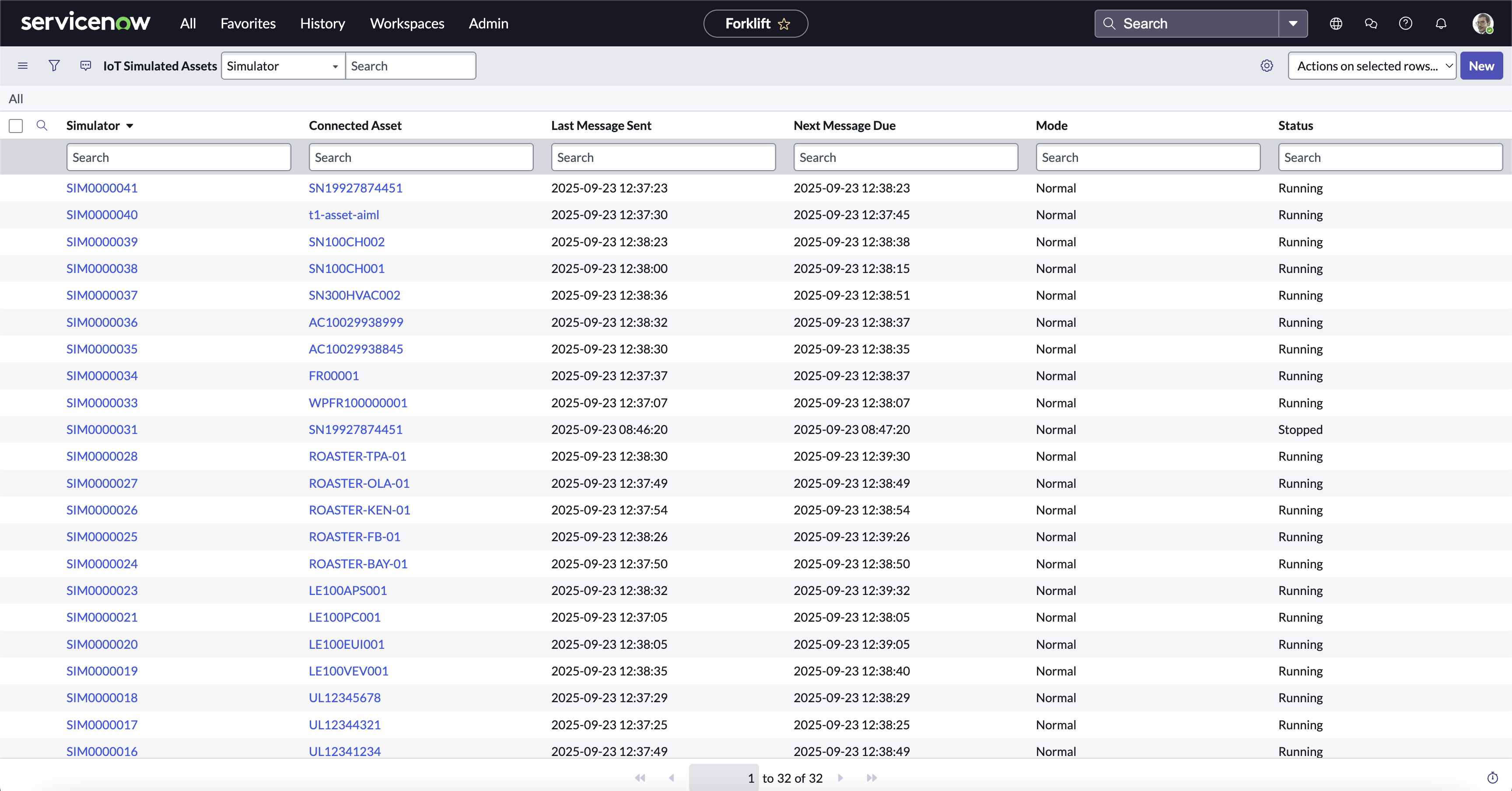
Simulators
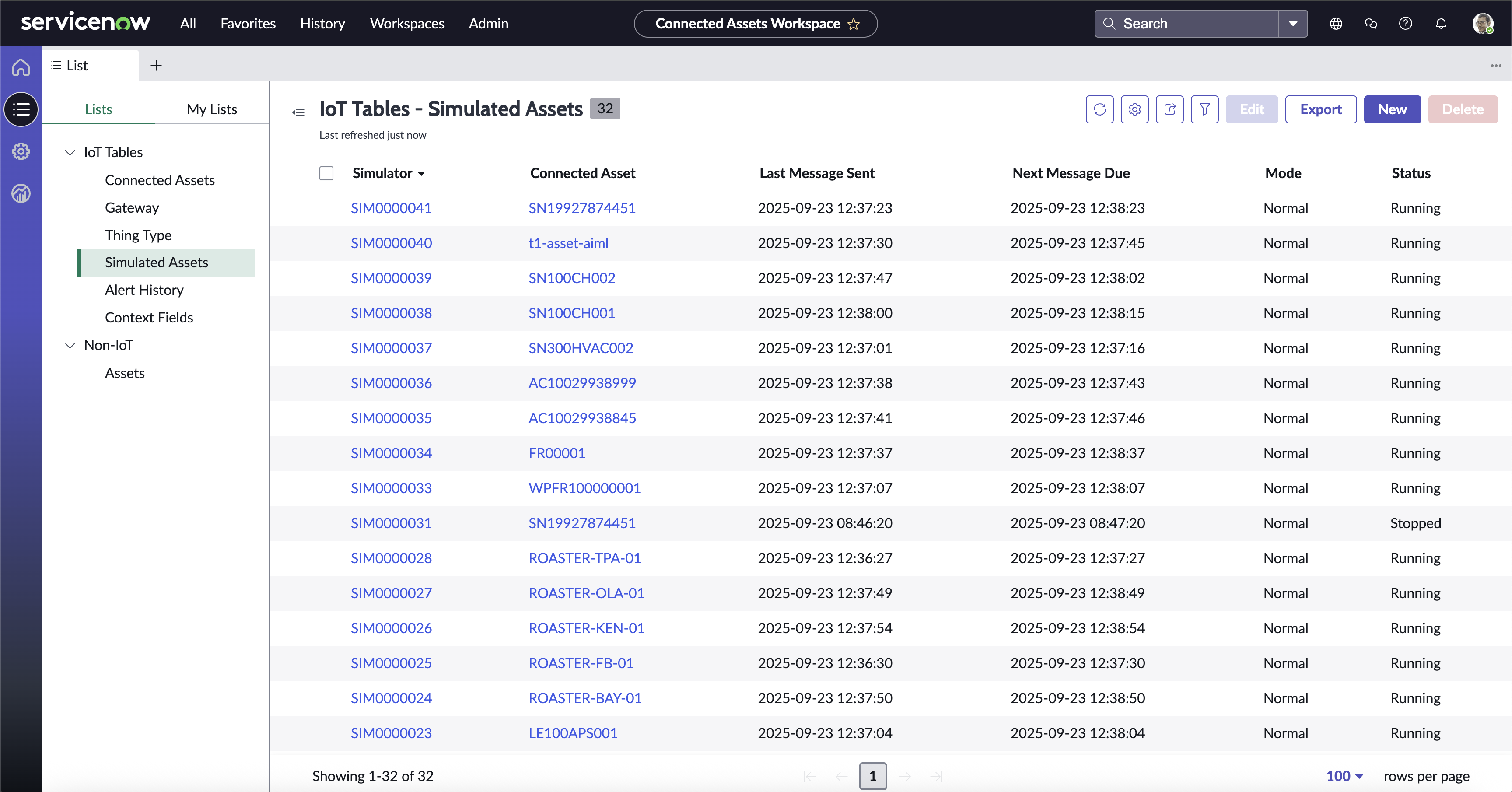
Simulators in the Workspace
Controlling Simulators
You can open a simulator by clicking on the name. With a simulator open, you can do the following:
- Change the Status (#1)
- Select the Connected Asset to simulate (#2)
- Select the Mode (#3)
You can change the Connected Asset and Status from the list view. To remove a simulator, you can delete the record.
Modes (#3) are configured below, and define the different combinations of values being sent from the simulated devices. You can see which Mode every device is in, as well as change the mode by switching it in the Simulator Record. This will cause the device to send different values, possibly resulting in an Alert Condition, to aid in testing and validation of the configured automation.
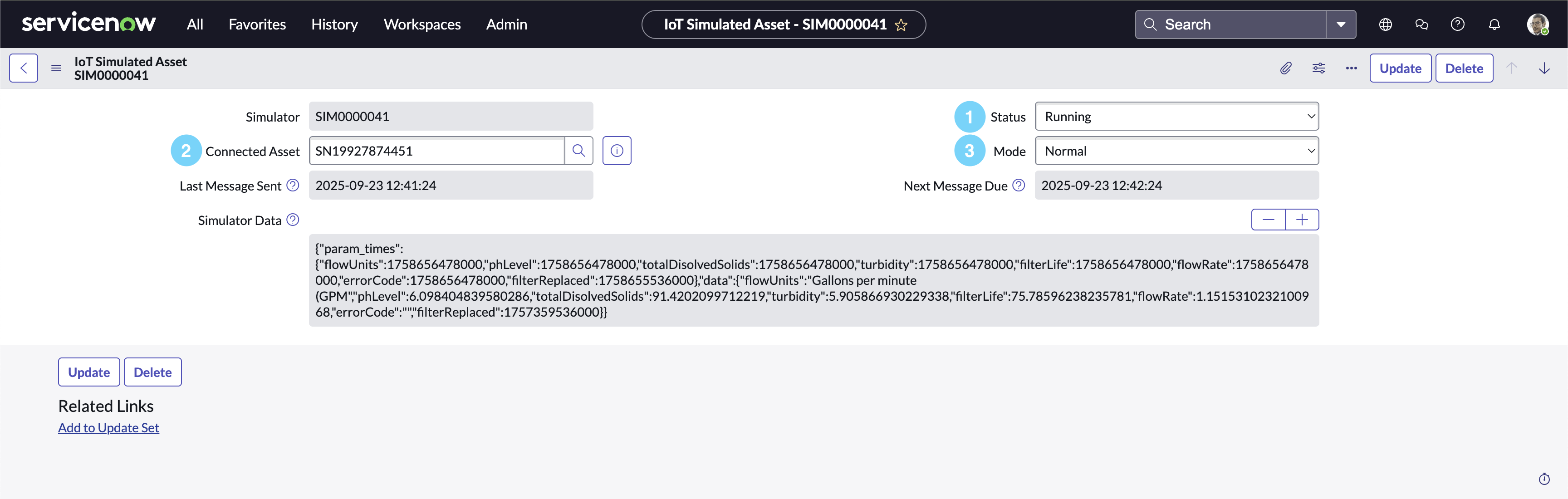
Simulator Console Controls
Note
If your simulated Thing shows “running”, but is not connected or sending data, it is possible that:
- There is a problem with the Simulator Config (next section). Double check all parameter values and types (Numbers, etc).
- The Gateway might need to be re-registered.
- The
IoT SimulatorScheduled Job is not enabled.
Configuring Simulators
Simulator Builder
The Simulator Builder is a UI Page found on the right side of the Thing Type page in the Workspace. This can be used to configure Simulators which run within the ServiceNow Instance.
Instructions
- Open the Thing Type in the Connected Asset Workspace.
- Click the Simulator Builder Side Button to open the Simulator Builder.
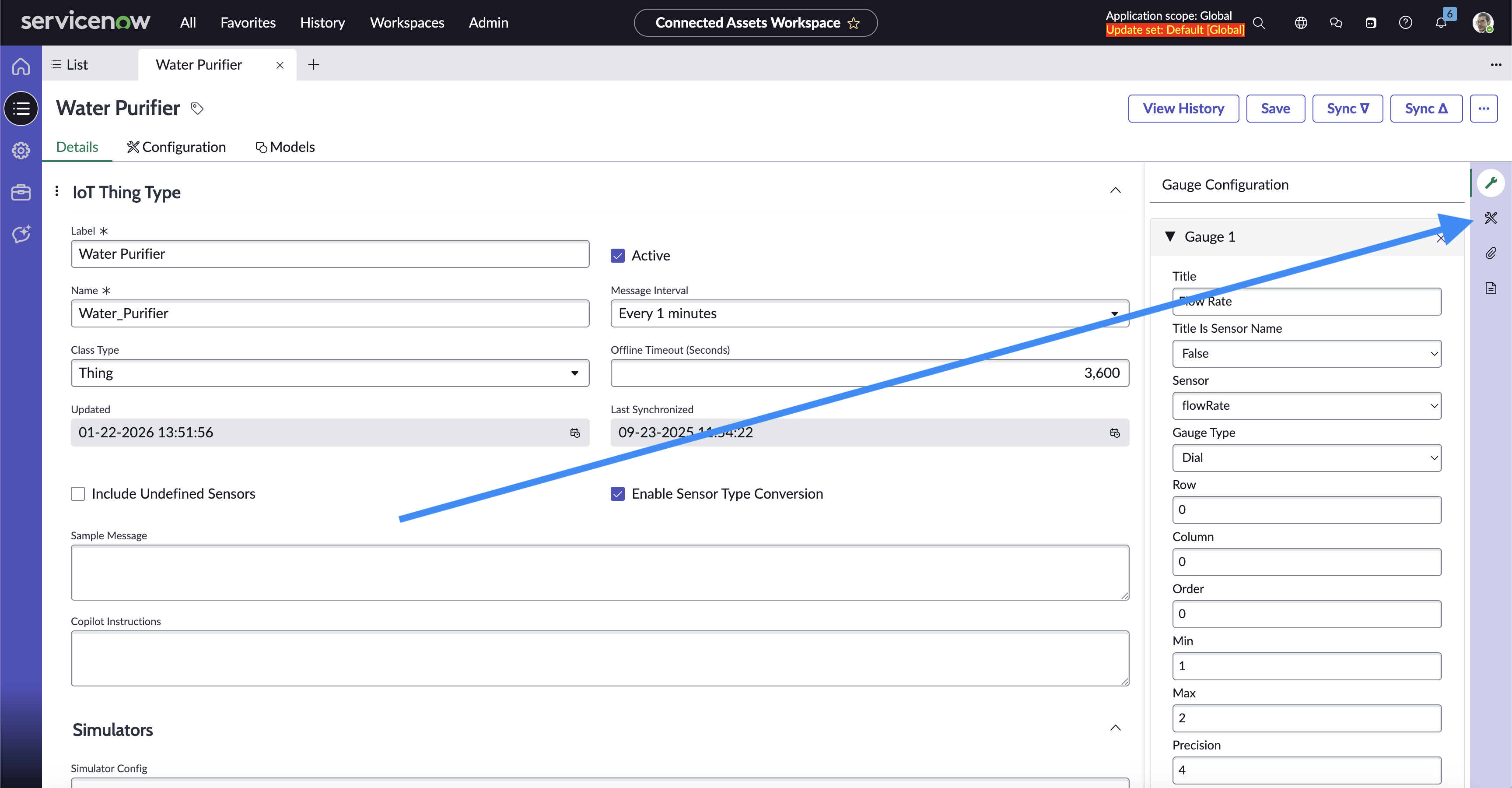
Simulator Builder Button on a Thing Page
- Add and fill out Parameters to Normal Mode.
- See Schema and Sensor Parameters to see details for each paramter type and value
- Add other Modes as needed.
- Click “Submit” at the bottom of the Simulator Builder to save Simulator Configuration to the page.
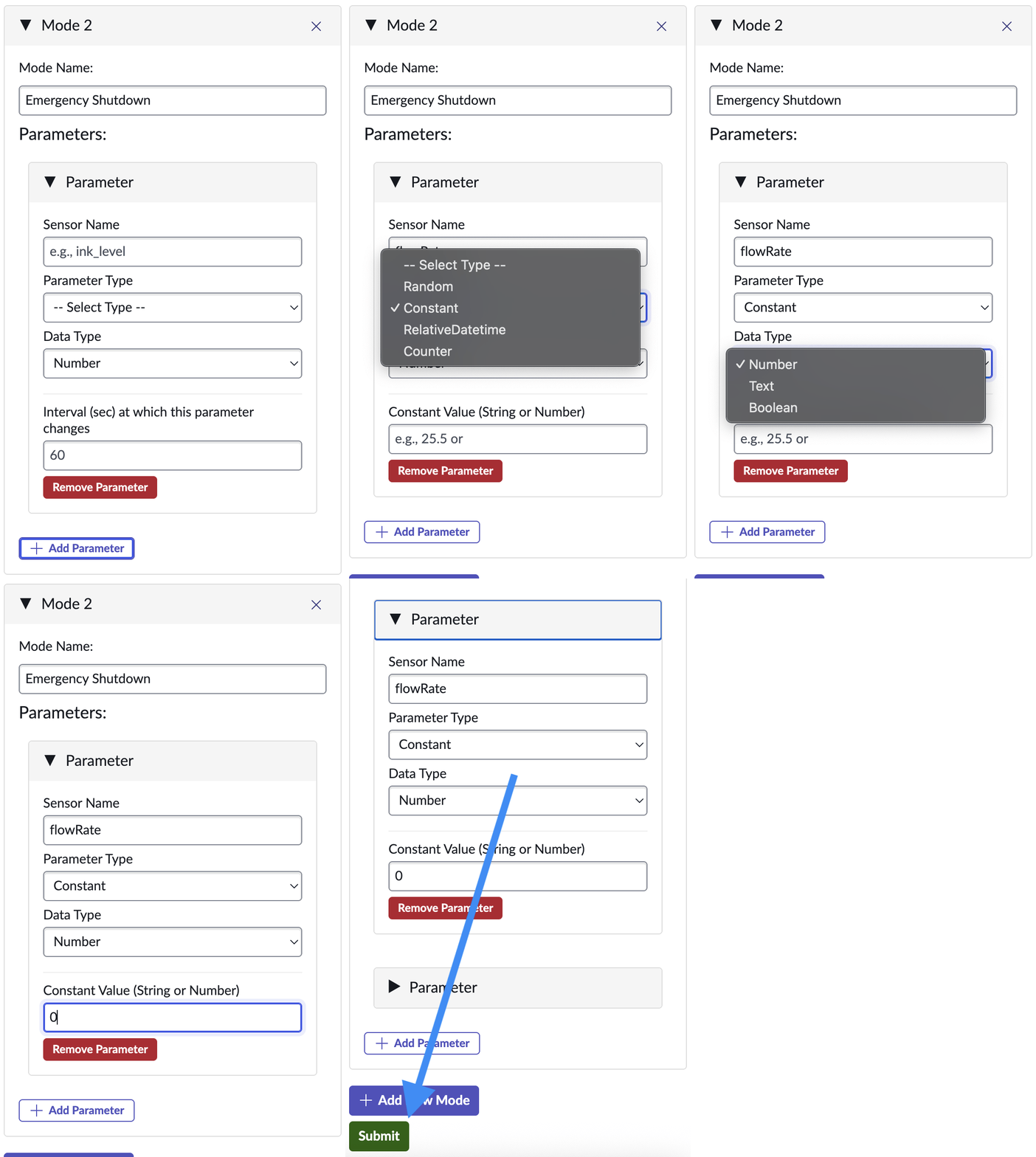
Filling our a Constant Mode Constant Parameter
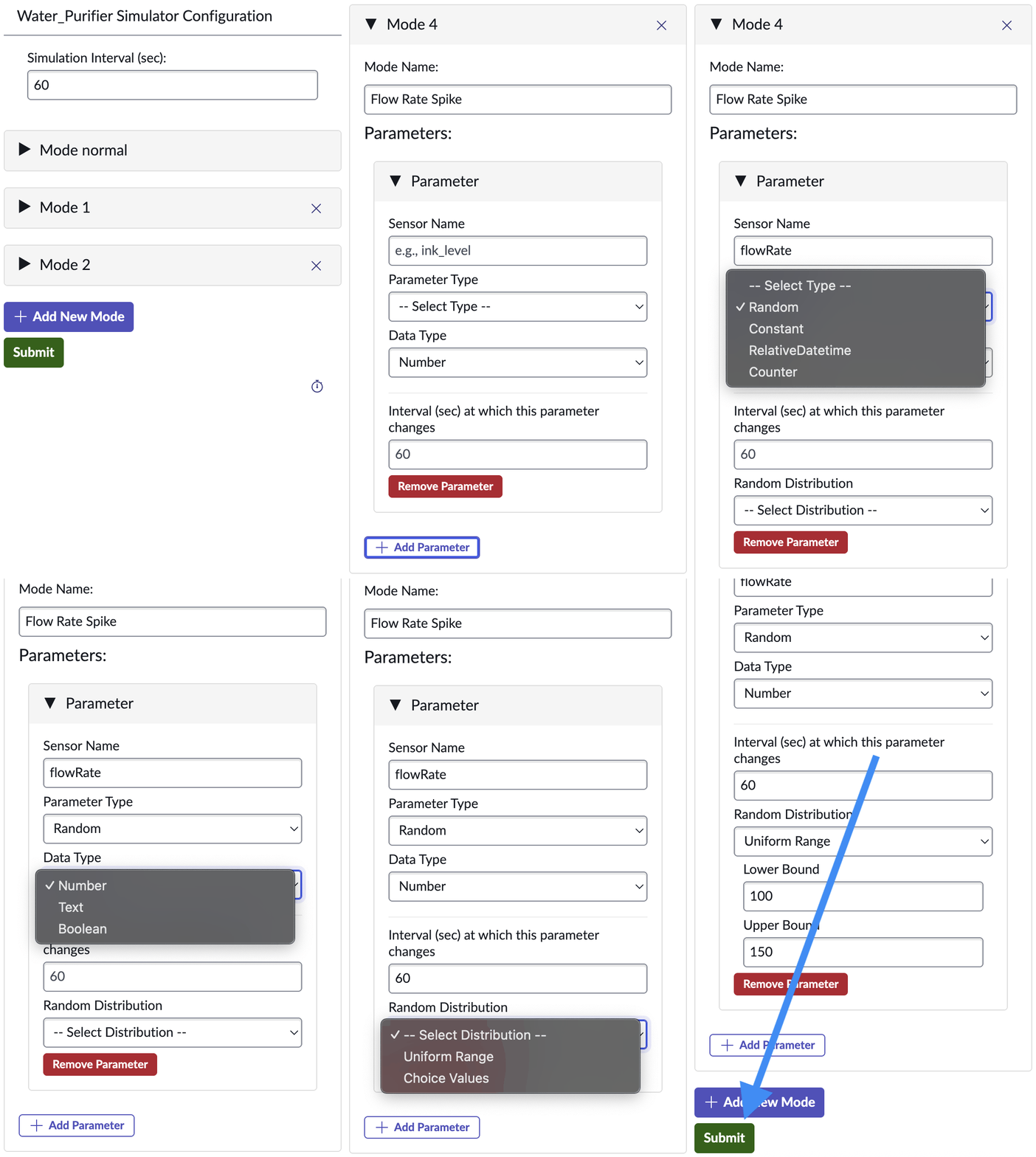
Filling our a Constant Mode Random Parameter
Modes
Each Thing Type can be setup with multiple “modes”. You should always start with the default “Normal” mode, then configure alternate modes.
BEST PRACTICE
It’s a best practice to configure a mode to correspond to each Alert Condition to enable easy testing.Each mode can define what simulated value will be returned for each Sensor. Click the Add Parameter button to add a new sensor value simulation.
Sensor Parameters
The following types of Sensor Parameters are currently supported:
-
Constant Constants will send the same “Constant Value” consistently.
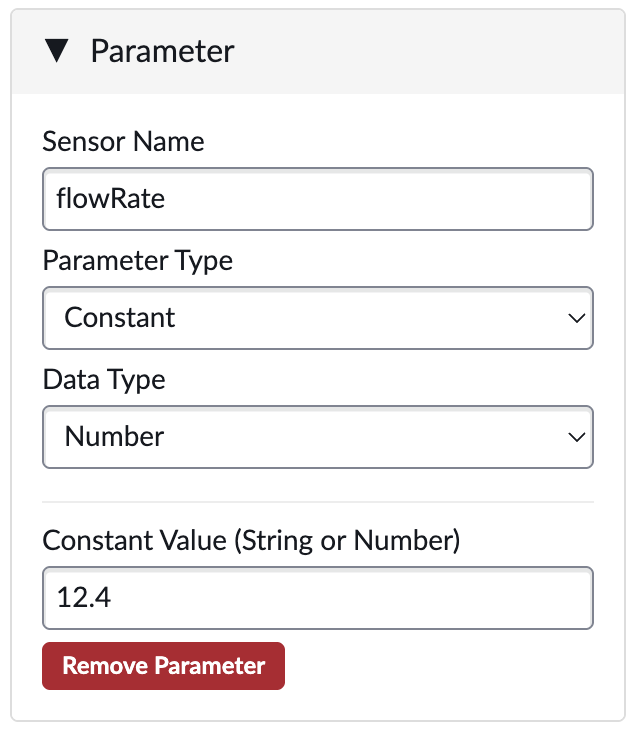
Simulator Parameter - Constant
-
Counter The Counter is a numeric value. It will default to the “Start” value, and will change by the “Step” amount at each “Interval”. When it reaches the “End”, it will start over again.
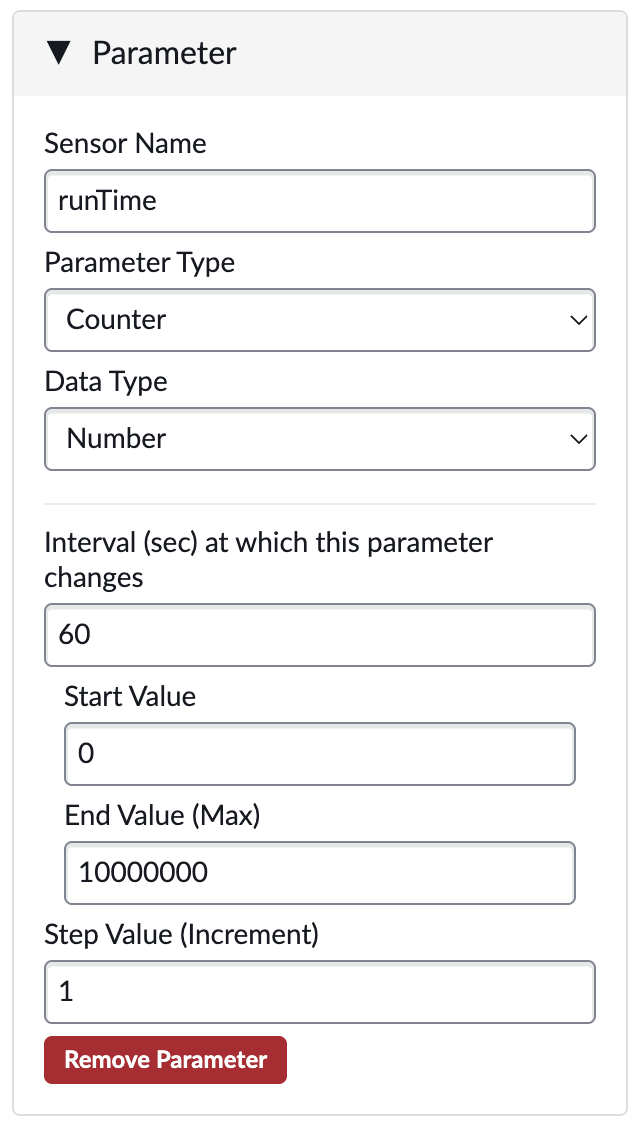
Simulator Parameter - Counter
-
Random-Uniform The Random / Uniform is a numeric value. It will be a random number between the “Lower” and “Upper” values, and will change at every “Interval”.
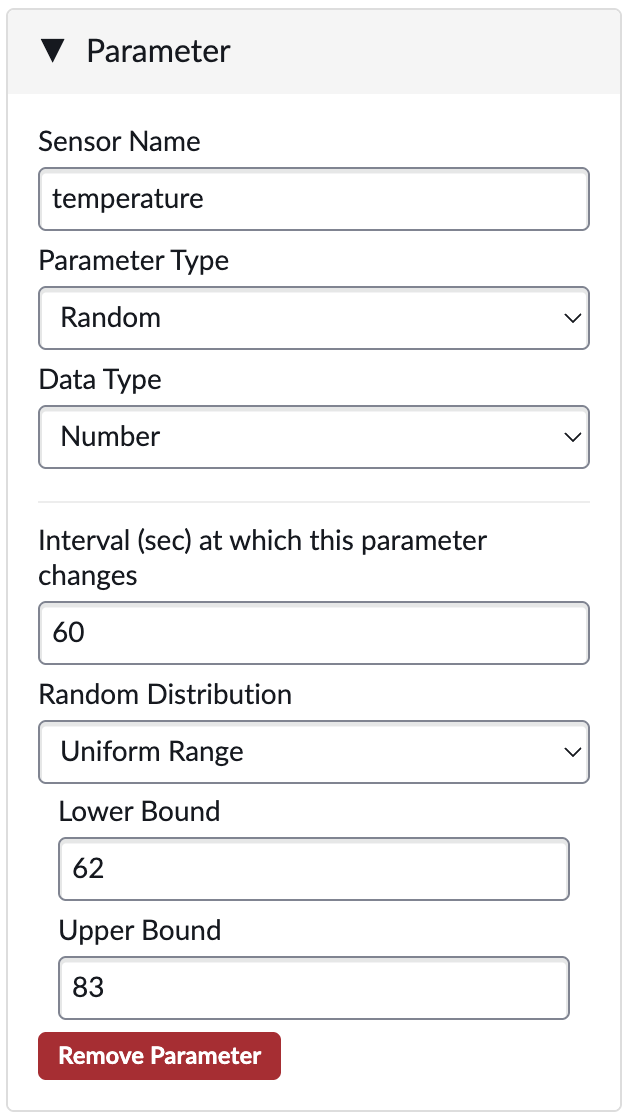
Simulator Parameter - Random
-
Random-Choice The Random / Choice can be numeric, boolean, text, etc. It will randomly choose between the provided “Choice Values”, and will change at every “Interval”.
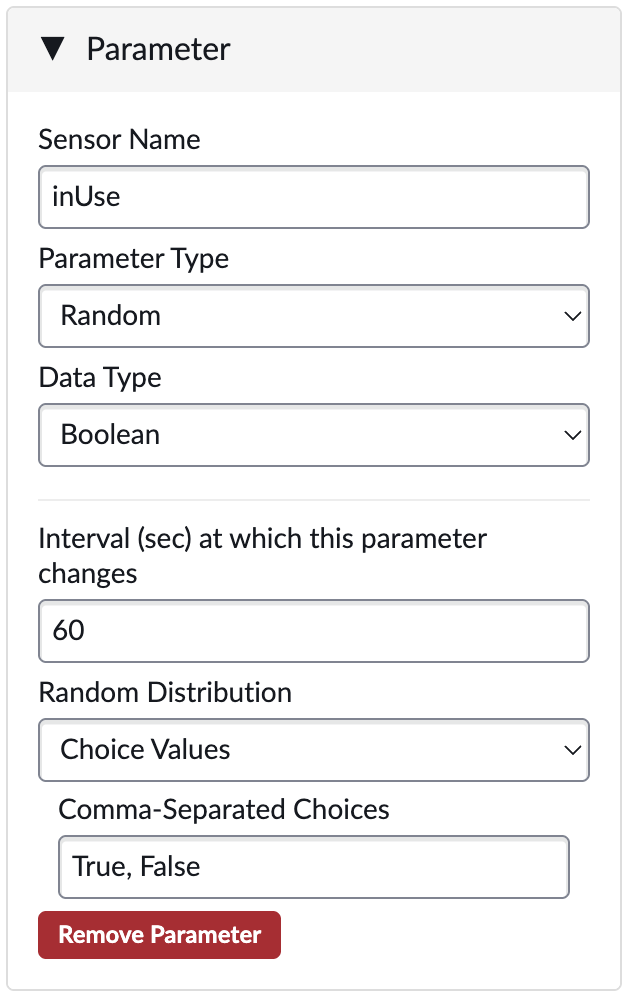
Simulator Parameter - Choice
-
Datetime The Datetime can be numeric or text. It will be recalculated on every message, relative to the current date/time. The Offset can be either positive (future) or negative (past), or 0 for current date/time. The format can either be epoch (to return the epoch in milliseconds) or a valid Python datetime format (e.g. %Y-%m-%d_%H:%M:%S) to return any textual date or time format.
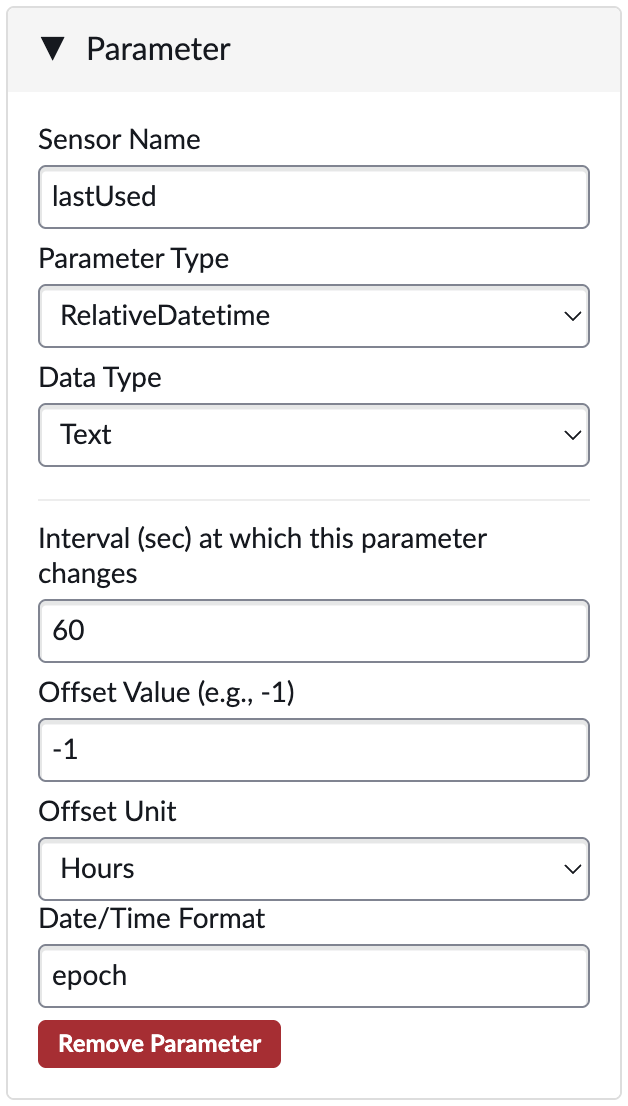
Simulator Parameter - Datetime
SAVE
After adding or editing the modes and parameters, don’t forget to Submit.Direct JSON Configuration
Simulators can also be configured in the Simulator Config field in the Thing Type record using the following JSON format. It is recommended that Simulaters are configured within the Simulator Builder.
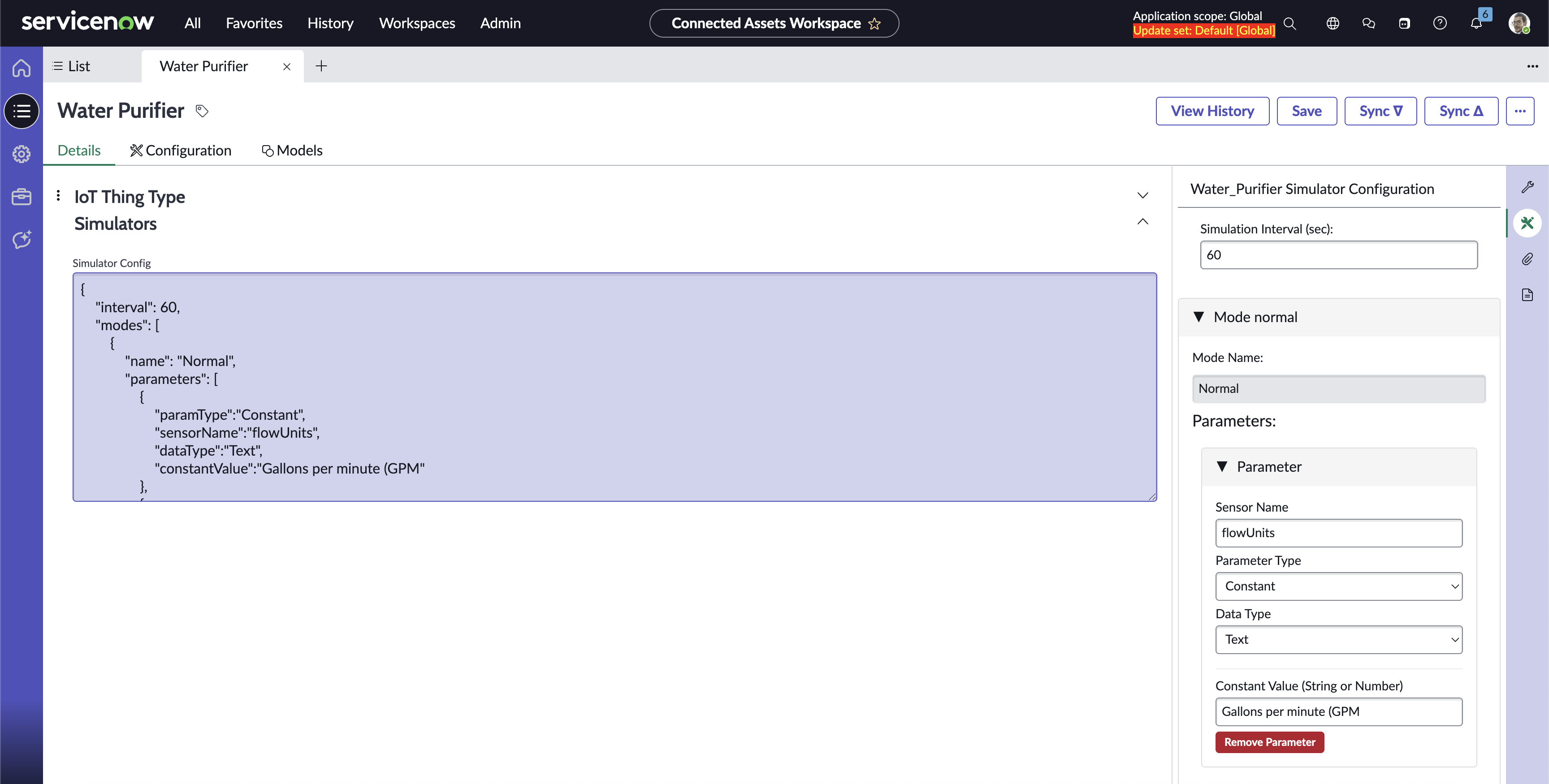
Simulator JSON Field
Schema
{
  "$schema": "http://json-schema.org/draft-07/schema#",
  "title": "IoT Simulator Config",
  "description": "Schema for configuring IoT Simulated Asset data generation with various modes and parameter types.",
  "type": "object",
  "properties": {
    "interval": {
      "type": "number",
      "description": "The overall interval (in seconds) at which the device data should be generated.",
      "minimum": 0
    },
    "modes": {
      "type": "array",
      "description": "An array of different data generation modes, each with its own set of parameters.",
      "items": {
        "type": "object",
        "properties": {
          "name": {
            "type": "string",
            "description": "The name of the data generation mode (e.g., Normal, Alert1)."
          },
          "parameters": {
            "type": "array",
            "description": "An array of specific parameters to be generated for the current mode.",
            "items": {
              "type": "object",
              "properties": {
                "paramType": {
                  "type": "string",
                  "description": "The type of parameter generation method.",
                  "enum": ["Random", "Constant", "RelativeDatetime", "Counter"]
                },
                "sensorName": {
                  "type": "string",
                  "description": "The name of the sensor or data point this parameter represents (e.g., ink_level, modelType)."
                },
                "interval": {
                  "type": "number",
                  "description": "The interval (in seconds) at which the counter should increment.",
                  "minimum": 0
                },
                "dataType": {
                  "type": "string",
                  "description": "The expected data type of the sensor value.",
                  "enum": ["Number", "Text"]
                }
              },
              "required": ["paramType", "sensorName", "interval", "dataType"],
              "oneOf": [
                {
                  "if": { "properties": { "paramType": { "const": "Random" } } },
                  "then": {
                    "properties": {
                      "randomDistribution": {
                        "type": "string",
                        "description": "The type of random distribution to use.",
                        "enum": ["uniform", "choice"]
                      },
                      "randomLower": {
                        "type": "number",
                        "description": "The lower bound for 'uniform' random distribution."
                      },
                      "randomUpper": {
                        "type": "number",
                        "description": "The upper bound for 'uniform' random distribution."
                      },
                      "randomChoiceValues": {
                        "type": "string",
                        "description": "A comma-separated string of possible values for 'choice' distribution."
                      }
                    },
                    "required": ["randomDistribution"],
                    "if": { "properties": { "randomDistribution": { "const": "uniform" } } },
                    "then": { "required": ["randomLower", "randomUpper"] },
                    "else": { "required": ["randomChoiceValues"] }
                  }
                },
                {
                  "if": { "properties": { "paramType": { "const": "Constant" } } },
                  "then": {
                    "properties": {
                      "constantValue": {
                        "type": ["string", "number"],
                        "description": "The fixed, unchanging value for this parameter."
                      }
                    },
                    "required": ["constantValue"]
                  }
                },
                {
                  "if": { "properties": { "paramType": { "const": "RelativeDatetime" } } },
                  "then": {
                    "properties": {
                      "offsetValue": {
                        "type": "number",
                        "description": "The value of the offset (e.g., -1 for 1 day ago)."
                      },
                      "offsetType": {
                        "type": "string",
                        "description": "The unit of the offset value (e.g., Days, Hours).",
                        "enum": ["Days", "Hours", "Minutes", "Seconds"]
                      },
                      "format": {
                        "type": "string",
                        "description": "The desired date/time format string (e.g., yyyy-MM-dd_HH:mm:ss, epoch)."
                      }
                    },
                    "required": ["offsetValue", "offsetType", "format"]
                  }
                },
                {
                  "if": { "properties": { "paramType": { "const": "Counter" } } },
                  "then": {
                    "properties": {
                      "counterStart": {
                        "type": "number",
                        "description": "The initial value of the counter."
                      },
                      "counterEnd": {
                        "type": "number",
                        "description": "The maximum value the counter will reach before resetting or stopping."
                      },
                      "counterStep": {
                        "type": "number",
                        "description": "The amount by which the counter increments each interval."
                      }
                    },
                    "required": ["counterStart", "counterEnd", "counterStep"]
                  }
                }
              ]
            },
            "minItems": 1
          }
        },
        "required": ["name", "parameters"]
      },
      "minItems": 1
    }
  },
  "required": ["interval", "modes"]
}