Thing Downtime
Configure which Object to use to track Thing Downtime Periods.
Thing Downtime records can be populated automatically by using the Offline and Normal Thing Status Alerts sent from the IoT Cloud.
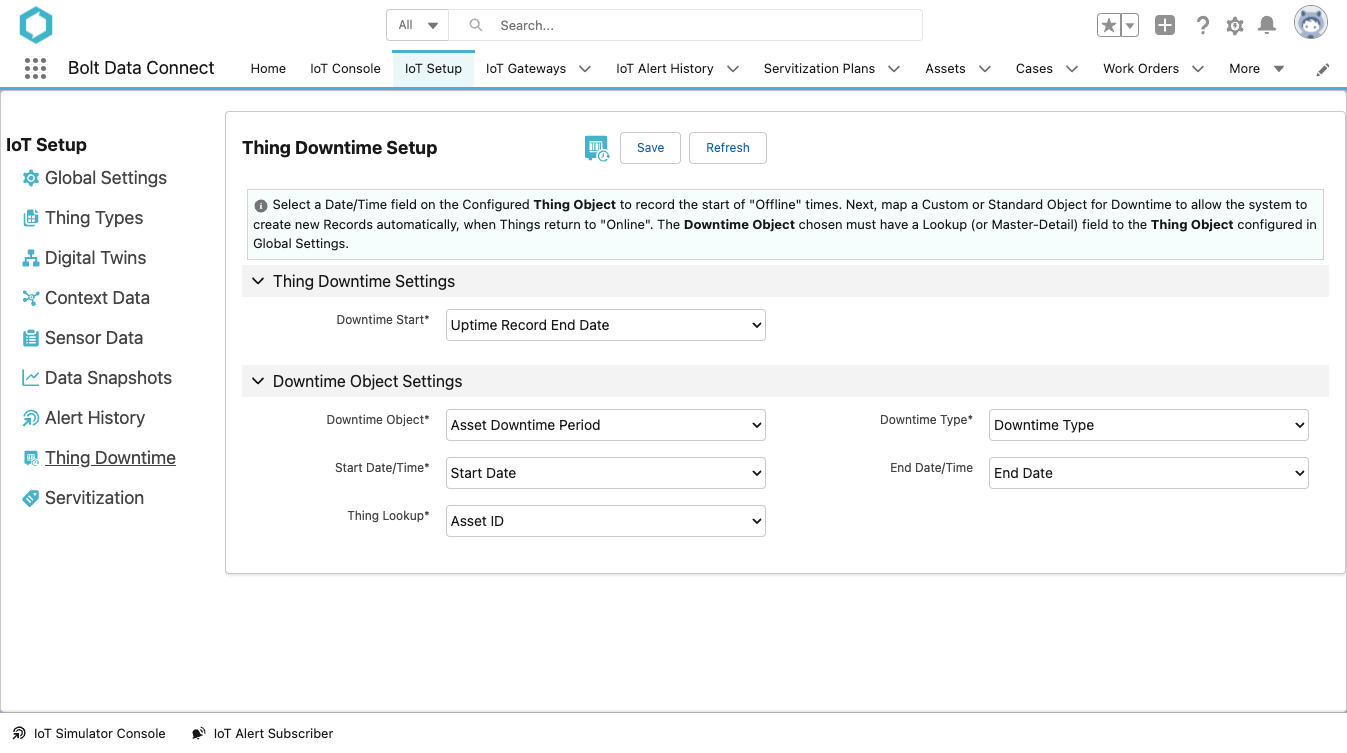
Thing Downtime Settings
Field Definitions
- Downtime Start
- The field from the
ThingObject to hold the Datetime of when a new Downtime has begun. - This field will only be populated when a Thing is currently
Offline. When the Thing returns toNormalthis field will be cleared and a relatedDowntime Objectwill be created. - Downtime Object
- This field defines the Object to create to represent a Downtime Period of time.
- The Object must have at least 4 fields to tie to:
Downtime Type,Start Datetime,End Datetime, andThing Lookup. - Downtime Type
- The field to hold the type of Downtime (will always be populated with a value of
Unplannedin this field for automatically created records based on Thing Status IoT Alerts). - Start Datetime
- The field to hold the value of the Date/Time when the Downtime Period began.
- End Datetime
- The field to hold the value of the Date/Time when the Downtime Period ended.
- Thing Lookup
- The field to hold the Lookup to the related Thing Object.
Sample Downtime
Following is a sample Thing Downtime Object that was created based on the settings seen above.
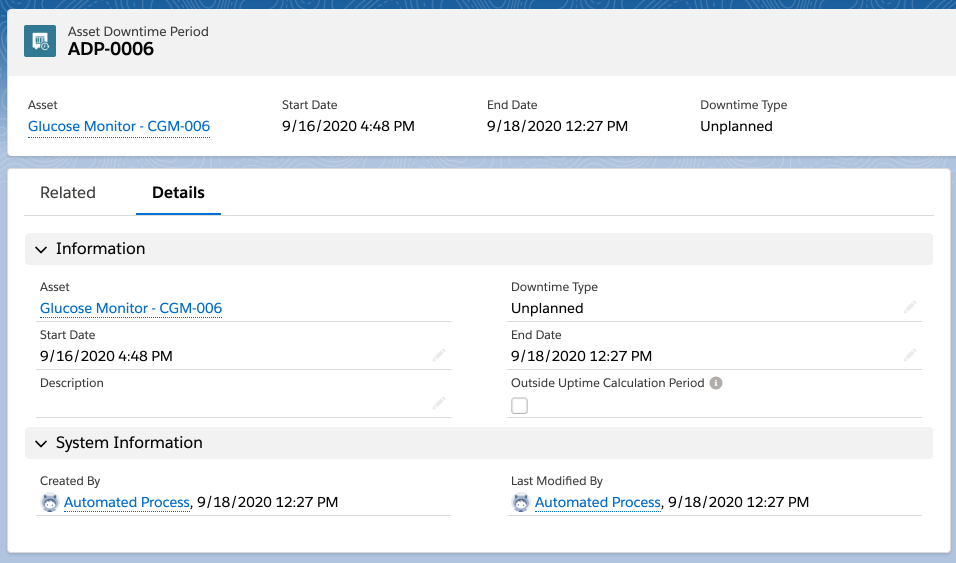
Sample Thing Downtime
Last modified January 28, 2025: Winter 25 Release Notes (018efc7)