Digital Twins
Digital Twins represent a group of Things that together form a composite device. They are closely related, each playing a role in a reusable Digital Twin Type, and can use values from the other Things in their own Calculated Fields and Alert Conditions.
Digital Twin Field Bindings
The 1st step in setting up Digital Twins is to configure which Thing Fields to use to represent the hierarchical and role relationship values.
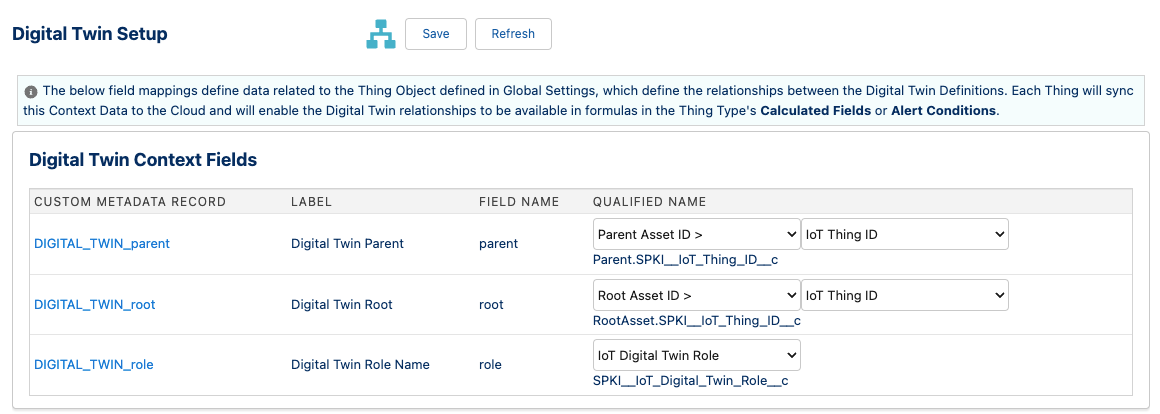
Digital Twin Settings
- Digital Twin Root
- The fields from the
ThingObject to theRootThing and it’s unique Thing Identifier. - Digital Twin Parent
- The fields from the
ThingObject to the immediateParentThing and it’s unique Thing Identifier. - Digital Twin Role Name
- The field to hold the role name that this
Thingplays in theDigital Twin Type.
Digital Twin Children (in Thing Types)
The next step is defining the child roles in the Thing Type defintions that make up the Digital Twin Types. Go to the Thing Types setup page, and click into the desired parent Thing Type.

Digital Twin Children
- Role Name
- The role that the child Thing Type plays in the related group of Things.
- Child Thing Type
- The
Thing Typeof the Child.
Note
These role names are especially important when multiple instances of the same Thing Type are used as children in a parent Thing Type.Digital Twin Types
After the Digital Twin Children are configured in one or more Thing Types, the Digital Twin Setup screen will now display all of the Digital Twin Types across all of the Thing Types.
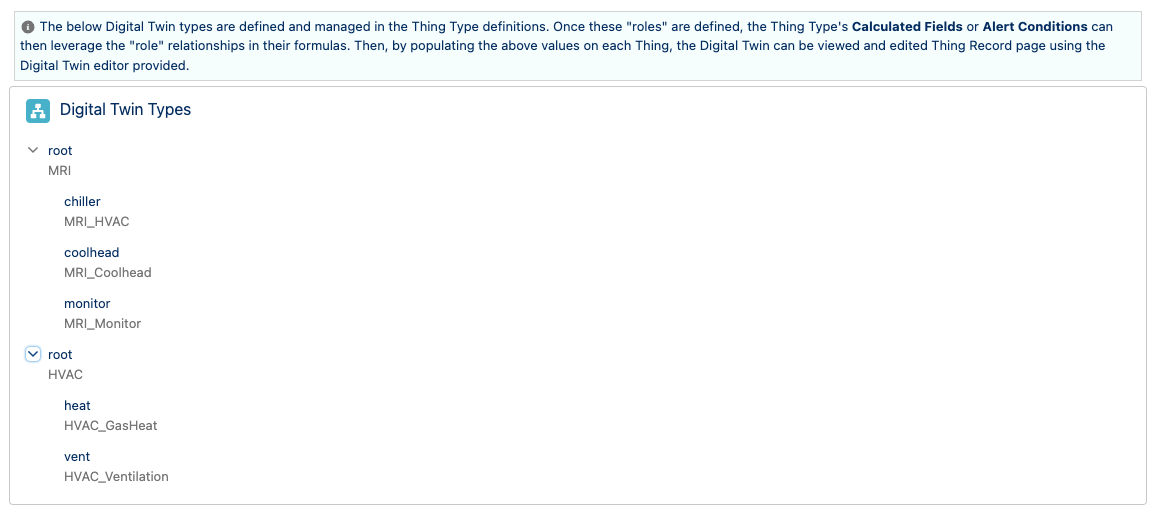
Digital Twin Types
Note
Multi-level Digital Twin Types can be created by addingDigital Twin Children in the child Thing Types.
Digital Twin Diagram / Editor
On the Thing Record Page, add the IoT Digital Twin and easily view/edit the Digital Twin from any Thing in the configured Hierarchy.
The Diagram shows all of the most recent sensors and calculated fields from all Things in the same Digital Twin.
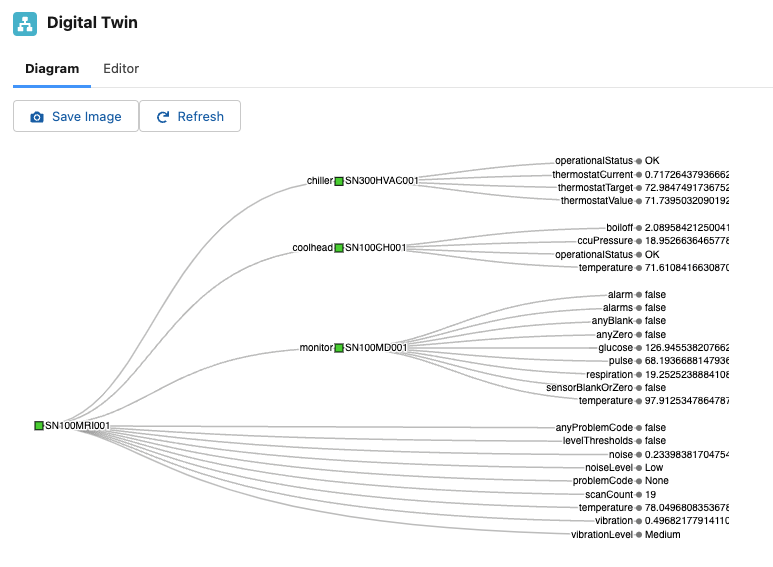
Digital Twin Editor
The Editor allows the user to assign Things into the roles in the Digital Twin, as well as easily navigate to any other thing in the Digital Twin.
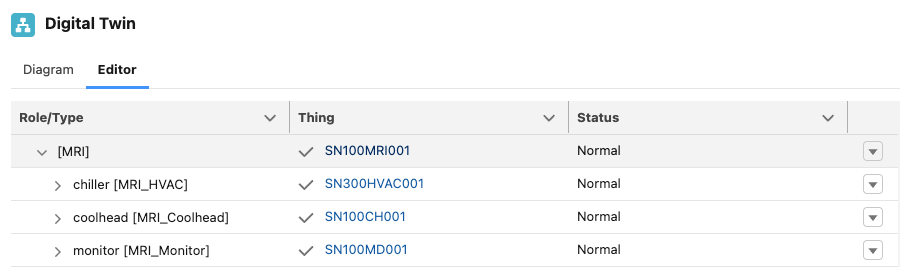
Digital Twin Editor
Digital Twin API
We expose a REST Web Service to retrieve the Digital Twin data for any “Thing”. Use the following URL to retrieve the Digital Twin data:
YOUR_SALESFORCE_DOMAIN/services/apexrest/SPKI/DigitalTwin/SALESFORCE_ID
The REST service will return JSON in the following structure:
{
  "thingType" : "XXX",
  "sensors" : [
    { "key": "SENSOR_NAME_X", "value": "XXX" },
    { "key": "SENSOR_NAME_Y", "value": "YYY" }
  ],
  "role" : “XXX”,
  "id" : "SALESFORCE_ID",
  "externalId" : "UNIQUE_KEY",
  "children" : [ … Recursive structure for nested Digital Twins … ]
}