Data Lake Calculations Setup
The below settings control which metric frequency(s) and calulations will be collected for each Thing Type.
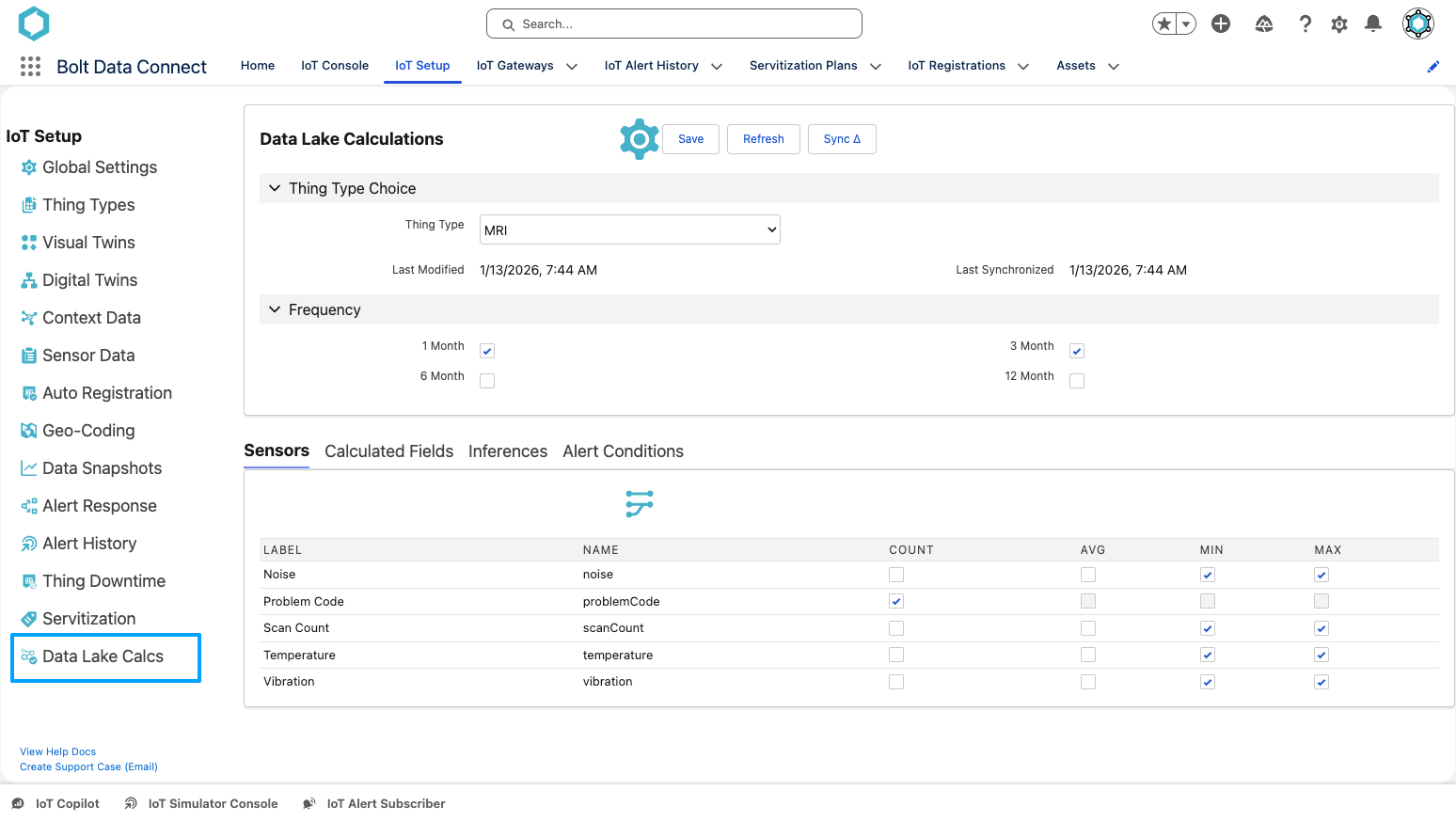
Data Lake Calculations Editor
Data Lake Calculation Editor
Metrics Frequency(s)
- Select the 1 Month, 3 Month, 6 Month and/or 12 Month Frequency fields to enable the calculation of metrics for each of these time periods. These frequency values will be calculated for all of the selected Metrics Fields below.
Metrics Fields
Select the metric calculations for each of the Thing Type’s:
- Sensors
- Calculated Fields
- Model Inferences
- Alert Conditions
Note
All fields can calculate COUNT values, but only Numeric fields allow for the calculation of the following values:
- MIN
- MAX
- AVG
Data Lake Calculations Synchronization
When the Job below is run, the calculated metrics from the IoT Cloud will be imported into the following fields on the IoT Sensor Data Object in Salesforce:
- SPKI__DLC_1_Month_XXX
- SPKI__DLC_3_Month_XXX
- SPKI__DLC_6_Month_XXX
- SPKI__DLC_12_Month_XXX
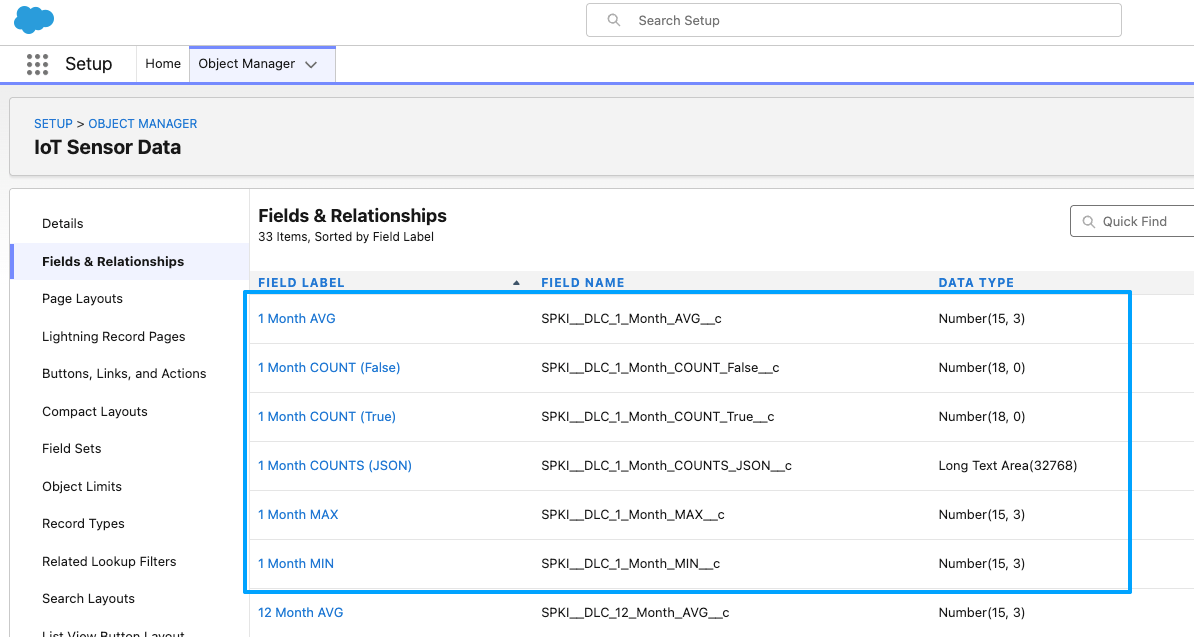
Data Lake Calculations Sync Fields
COUNT Metrics
- The COUNT values of Boolean fields (including all Alert Conditions) will synchronize to the COUNT_True and COUNT_False fields.
- All other field types will synchronize to the COUNT_JSON field, with all unique values and counts in JSON format.
Data Lake Calculations Job Scheduling
The schedule for the Data Lake Calculations sync job is managed in the lower section of the Data Lake Calculations settings page, ONLY when a Thing Type is NOT selected.
Recommendation
We recommend a monthly schedule, since these metrics are only calculated in the IoT Cloud monthly as well.- If an existing schedule has already been configured, select Disable prior to configuring a new schedule.
- In the Schedule drop-down menu, select the desired frequency.
- Enter the appropriate value in the At field
- Hourly: Define how many minutes past the hour to run the sync.
- Daily: Define the time of day.
- Weekly: Define the day of the week and time of day.
- Monthly: Define which day of the month and the time of day.
- Select Enable.
FYI
Thechron expression is shown in the Status field.
Data Lake Calculations Dashboard & Reports
We’ve including Reports to show all synchronized metrics for each Frequency.
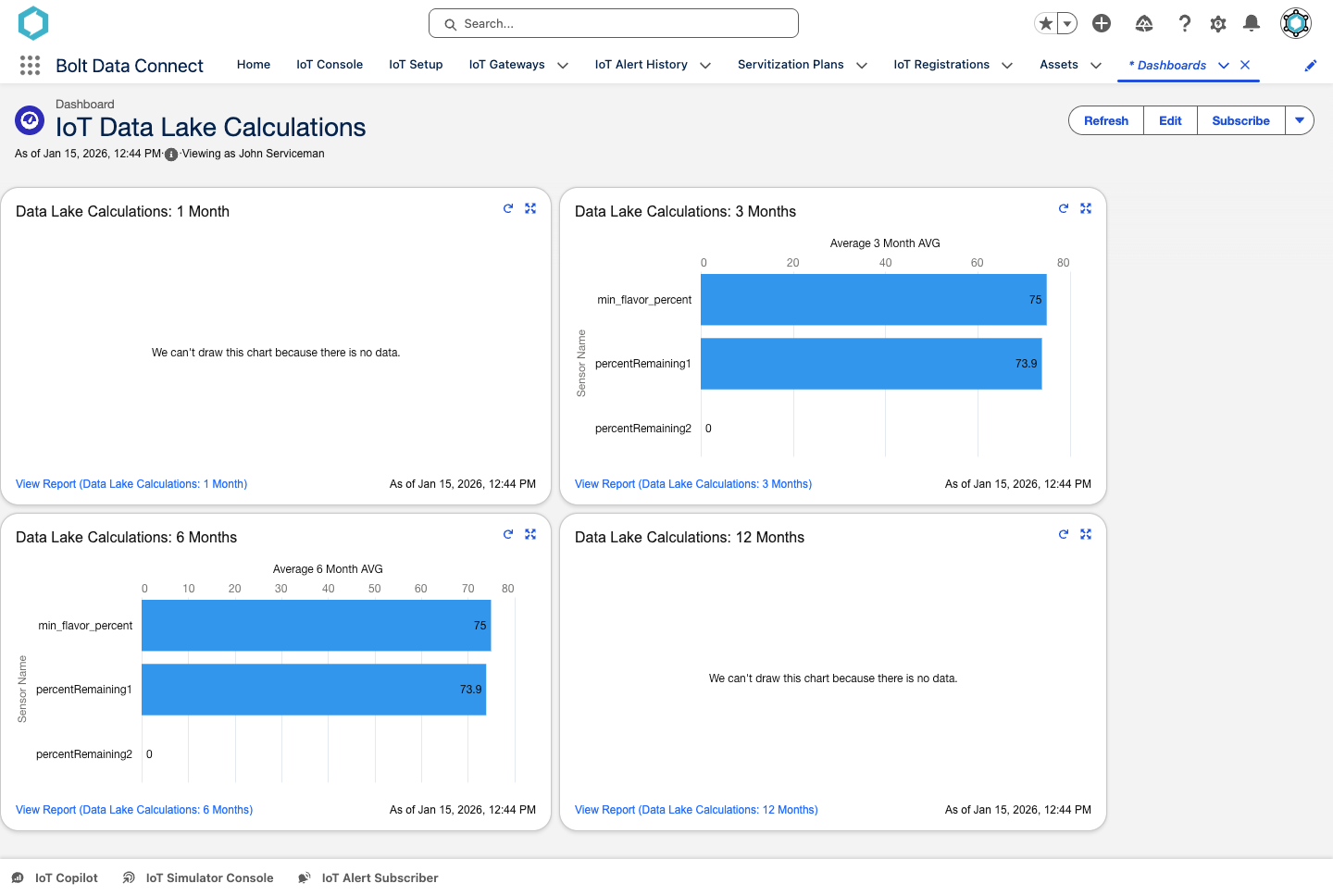
Data Lake Calculations Dashboard