Thing Type Synchronizing
Thing Types definitions are stored in both Salesforce and the IoT Cloud. You can update and Save them to Salesforce, and choose when to “Push” them to the cloud. The “Last Modified” and “Last Synchronized” Dates help you to track their status.
Note
In addition to synchronizing to/from the IoT Cloud, the Thing Types and all other Bolt Data Connect Metadata can be deployed between Sandboxes or Salesforce Orgs as Custom Metadata, using Change Sets, Packages, or any other Standard Salesforce Deployment tools.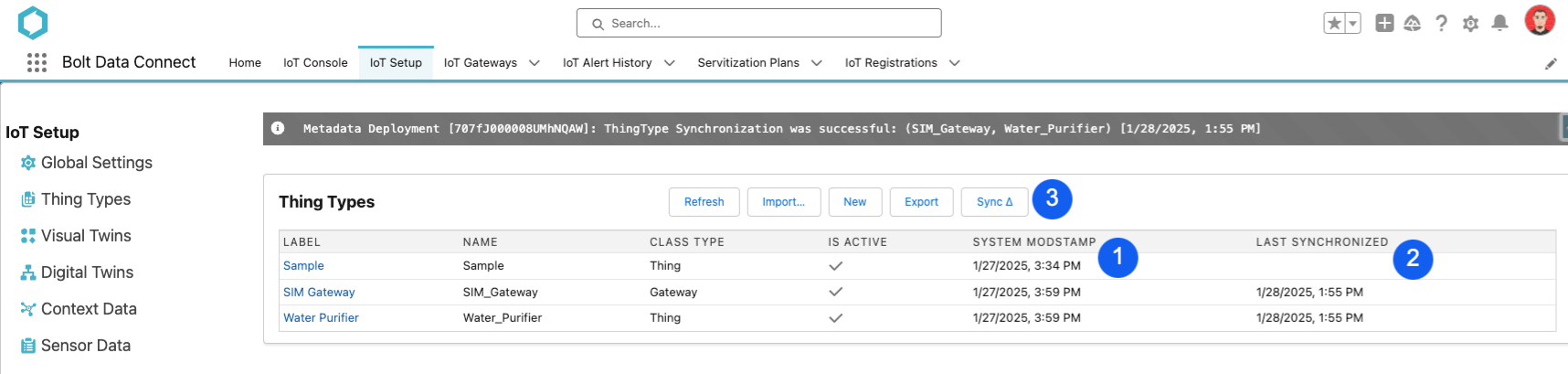
Thing Types Change Mgmt
Note
As part of the Winter ‘25 Release, the “Last Modified” and “Last Synchronized” fields behave differently:
- System Modstamp is the last modified date from the Custom Metadata record
- Last Synchronized is no longer deployable between orgs. This removes confusion around whether or not Thing Types are synchronized after deploying them between Salesforce orgs.
- The new “Multi-Sync” action is available as described below.
Import New Thing Types…
From the main Thing Types screen, you can Import Thing Types from the IoT Cloud into Salesforce.
Note
This import only brings the high level definition, but the full details can be imported using the “Sync ∇” functionality below.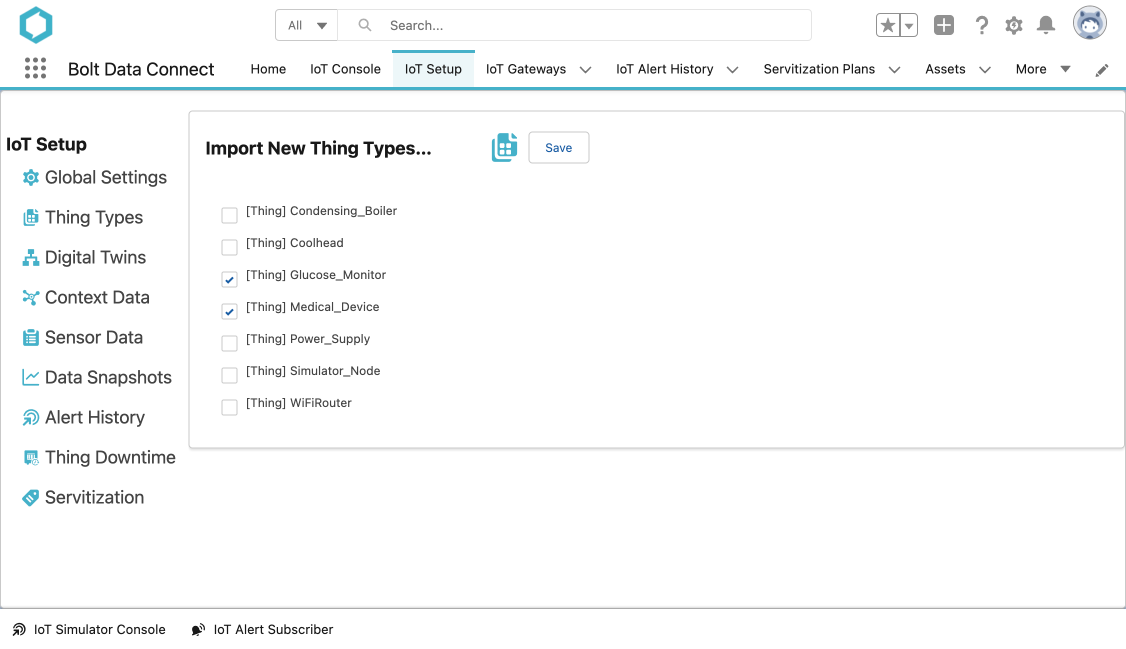
Thing Types Import
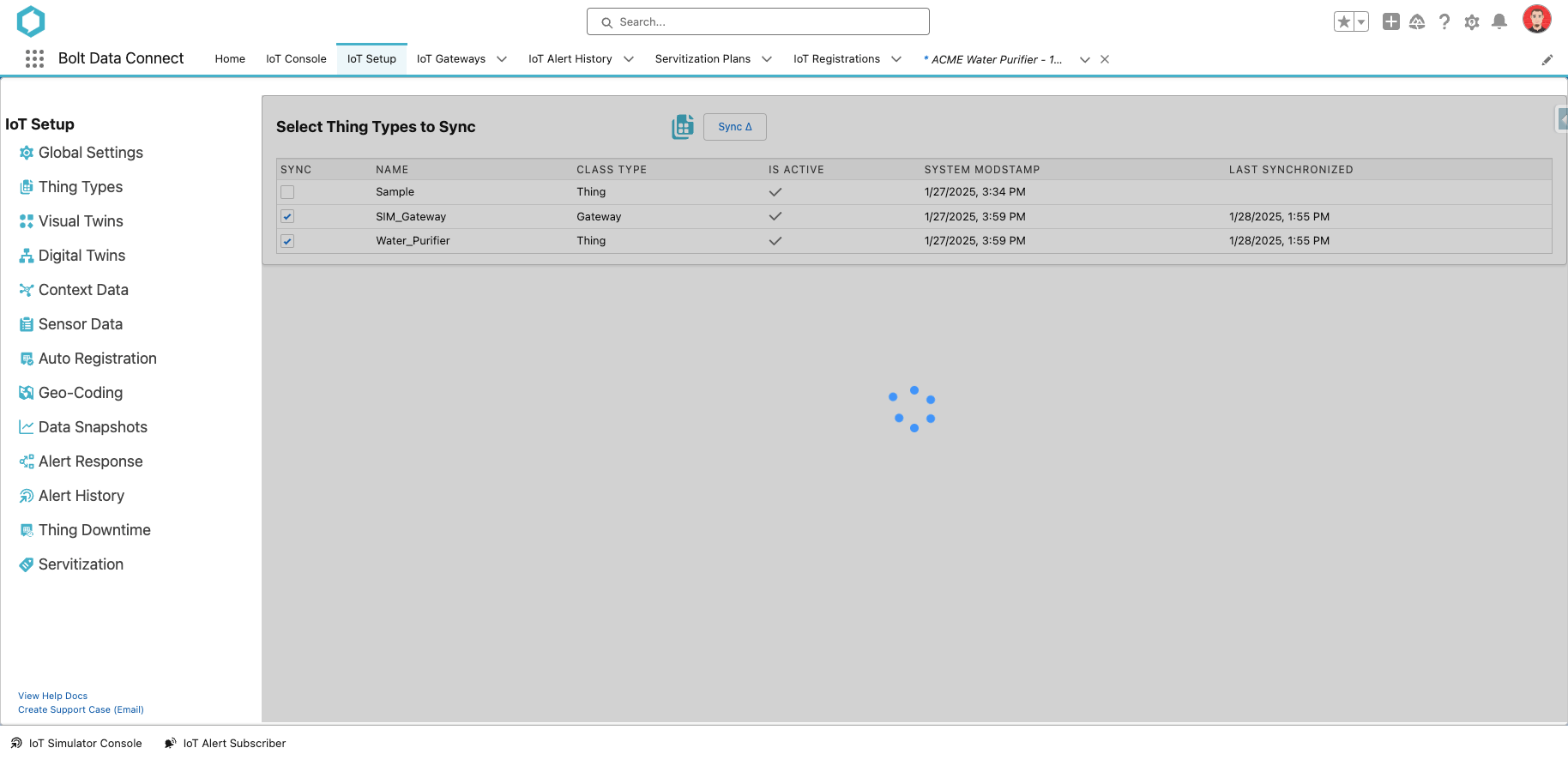
Multi-Sync Δ (Push multiple Thing Types to the IoT Cloud)
From the main Thing Types screen, you can deploy multiple Thing Type definitions to the IoT Cloud (and the Edge Gateways).
Thing Types Multi Sync
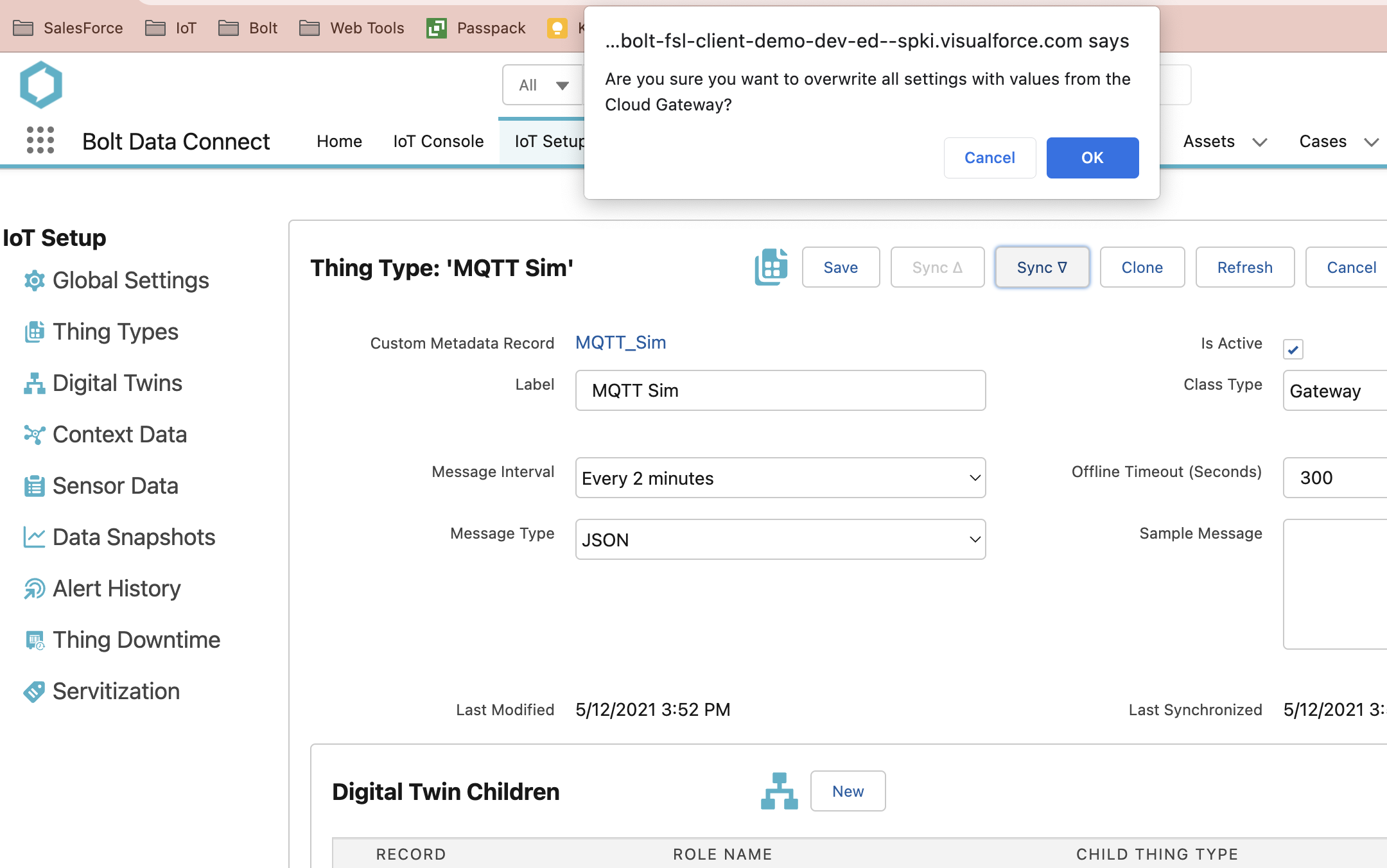
Sync ∇ (Pull from the IoT Cloud)
When Editing a Thing Type, you can choose to Sync the full definition from the IoT Cloud into Salesforce. This would typically be used if the Thing Type has been edited and you wish to rollback, or if you are setting up a new Salesforce org but reusing a IoT Cloud org.
Thing Types Sync ∇
Sync Δ (Push to the IoT Cloud)
To deploy the latest Thing Type definition to the IoT Cloud (and the Edge Gateways), simply Sync the Thing Type.
Note
This Sync button is only enabled when the Thing Type has been successfully “Saved” since it was last Synchronized.Audit Trail (From the IoT Cloud)
To view the history of a Thing Type definition in the IoT Cloud, use the View History button to view the Audit Trail.
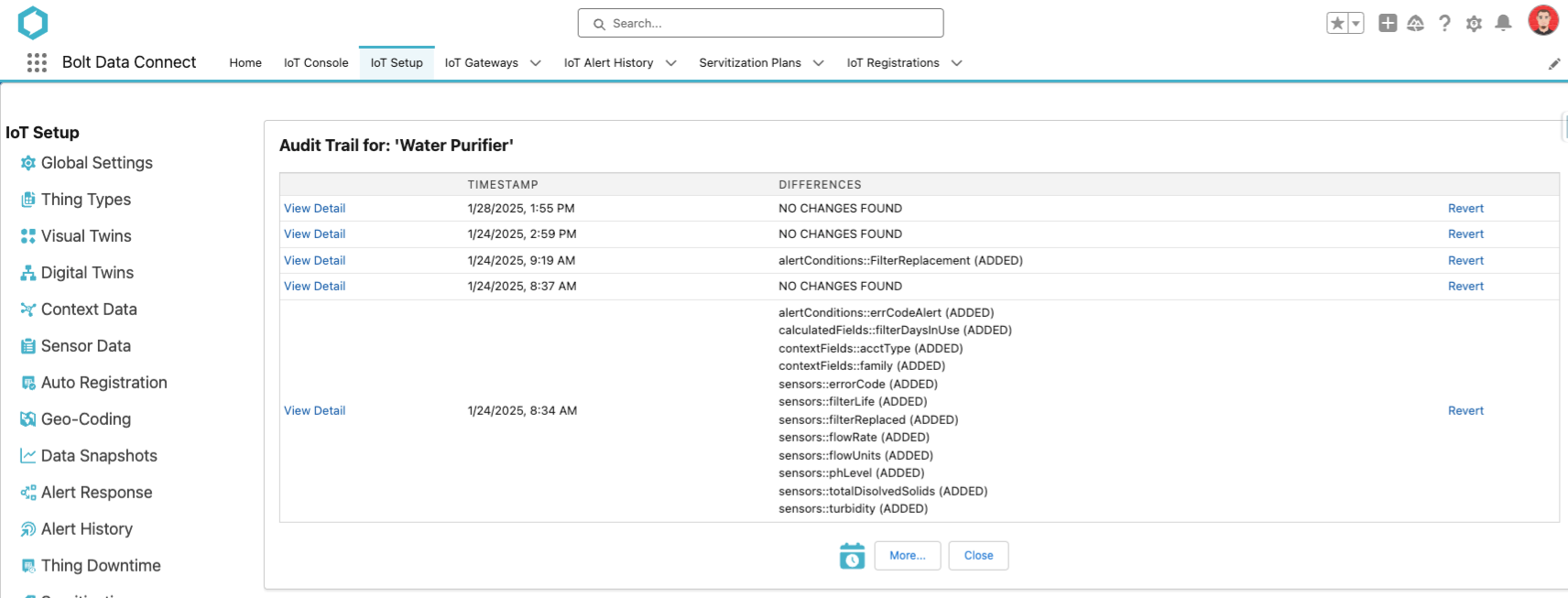
Thing Type Audit Trail
Note
- The View Detail button shows the detailed content behind each change
- The Revert button will replace the Thing Type editor with the previous values. After reviewing the changes the user can then Save and Sync as they wish. As with all Custom Metadata, we CANNOT delete records.. that still needs to be done manually through the Salesforce Setup screen.