Geo-Coding
Automatically Geo-Coded the latitude and longitude coordinates, calculated using the Address fields on the Salesforce objects
Bolt Data Connect can be configured to automatically lookup the Geo-Code (longitude/latitude) of Connected Assets (or other related objects).
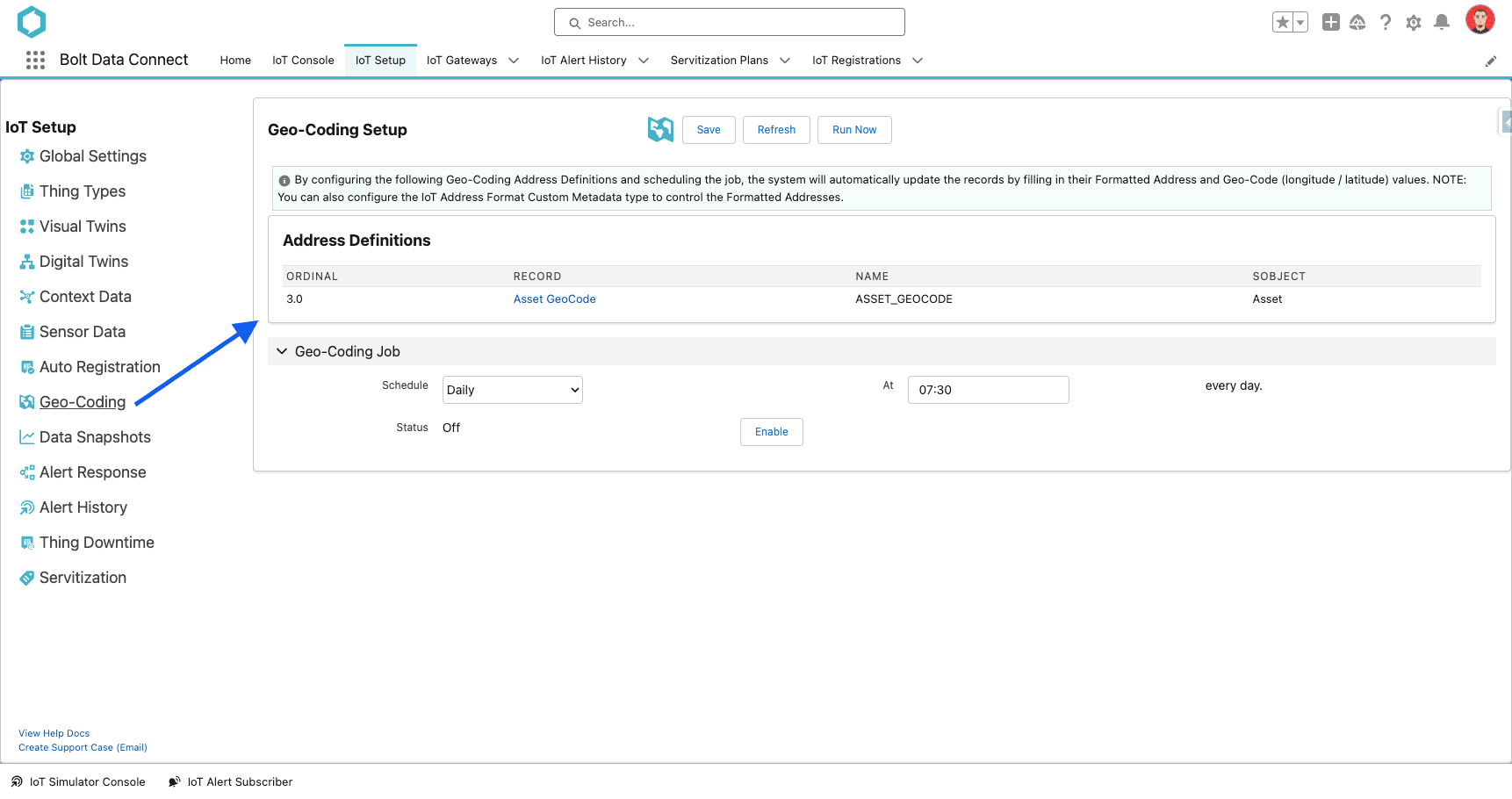
Automatic Geo-Coding
Address Definitions
- Address SObject
- Select the Object which needs to be Geo-Coded
- Compound Address Field OR Address Fields
- Fill in EITHER the Compound Address Field OR the individual Address Fields
- Formatted Address Field
- Select a field to save the formatted address. This is required for optimizing calls and reducing costs.
- GeoCode Field OR Longitude/Latitude Fields
- Fill in EITHER the GeoCode Field OR the individual Longitude/Latitude Fields
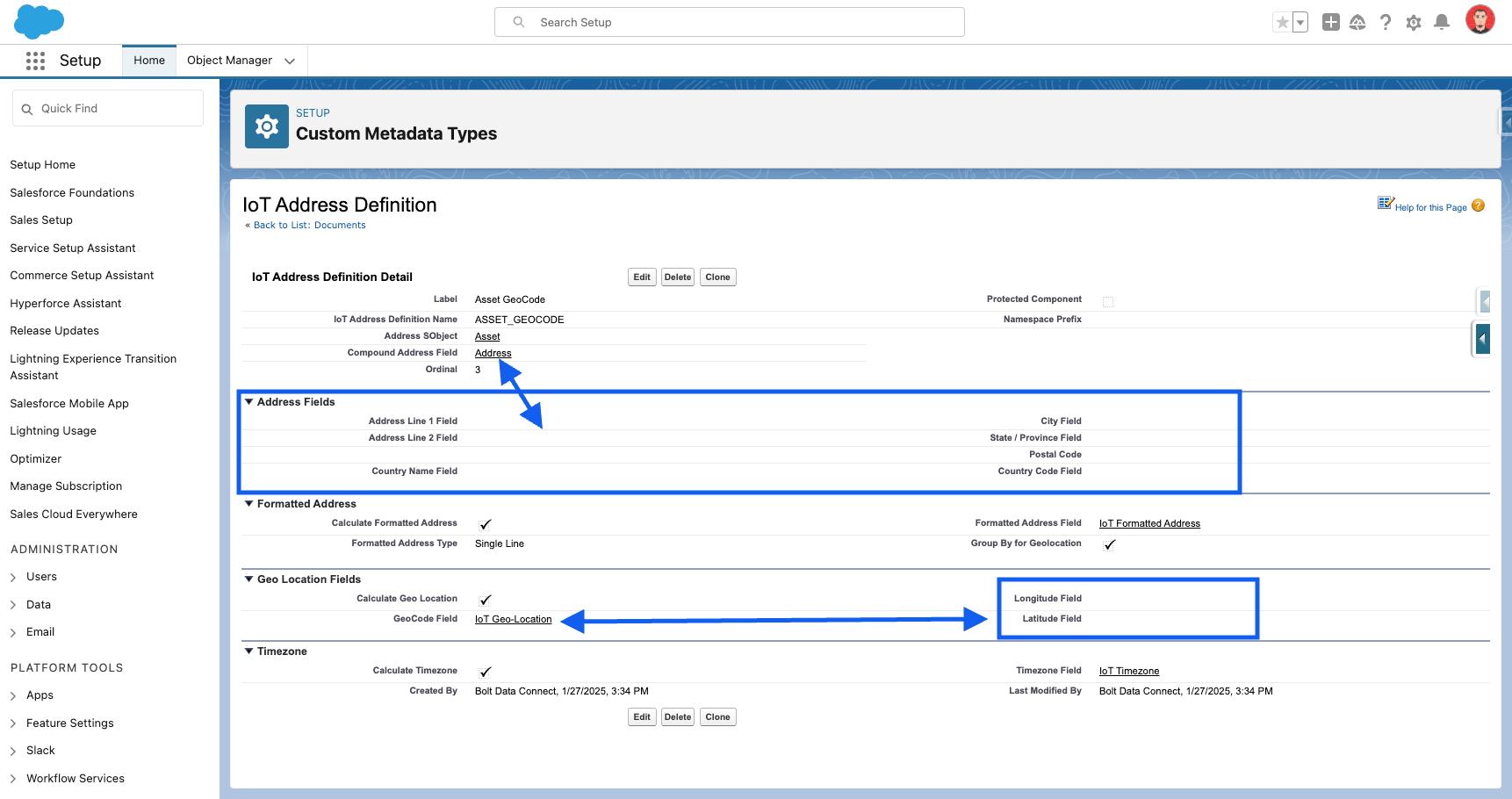
IoT Address Definition
NOTE
We have pre-loaded a record for the standard Asset object, but it can be edited or cloned in the Salesforce Setup > Custom Metadata screen.Address Formats
- Address Format
- The formatted combination/order of the address fields
- Countries
- The Country Codes which will utilize this format
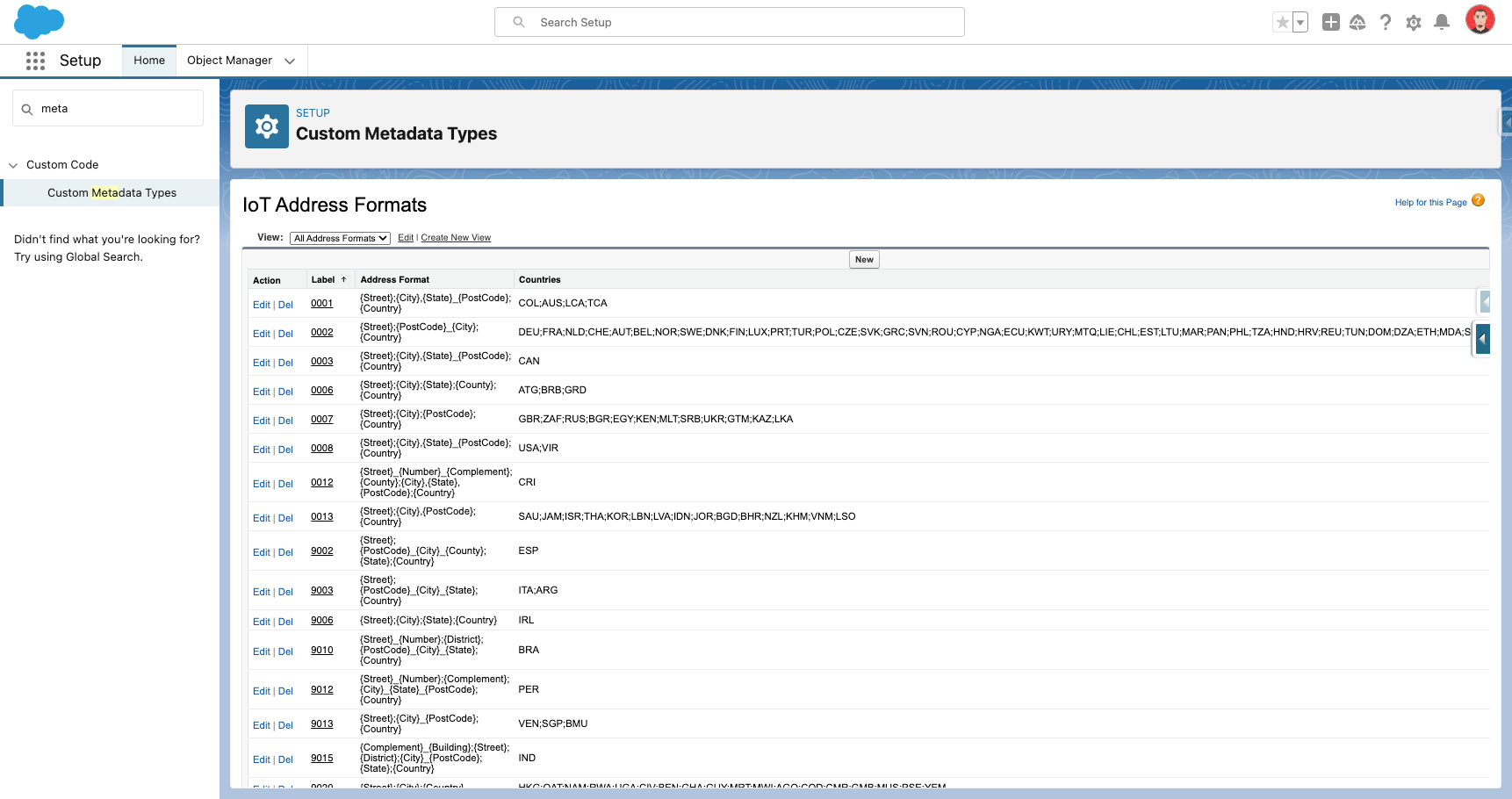
IoT Address Formats
NOTE
We have pre-loaded records for all major Country formats, but it can be edited in the Salesforce Setup > Custom Metadata screen.Geo-Coding Job
The Geo-Code Job will automatically process all the records of the configured objects which have not yet been Geo-Coded.
- If an existing schedule has already been configured, select Disable prior to configuring a new schedule.
- In the Schedule drop-down menu, select the desired frequency.
- Enter the appropriate value in the At field
- Hourly: Define how many minutes past the hour to run the sync.
- Daily: Define the time of day.
- Weekly: Define the day of the week and time of day.
- Monthly: Define which day of the month and the time of day.
- Select Enable.
FYI
Thechron expression is shown in the Status field.
Last modified January 28, 2025: Winter 25 Release Notes (018efc7)