Licensing
View the licensing detail, for Salesforce/Cloud/Edge across all of your orgs.
View Licenses
From the Global Settings page, you can easiliy view the Bolt Data Connect licensing across all of your orgs (Dev, Test, Production, etc.) and all of the Application Layers (Salesforce, IoT Cloud and Edge Gateway).
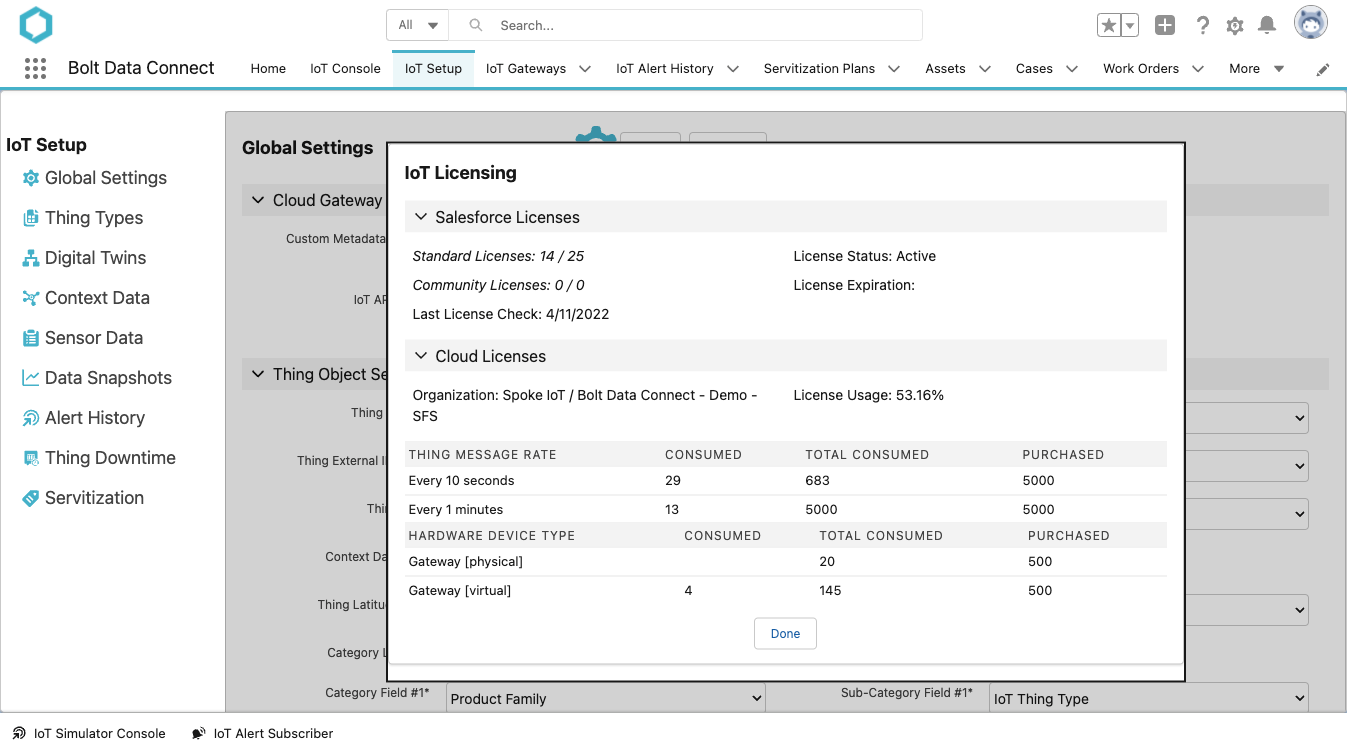
View Licenses
Salesforce Licenses
- Standard Licenses
- The number of Standard Bolt Data Connect Salesforce User licenses used / total available.
- Community Licenses
- The number of Community (Experience Cloud) Bolt Data Connect Salesforce User licenses used / total available.
- Last License Check
- The most recent date of synchronizing the Licenses with Salesforce.
- License Status
- The status of the License from Salesforce App Exchange.
- License Expiration
- The date of the License Expiration from Salesforce App Exchange.
Cloud Licenses
- Organization
- The parent / local IoT Cloud accounts connected to this org
- License Usage
- A calculation of the total percentage of device licenses used across all orgs
- Thing Message Rates
- A list of licensed message rates along with the purchased and used count of each
- Hardware Device Types
- A list of licensed devices types along with the purchased and used count of each
License Flexibility
As Thing Type “Message Rate” definitions are changed, licensing is evaluated and updated. We’ve implemented a flexible license usage policy, allowing you to use any Message Rate below or equal to the purchased rate.License Alarms
License Alarms can now be configured and automatically created into Salesforce so that administrators can monitor and automate actions on both Salesforce App and Device Licenses.
To view the License Logs and Alarms, create a Report:
- Report Type: IoT Admin Logs
- Filters:
- Show Me: All IoT Admin Logs
- Log Type: “Licensing”
You will find 2 records for each Licensing event, with the following Job / Record Id values:
- APP_LICENSES : Lists the results of the Salesforce App Licensing check
- DEVICE_LICENSES : Lists the results of the IoT Cloud Device Licensing check
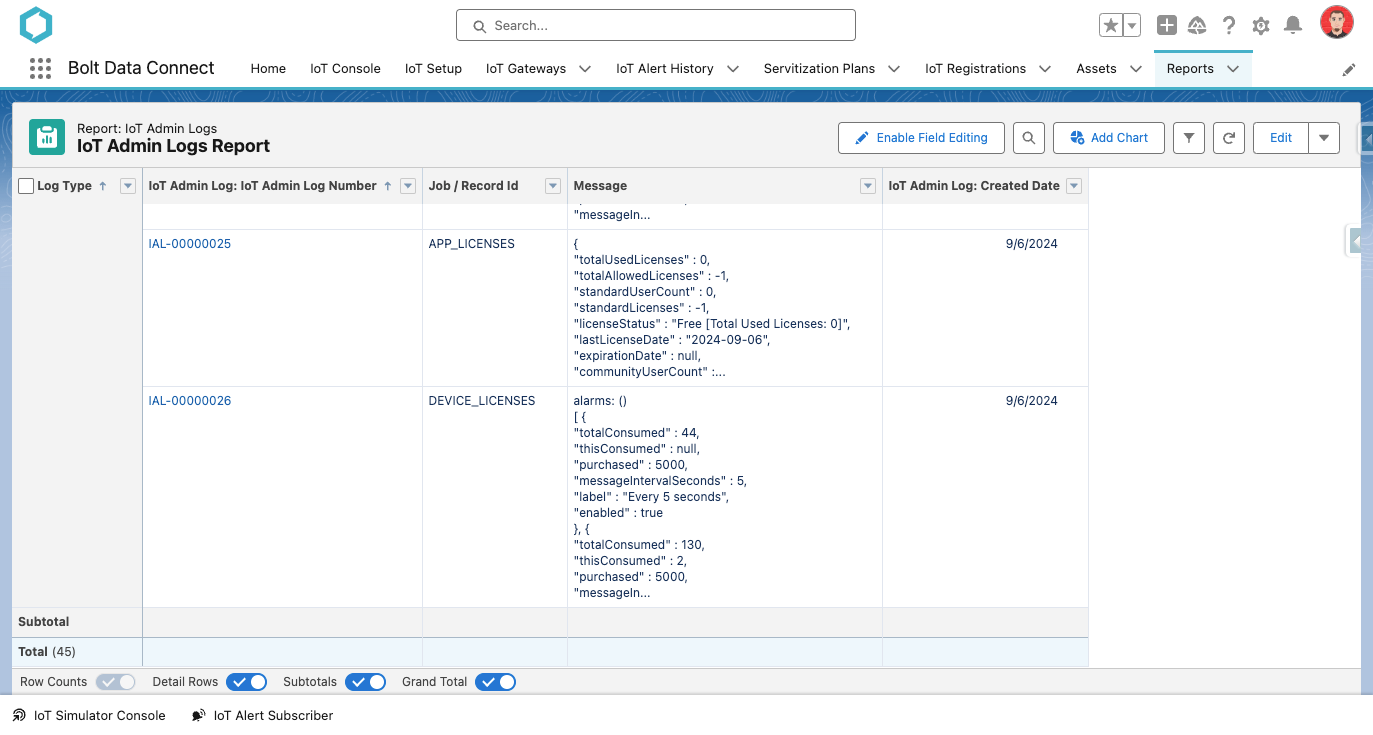
License Alarms
Each of the above records will have one of the following Job Status values:
- Success : Indicates that the license check was successful and no alarms were created.
- Warning : Indicates that one of the following alarms was included:
- Less than 30 days remaining on Salesforce Licenses
- Salesforce License Usage is above 80% threshold
- Device License Usage is above 90% threshold
- No Device Licenses found
- Error : Indicates that one of the following alarm errors was encountered:
- Salesforce License Usage Exceeded
- Could not load Managed Package licensing data
Last modified September 9, 2024: LicenseAlarms (6f73d4c)