Data Snapshots
Pull sensor data for a chunk of time into your Org.
Data Snapshots provide a mechanism to capture sensor data for a specific slice of time. Each Data Snapshot is automatically associated to a Thing, but can also be associated with a secondary parent Object.
You can define a list of allowable secondary parent Objects on the Data Snapshot setup screen.
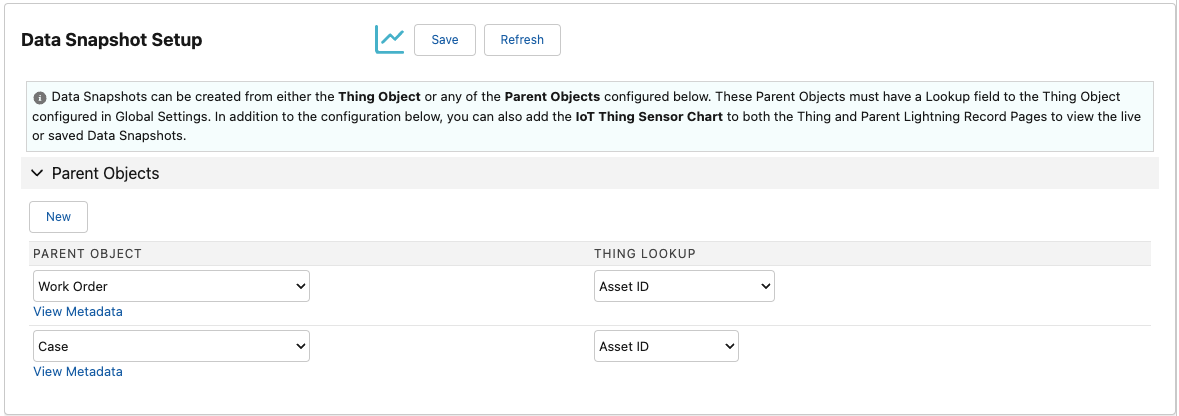
Data Snapshot Setup Screen
Once configured, Data Snapshots can be viewed on the Parent Object within the IoT Thing Chart Lightning Web Component.
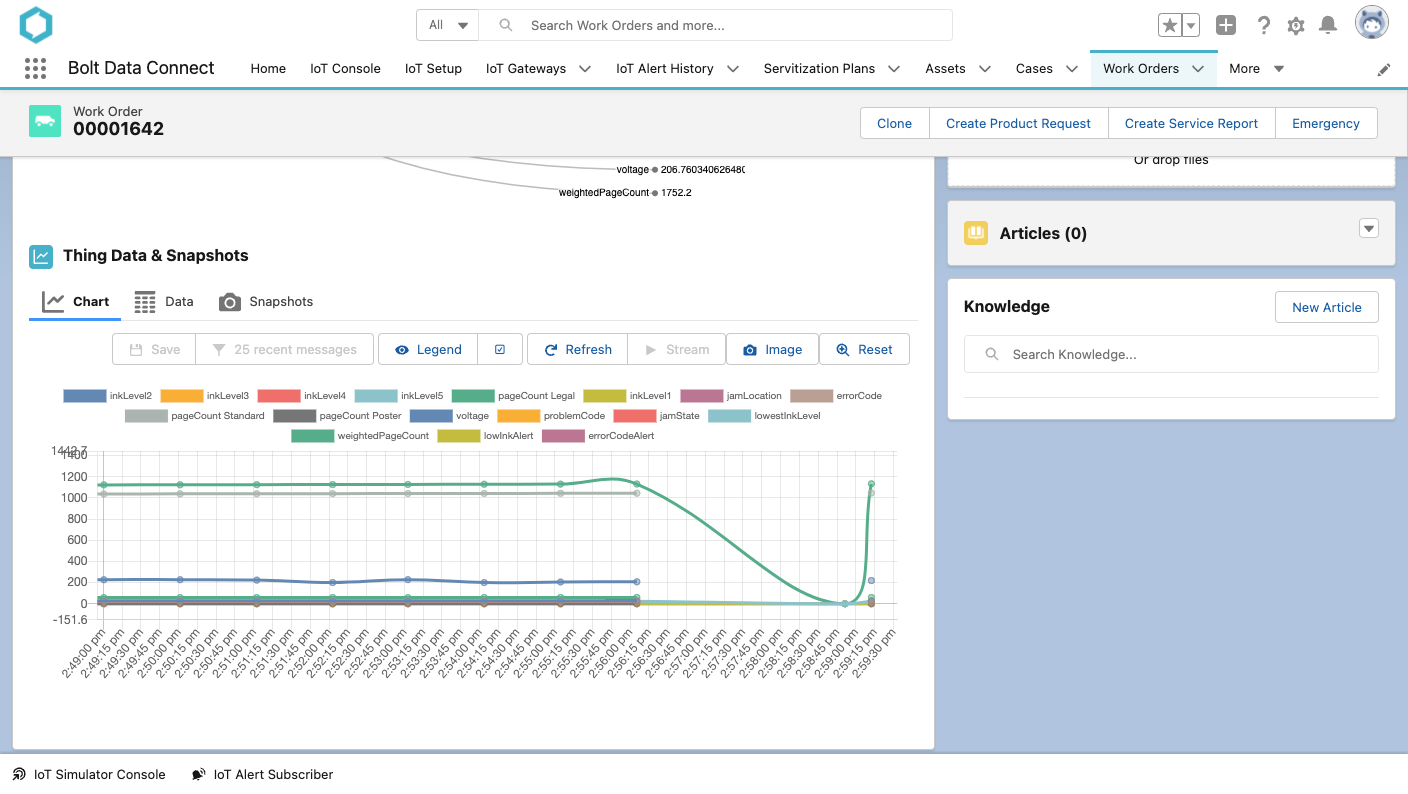
Data Snapshot on an example Work Order
Add Parent Object
Note
Each Parent Object must have a lookup field for the configured Thing Object.- Select New.
- Select the new Parent Object from the Parent Object field.
- Select the field from the new Parent Object used to lookup the related Thing Object.
Remove Parent Object
- Under the Parent Object you wish to remove, select the View Metadata link.
- On the new screen, select the Delete button toward the top of the metadata record.
Last modified January 28, 2025: Winter 25 Release Notes (018efc7)