Context Data
Easily Sync ServiceNow Data (related to the IoT Connected Assets) to the IoT Cloud and Edge Gateway. This Context data can be used in Calculations and Alert Conditions (by using the context group - e.g. context.someField == 'Gold'), to enhance and provide flexibility in your Thing-Type Specifications.
All IoT Context fields are synced with a scheduled job, or can be manually synced for special cases and troubleshooting.
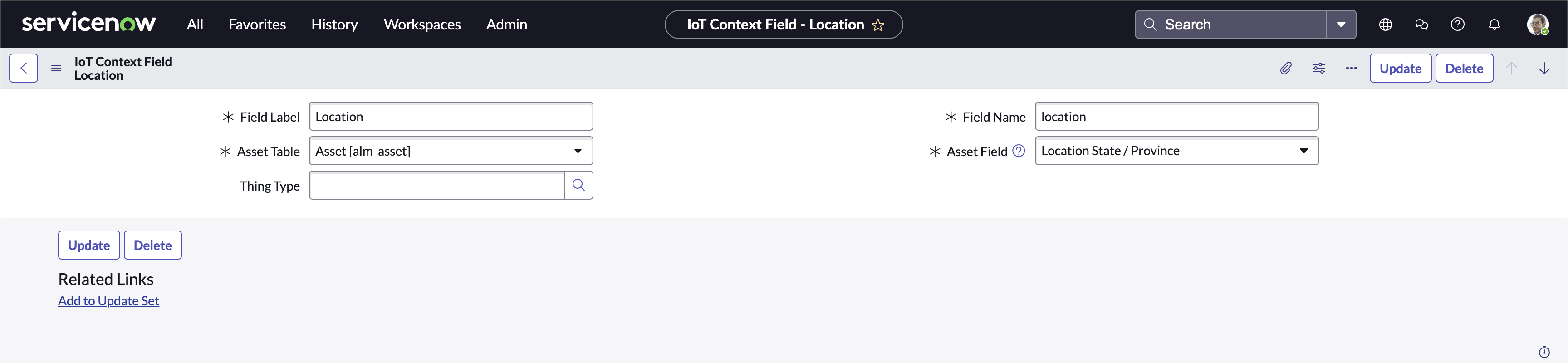
Context Data Record Page
Global Context Fields
IoT Context Fields without a specified Thing Type are known as Global Context Fields. Global Context Fields are synced for all Connected Assets, regardless of their Thing-Type.
-
Select New.
-
In the new record screen, leave the Thing Type field empty.
-
Define the reader friendly Label for the field.
-
Define the Field Name to use in calculations and alerts.
Name Restrictions
- Must start with a letter.
- Can only contain letters, numbers, and
_. - Must not contain any spaces.
-
Select the Asset Table corresponding to the asset type for your connected asset.
-
Select the Asset Field to associate a field on the Asset Table with this IoT Context Field.
Thing-Type IoT Context Fields
Thing-Type IoT Context Fields are only synced for Connected Assets which match the Thing-Type specified.
Steps for Thing-Type IoT Context Fields are the same as for Global Context fields, except Step 2: select the desired Thing-Type in the Thing Type field.
Context Synchronization
The sync schedule for IoT Context Fields is managed in the IoT_Context_Job scheduled job. This can be found in All -> System Definition -> Scheduled Jobs.
- In the Run field, select the desired frequency.
- Periodically: Define the time between runs.
- Daily: Define the time of day.
- Weekly: Define the day of the week and time of day.
- Monthly: Define which day of the month and the time of day.
- In the field that shows up depending on your choice, fill out the appropriate values according to your desired frequency.
- Select Active.
- Save the record.
Remove IoT Context Field
- Open the desired IoT Context Field record to be deleted.
- Select the Delete button toward the top of the record.