App Tour
Launching the App
Once you install the Salesforce App, you"ll find the new Bolt Data Connect App in the Salesforce App Launcher.
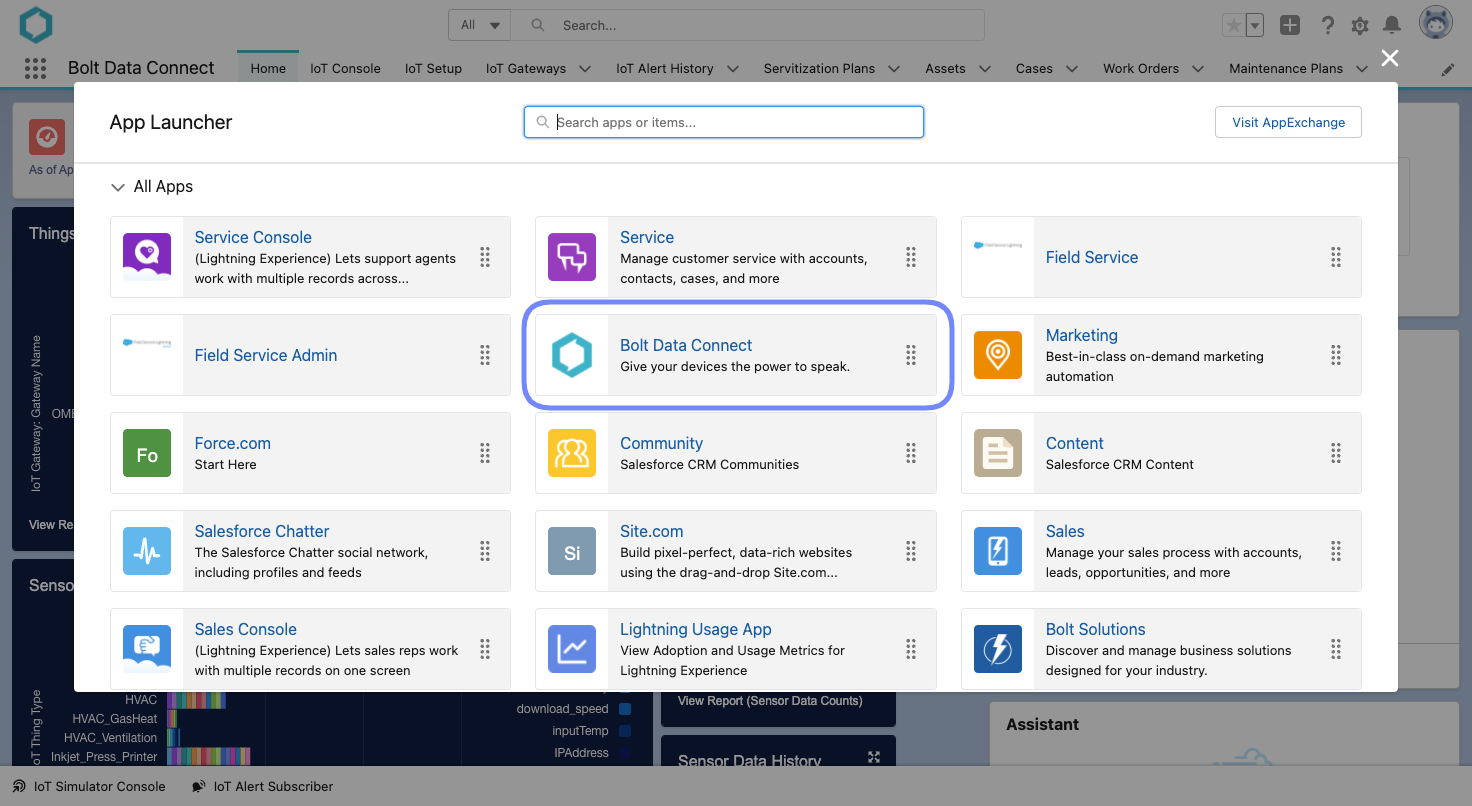
App Launcher
Note
If you don’t see what you"re looking for, use the “Search apps or items..” search bar provided in the App Launcher to search for “Bolt Data Connect”
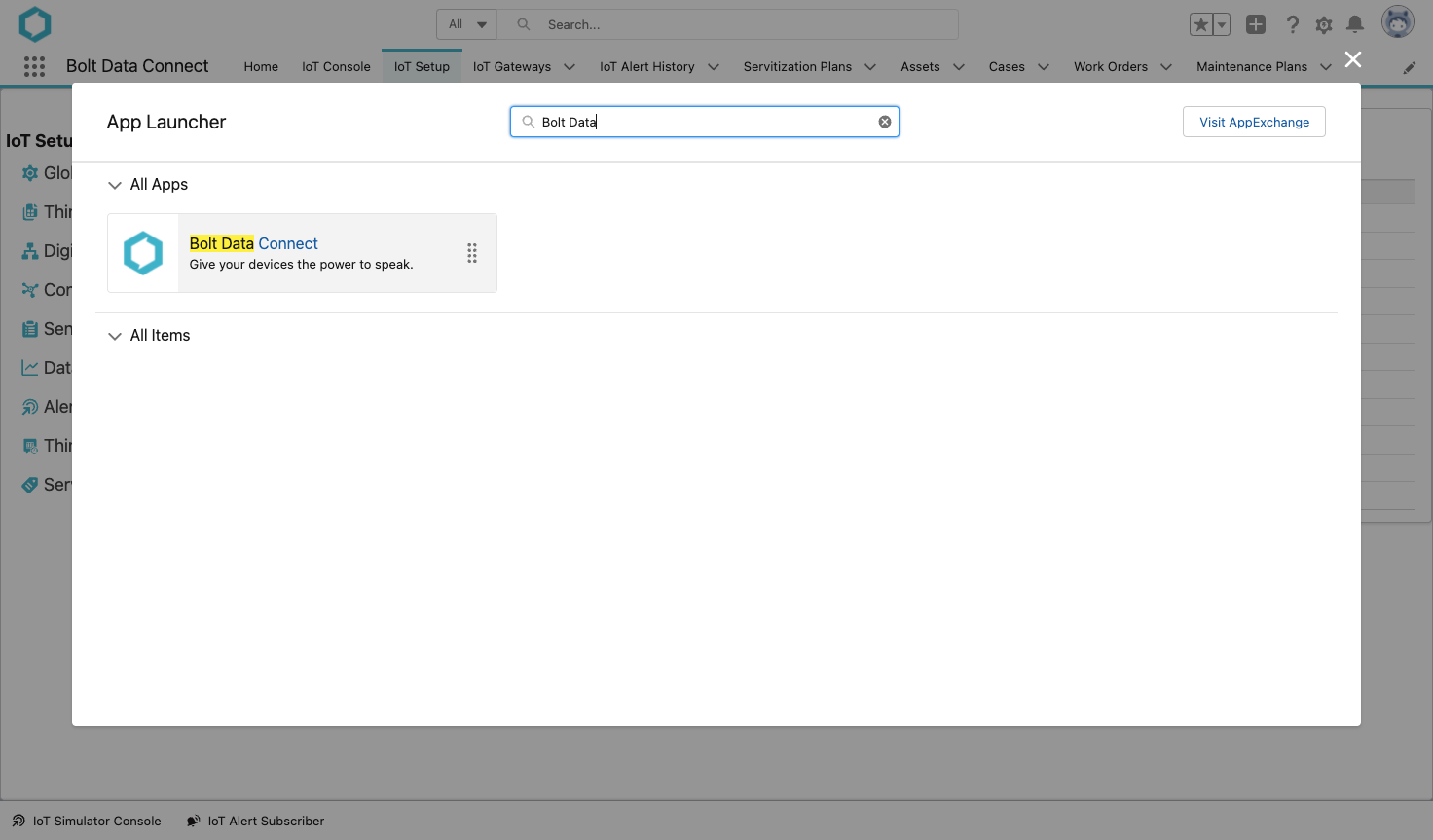
App Launcher Search
IoT Dashboard
The IoT Dashboard is a Salesforce Dashboard & Reports giving you a view of all of your “Things” connected to Bolt Data Connect and the Thing Types, Status, Alert History and Sensor Data available in Salesforce.
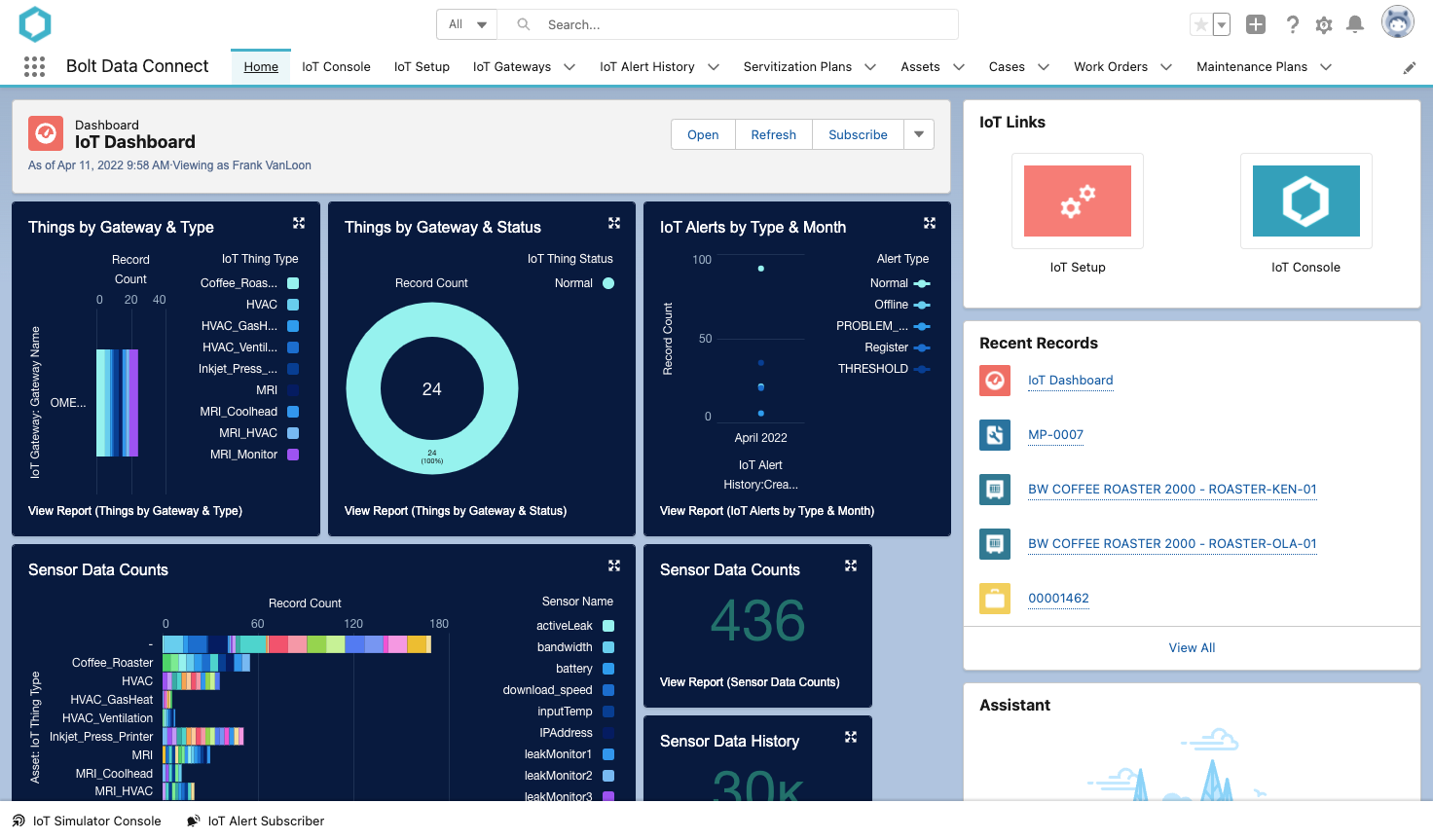
IoT Dashboard
IoT Console
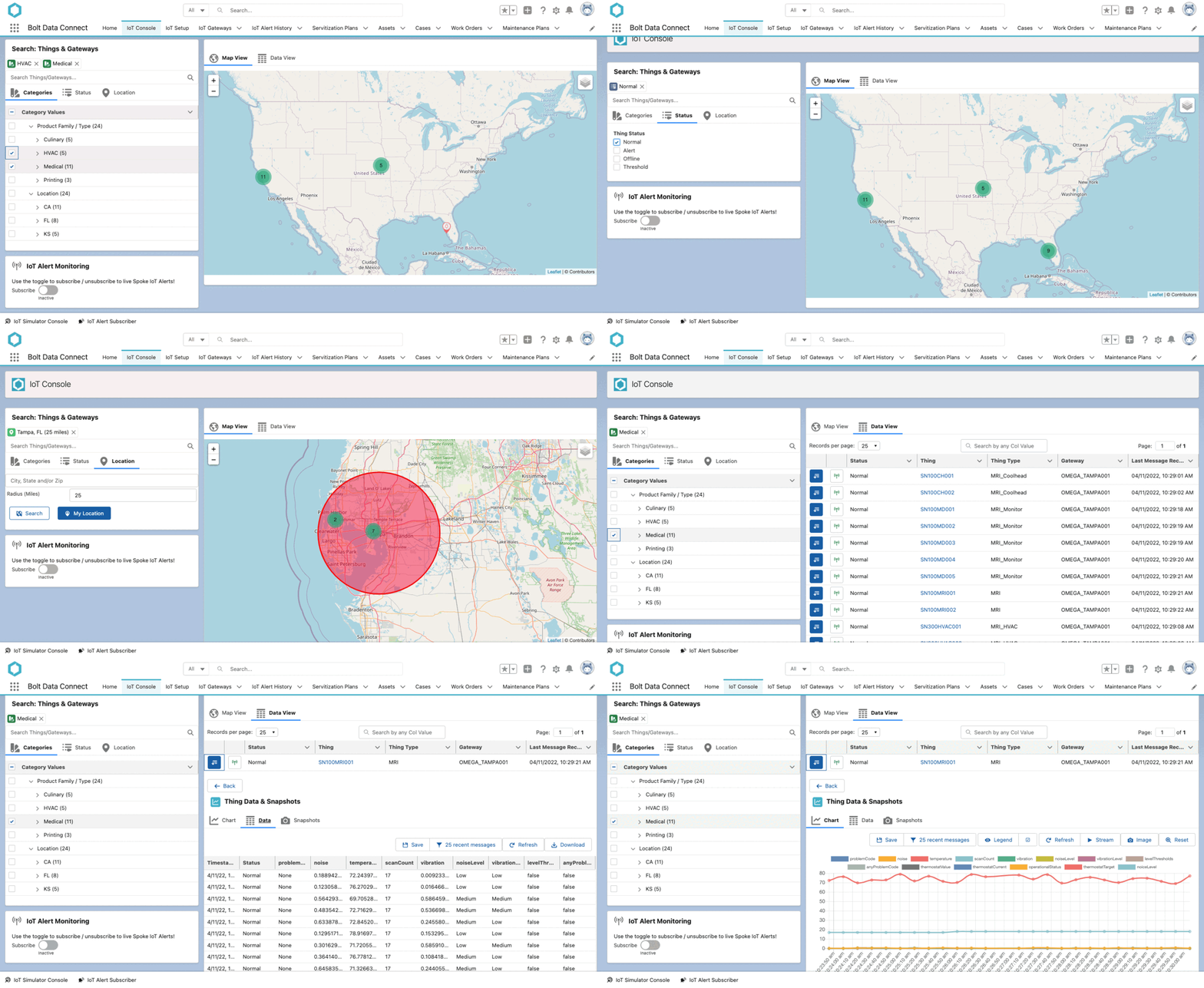
The IoT Console is the centralized dashboard for viewing all IoT Things within an Org.
IoT Console
Navigation
The Navigation Panel provides multiple ways to slice your Things. Here you can find all Things by:
-
Category: A completely customizable tree, grouping Things by whichever fields your Admin configures. Check out Thing Object Settings for more details on how to configure this.
-
Status: Things change status based on the rules established for each Thing-Type
-
Search: If you know the exact asset you"re looking for.

Navigation Panels
Views
The View Panel shows you Things that match criteria specified in the Navigation Panel. There are currently two Views available: a Map View and a Data View. The Map View shows Things as pins on a global map, while the Data View shows Things in a tabular view.
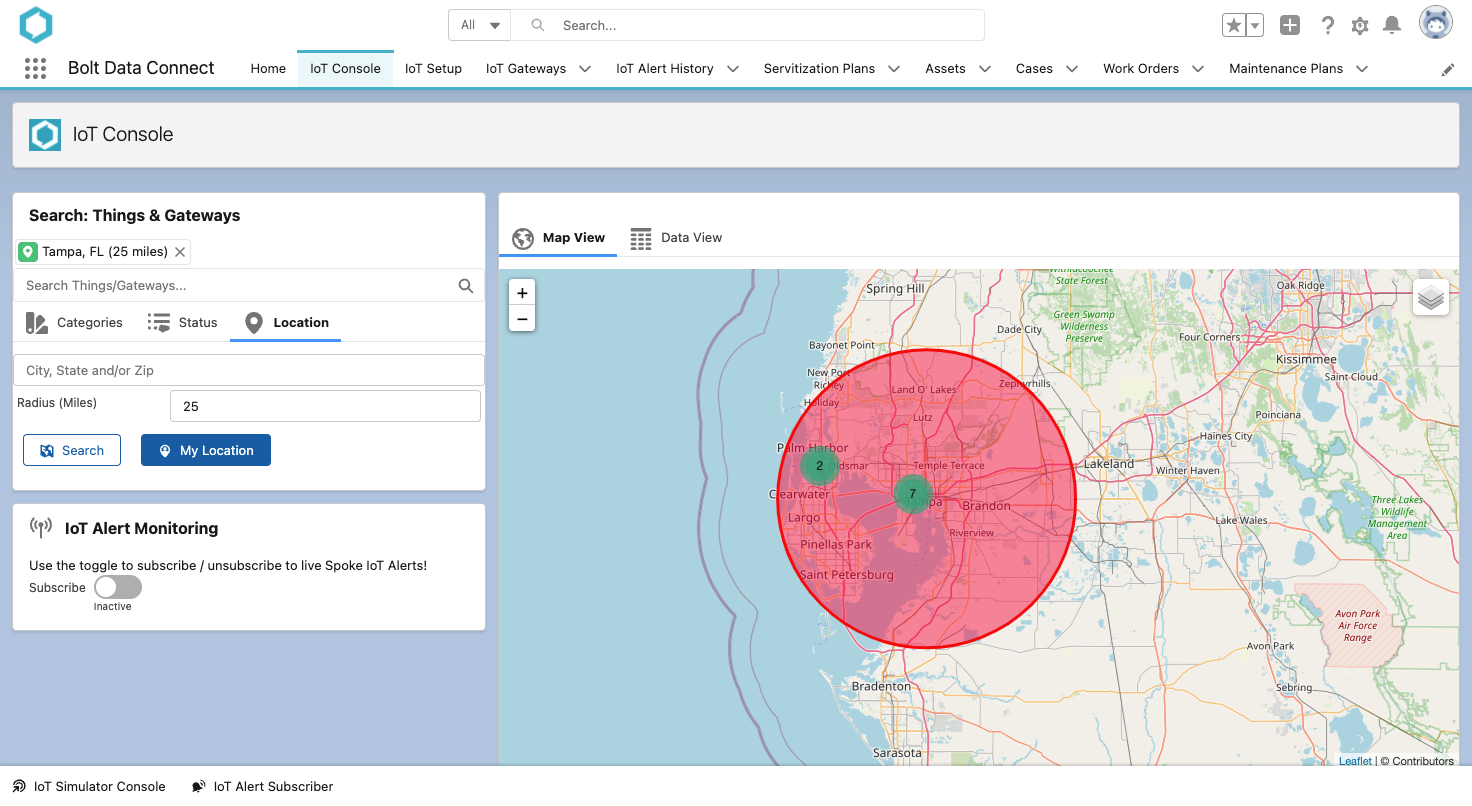
View - Map
Additionally, in the Data View, you can view the History for any device by selecting the down arrow on any row.
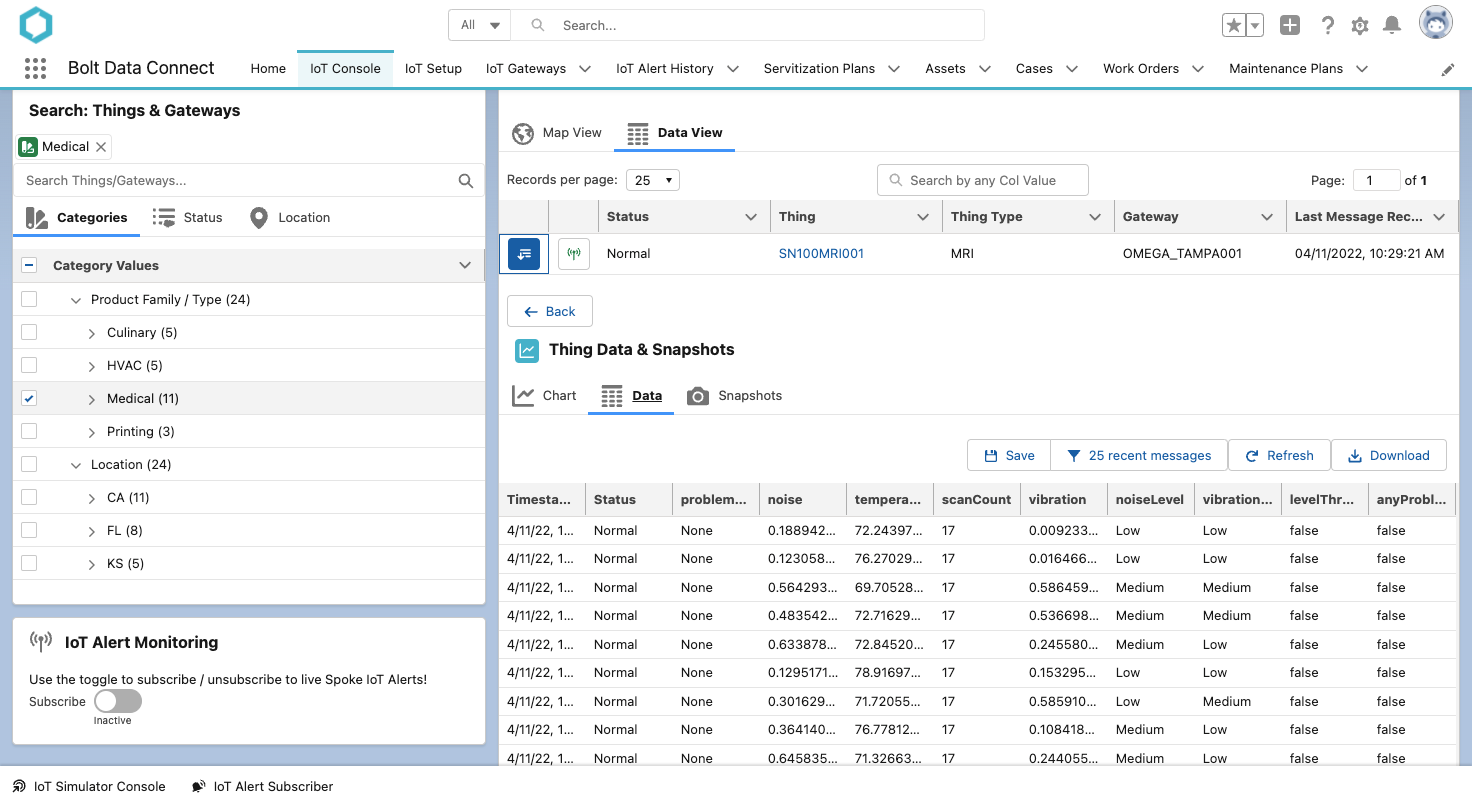
View - Data Table
In the Data View you have the ability to view the sensor chart, sensor data-table, filter and save new sensor snapshots.
Note
Historical data is not stored in Salesforce, but rather in the IoT Cloud, and is only fetched here for troubleshooting and diagnostics. This helps reduce the load on your Salesforce Data Limits.IoT Setup
For your Salesforce Org Admins, the Bolt Data Connect App provides an IoT Setup page to configure how the IoT Cloud integrates with your Salesforce Org. Here you can completely control the behavior of the Cloud and Edge Processing, as well as the Salesforce automation and integrations.
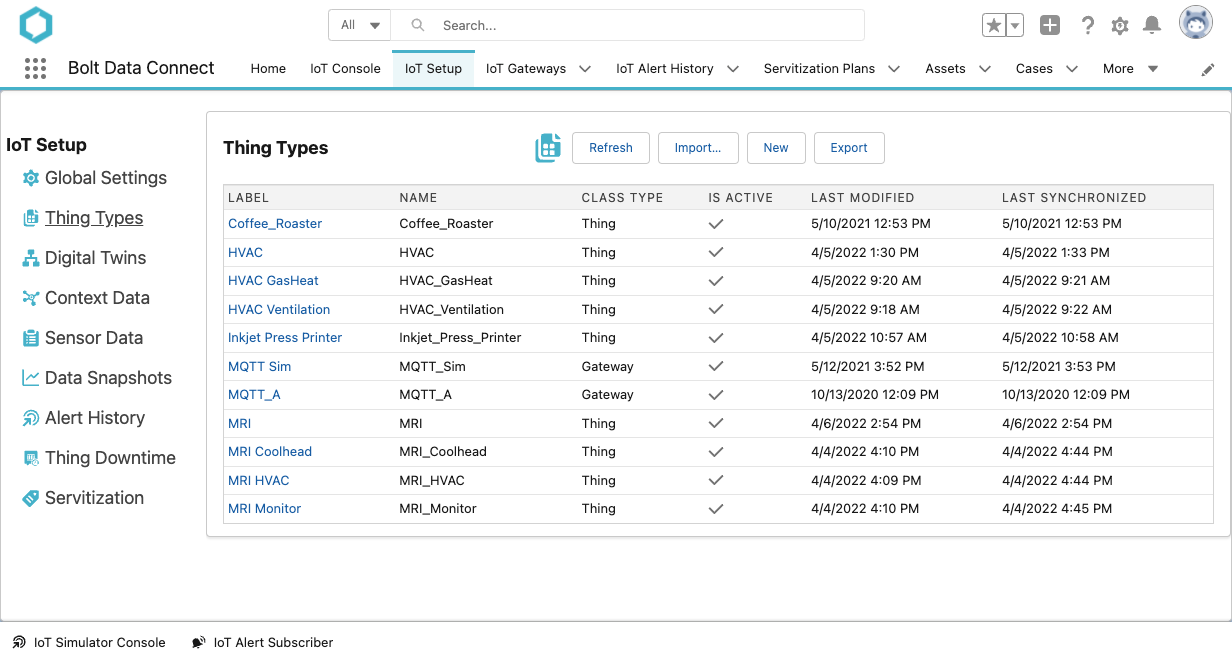
IoT Setup