User Setup
How to setup and configure Salesforce Users for the App
This section provides details on how to setup Salesforce Users for Bolt Data Connect, including:
- Permission Sets
- Custom Permissions
- Installed Package Licenses
Permission Sets
Included with the app are two Permission Sets which can be used as-is if your org uses Assets:
- IoT Admins: Full Admin access to all Bolt Data Connect features including the IoT Setup tab.
- IoT Users: Access to Bolt Data Connect data, visualizations, and interactions.
Each Bolt Data Connect User should be assigned to one of the above Permission Sets (or a Clone).
Note
If your org does not use Assets, we recommend that you Clone the above Permission Sets and add corresponding permissions on the appropriate Object(s).Custom Permissions
The following Custom Permissions are included with the app:
- IoT Setup: Access to the IoT Setup tab
- IoT Simulators: Access to the IoT Simulators component (by default in the Utility Bar)
- IoT Observability: Access to the IoT Cloud Logs & Alarms component (by default in the Utility Bar)
BEST PRACTICE
By default, all of these Permissions are included in the IoT Admins Permission Set only. You can choose to separate and give these Permissions as approriate for your Org.Installed Package Licenses
To Add/Remove Licenses from Users:
- Go to Salesforce Setup
- Search for “Installed Packages”
- Click “Manage Licenses” next to Bolt Data Connect
- Add/Remove Users
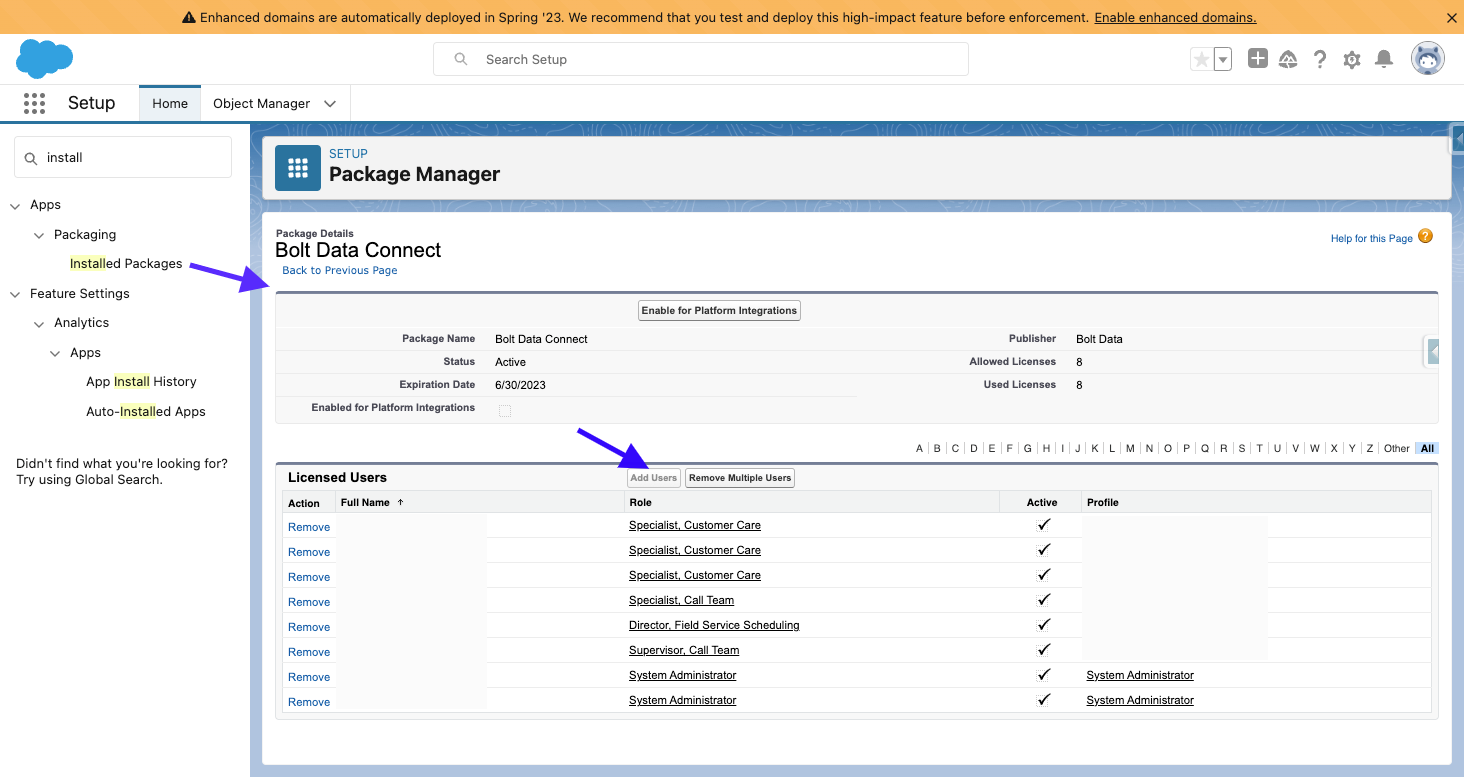
User Licenses
NOTE
See all of the Licensing for your Bolt Data Connect Orgs including both Salesforce & Devices using the IoT Setup LicensingLast modified November 8, 2023: Absolute Image paths for all-content (7aa8323)