IoT Console
The IoT Console is the centralized dashboard for viewing all Connected Assets within an Instance. Connected Assets will be displayed on the Map for all Assets matching the current filter, if they have the Location fields filled in.
The IoT Console is available in the Connected Assets Workspace through the IoT Console button in the navigation bar.
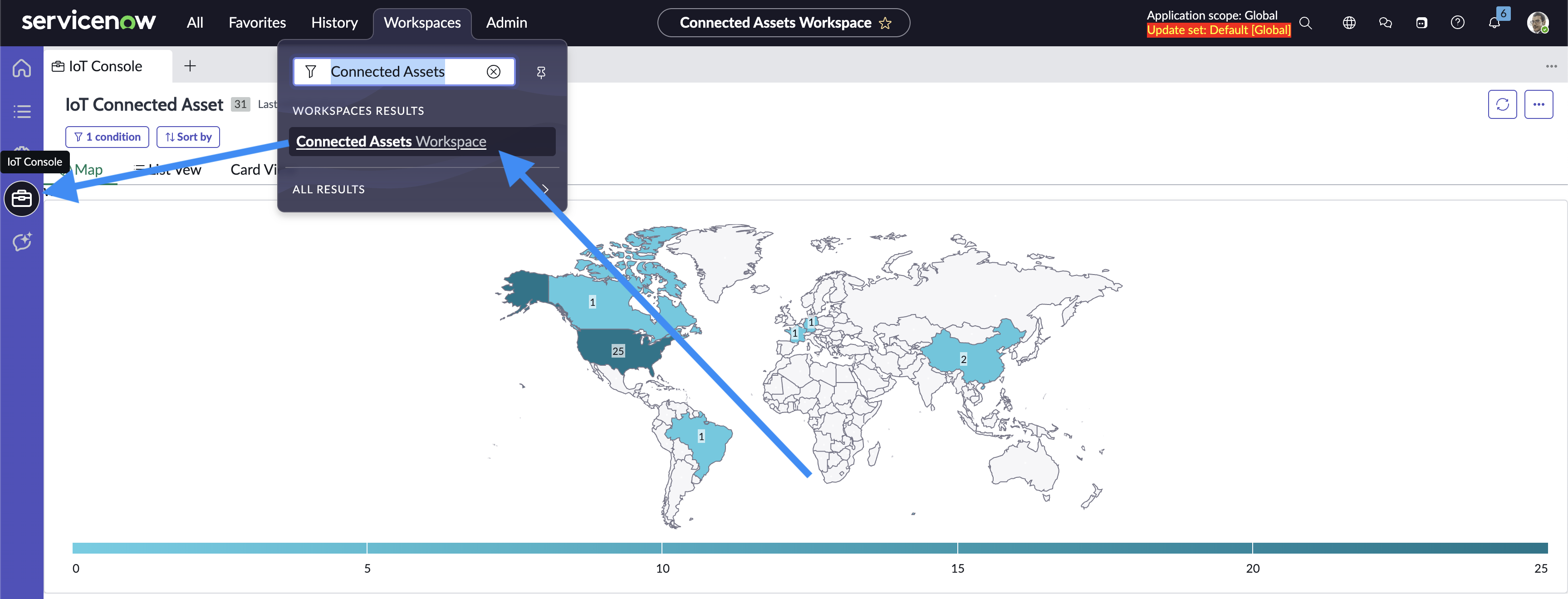
Opening the IoT Console
The three tabs in the IoT Console are the Map, List View, and Card View. Filtering is shared between all three tabs.
Map
The Map displays every Connected Asset which matches the filters and whos Asset’s Location field is filled in. The Map groups assets by location dynamically. You can click into any of the regions, and if they have a subregion map that is suported within ServiceNow, it will filter by the region and group by the subregions. This filter and group by is shared by all three tabs within the IoT Console. Every filter change is shown in the breadcrumbs in the top left of the map. These breadcrumbs can be selected to revert the filter and map level back to what it was when the breadcumb was made.
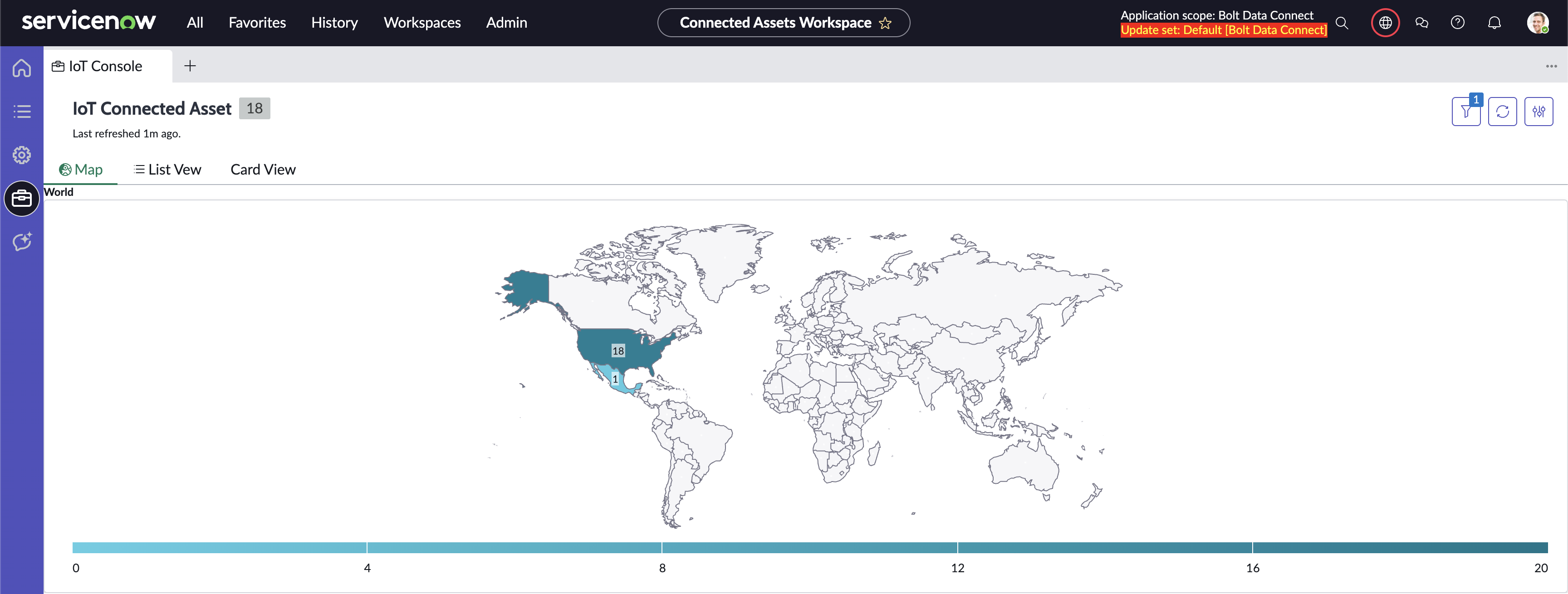
World Region Map
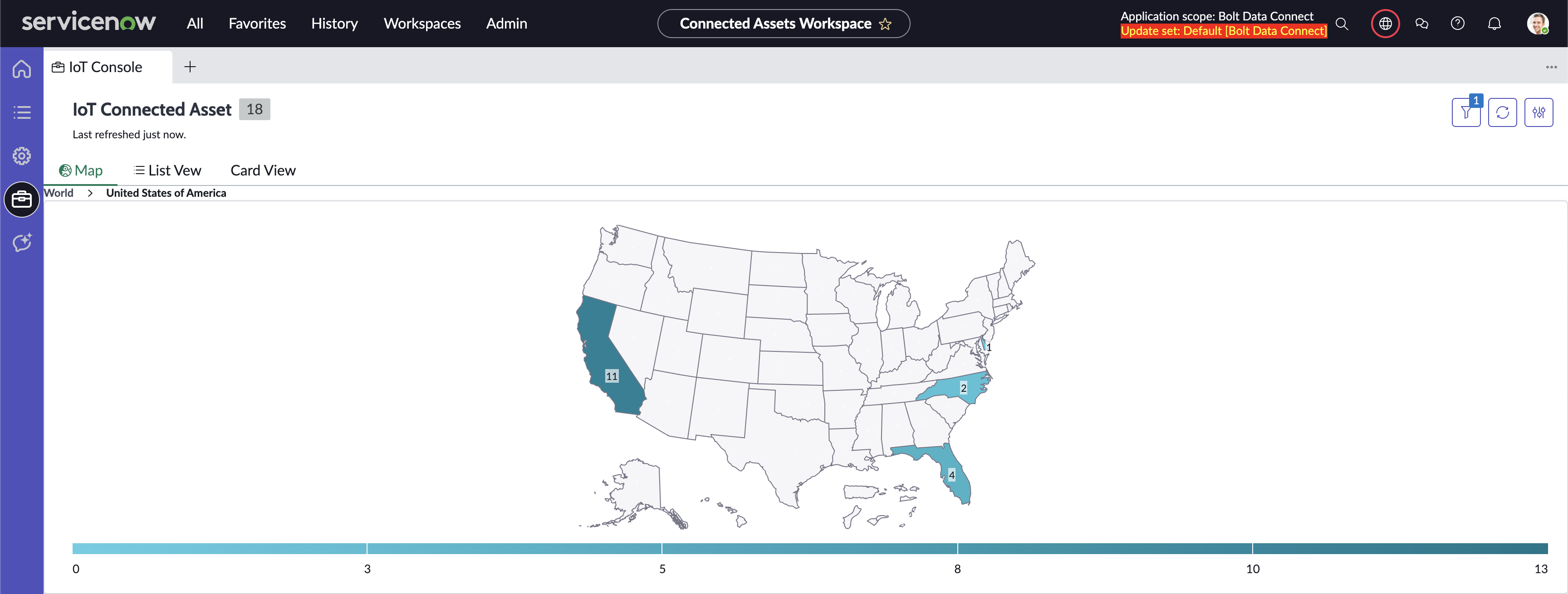
USA Region Map
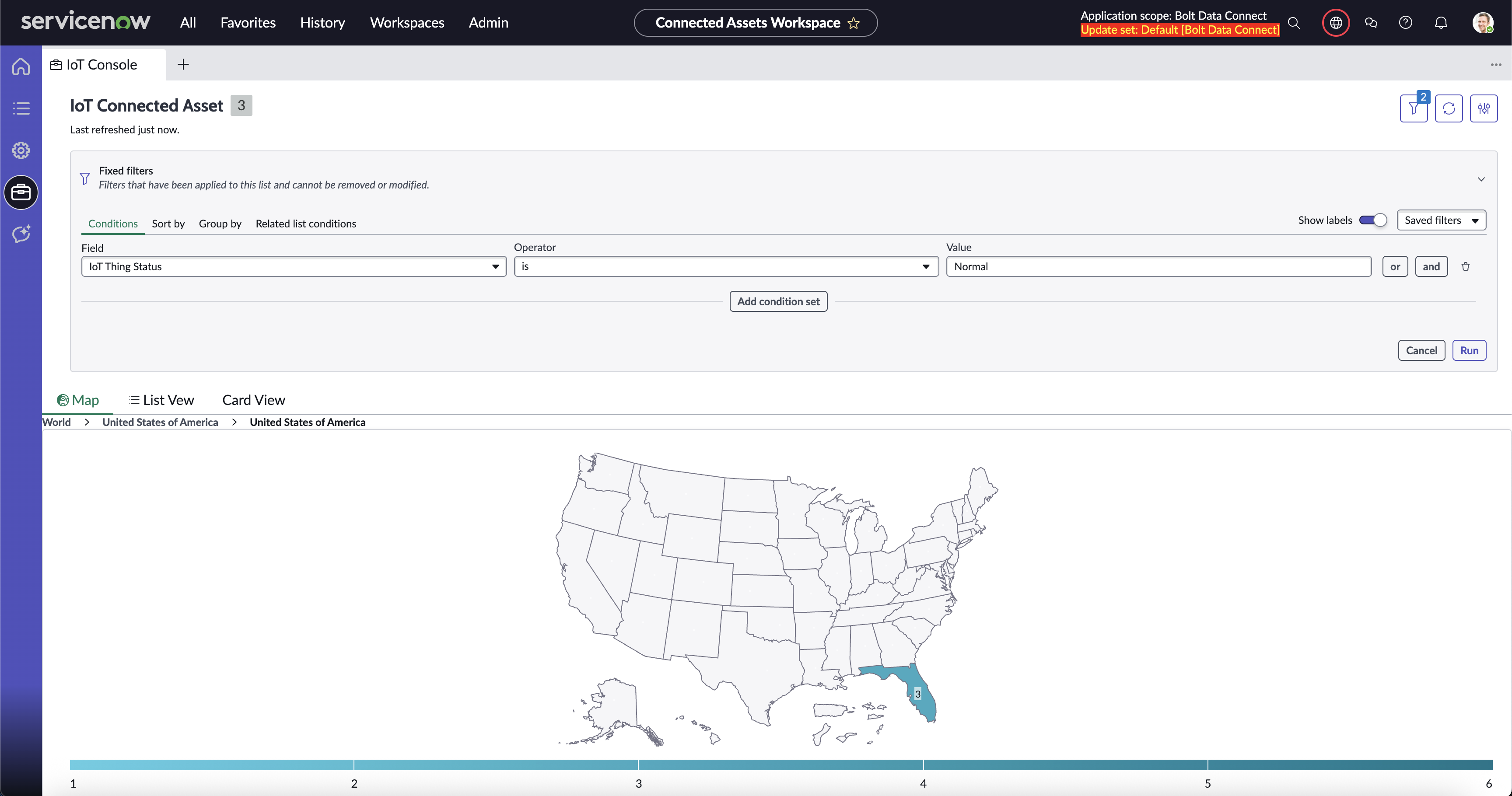
Filtered USA Region Map
List View
The List View displays the Connected Assets which match the filters and have an Asset with the Location field filled in. The Connected Assets are grouped by the current region level to match the Map tab.
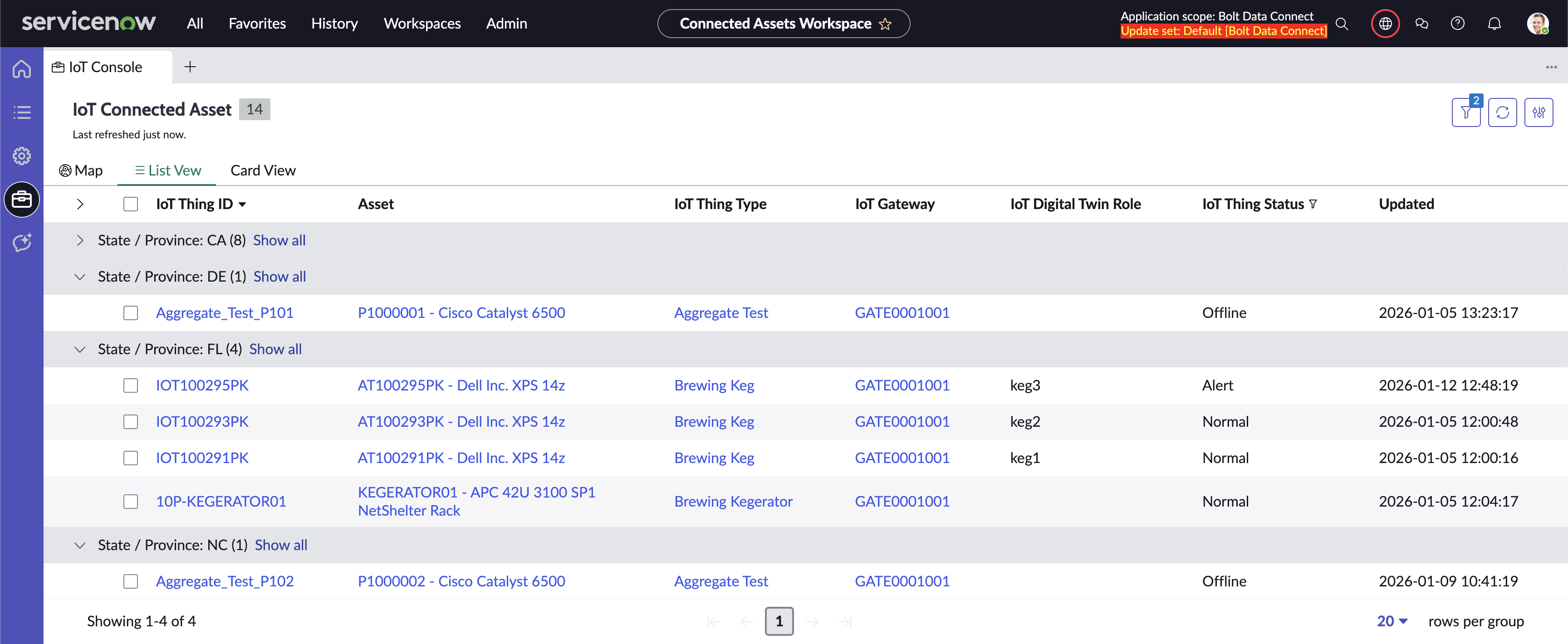
List View
Card View
The Card View displays the Connected Assets which match the filters and have an Asset with the Location field filled in with clickable Cards. Each link on the Cards can be clicked to open the record within the workspace. The Connected Assets are grouped by the current region level to match the Map tab.
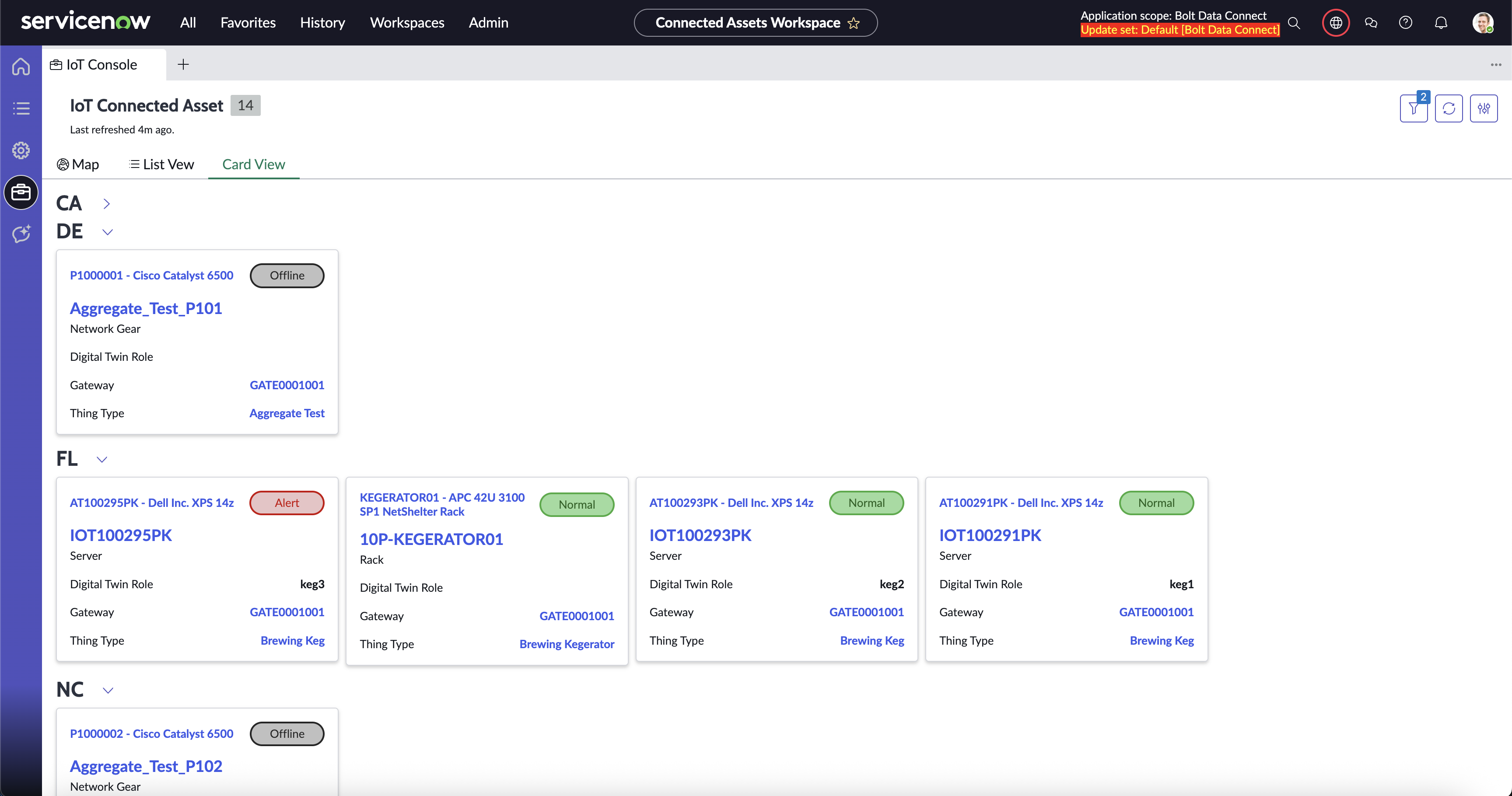
Card View
Classic Map View Module
The Connected Asset Map Module displays all of the Connected Assets in an Instance whose Asset’s Location Field is filled in. The map is set within the standard ServiceNow Google Maps system property. Each pin contains all of the Connected Assets in a given loction. When clicked, a list of these Connected Assets pops up. A Connected Asset within this list can be selected to navigate to the Classic Connected Asset record page to view the Connected Asset.
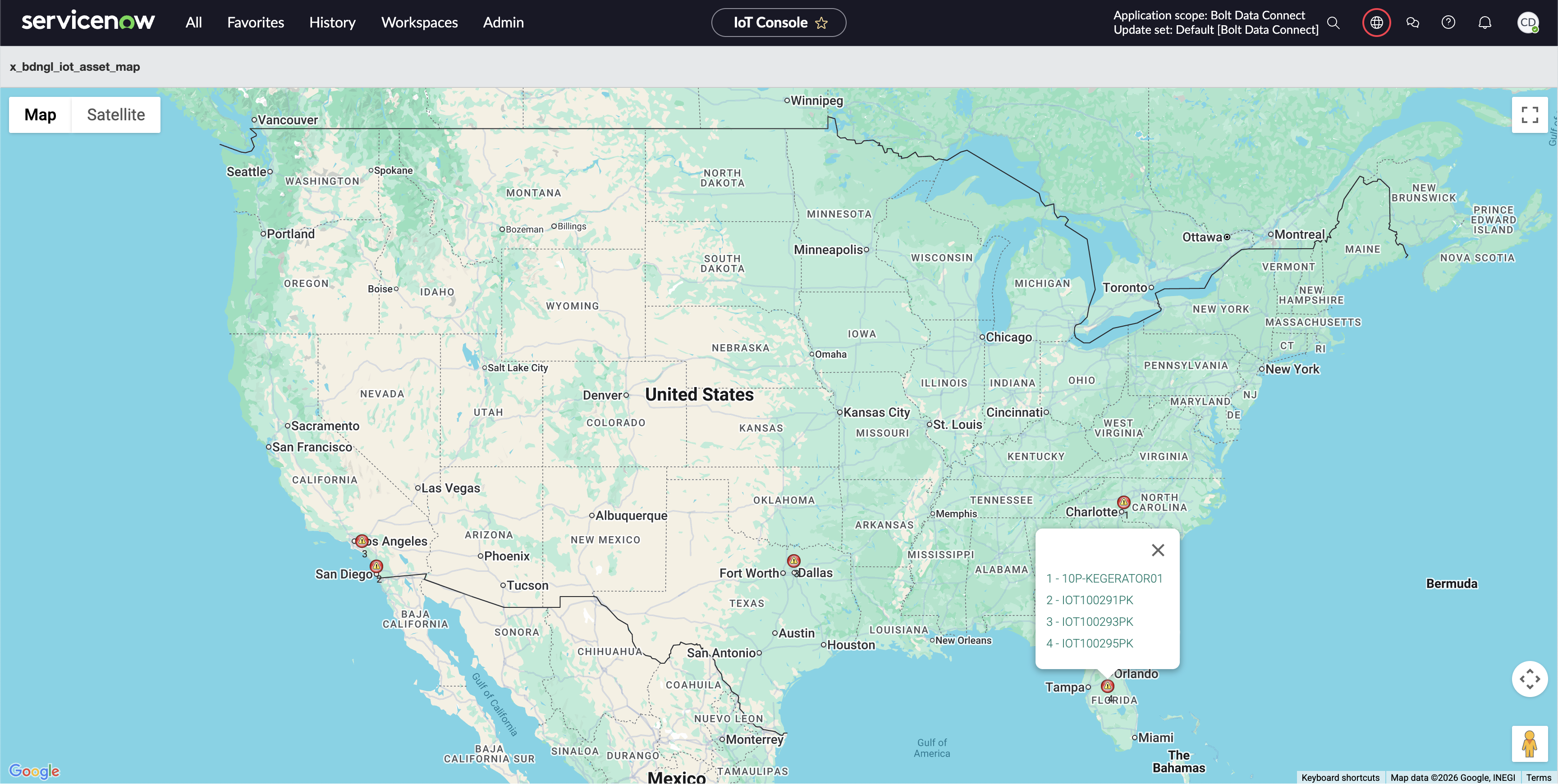
Connected Asset Map