Translations
This section provides details on the out-of-the-box included Language Translations and how to override and configure translations.
Included Components:
The following Lightning Web Components have been refactored to utilize Custom Labels. These Custom Labels have included Translations for the languages listed below. In addition, you can override the included Translations or add your own for any other Languages.
- Utility Components:
- iotAlertSubscriber
- simulatorConsole
- IoT Console Components:
- iotThingFilter
- iotFilteredThings
- iotMap
- Thing Components:
- iotThingDetails
- iotThingChart
- iotThingCommand
- iotDigitalTwin
- iotVisualTwin
- iotThingSensorEntryModal
These Custom Labels control the titles, tabs, buttons and other output labels in the Lightning Web Components (LWC) as seen in the below example:
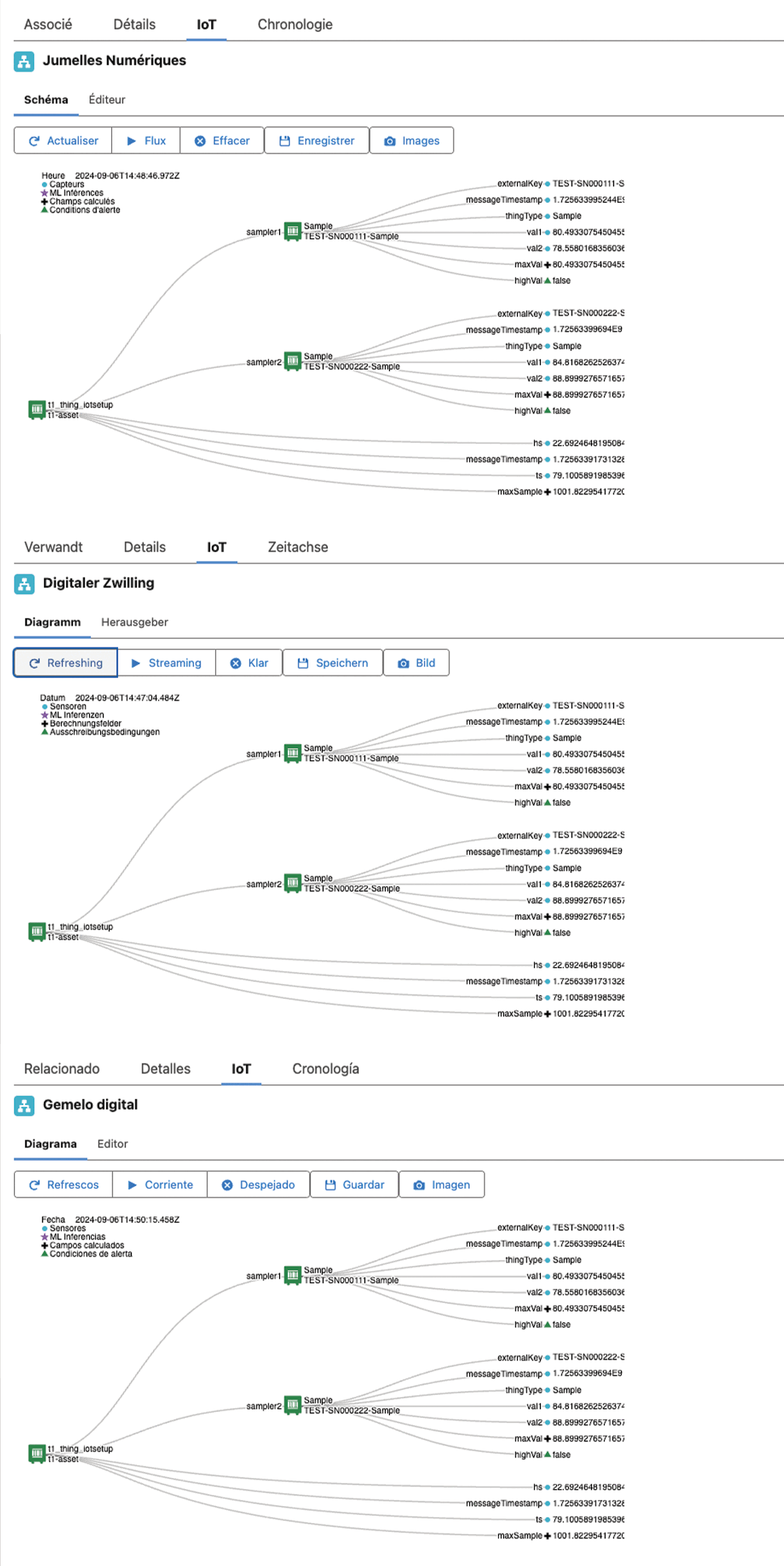
Component Translations
Included Objects:
The following Objects have included Translations for the languages listed below, for their Fields, Picklist Values, Record Types and Custom Actions. In addition, you can override the included Translations or add your own for any other Languages.
- IoT Alert History
- IoT Data Snapshot
- IoT Gateway
- IoT Registration
- IoT Sensor Data
- IoT Servitization Coverage
- IoT Servitization Detail
- IoT Servitization Item
- IoT Servitization Plan
- IoT Tiered Pricebook Entry
Included Languages:
The following Languages have been included for all of the above Components and Objects in the Summer ‘24 Release.
- Danish: da
- Dutch: nl_NL
- Finnish: fi
- French: fr
- German: de
- Italian: it
- Norwegian: no
- Portuguese (Brazil): pt_BR
- Spanish: es
- Swedish: sv
Overriding or Adding Translations
Use standard Salesforce translations to either override the included Translations or add additional Languages as described below:
Custom Object Metadata
Use the Setup > Translation Workbench > Override section to override or add Language Translations for any of our provided Custom Objects.
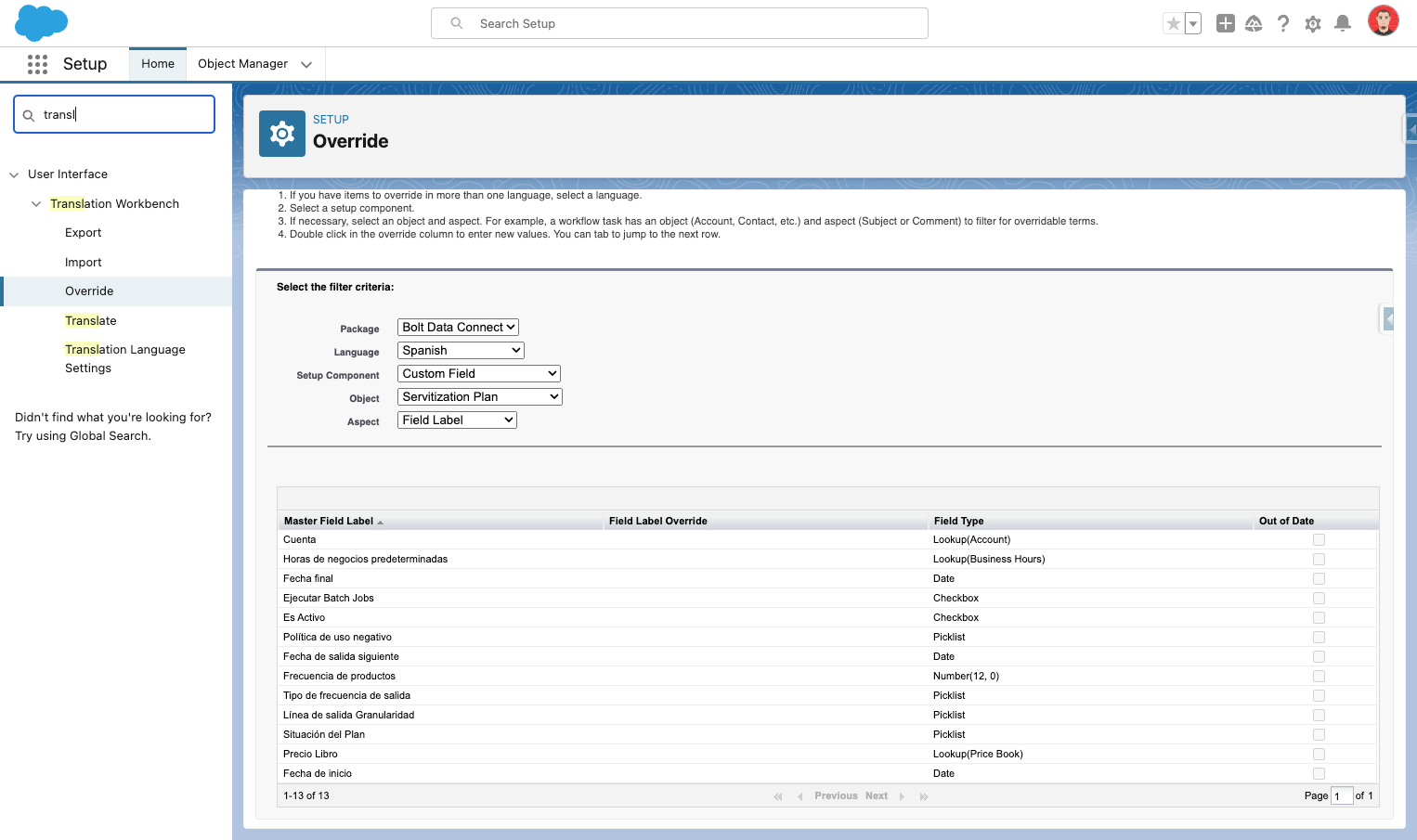
Override Object Translations
Custom Labels
Use the Setup > Custom Labels section to override or add Language Translations for any of our included Custom Labels.
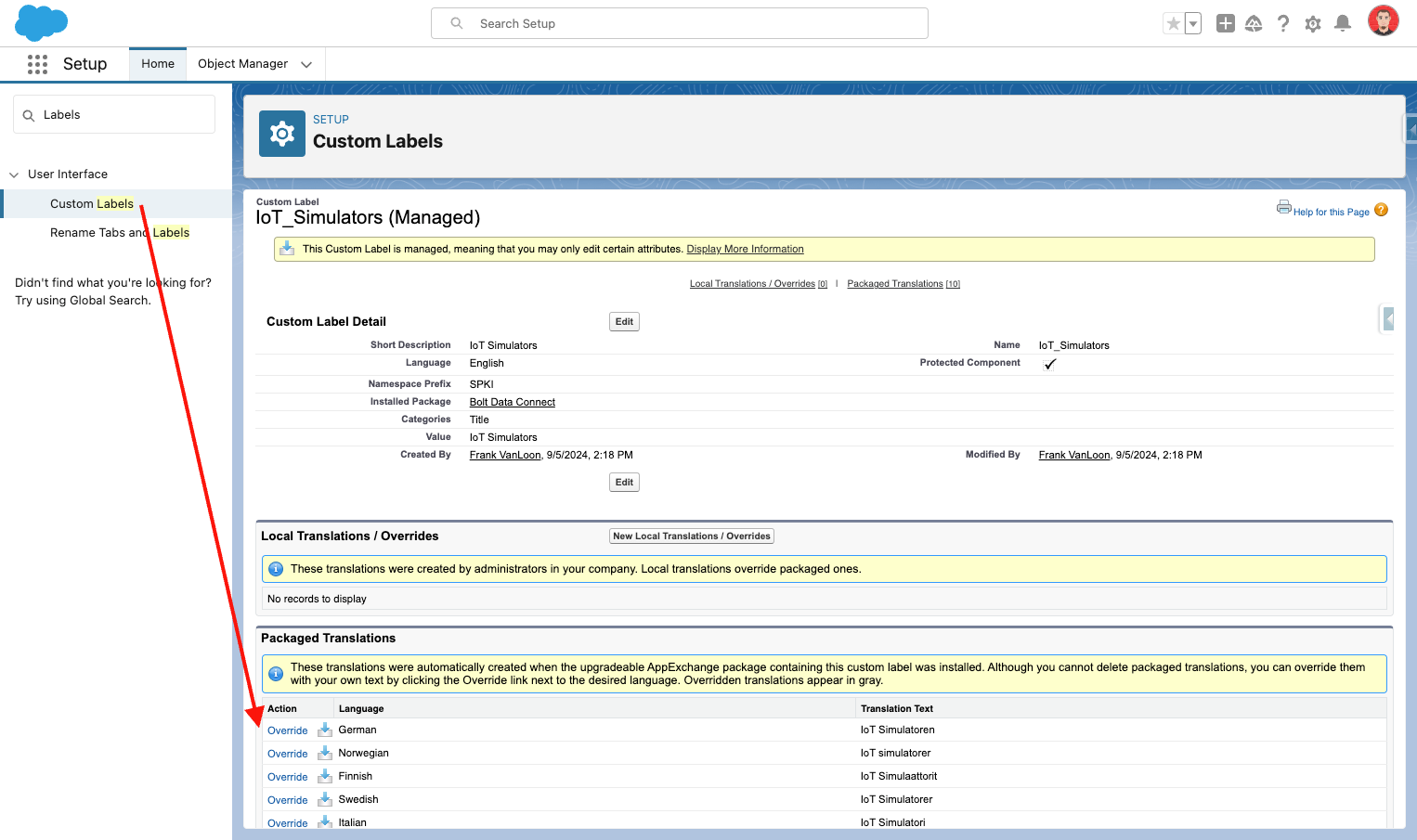
Override Label Translations