Data Cloud
How to use the Data Cloud integration with Bolt Data Connect
This section provides details on how to use the Data Cloud Integration, which provides Salesforce Data Cloud Users with visibility into the Bolt Data Connect IoT Data Stream.
Initial Setup
Start by creating a Case with Bolt Data Connect Support, requesting the setup of the Data Cloud Integration: Create DataCloud Support Case
Our support team will work with you by either setting up the Data Cloud components or sending you easy to follow instructions.
Once the integration is setup, you’ll have the following Bolt Data Connect Data Cloud components, automatically created from your custom IoT Thing Types:
- Ingestion API
- Data Stream
- Data Lake Object
- Data Model
Data Explorer
Once you have imported the components above you can now utilize the power of Data Cloud on your IoT Data.
- Create Calculated Insights: Compute metrics across dimensions from mapped objects and fields.
- Create Streaming Insights: Compute streaming metrics across dimensions from your real-time data sources.
- Create Data Actions: Publish Events or Webhooks when data or insights conditions occur
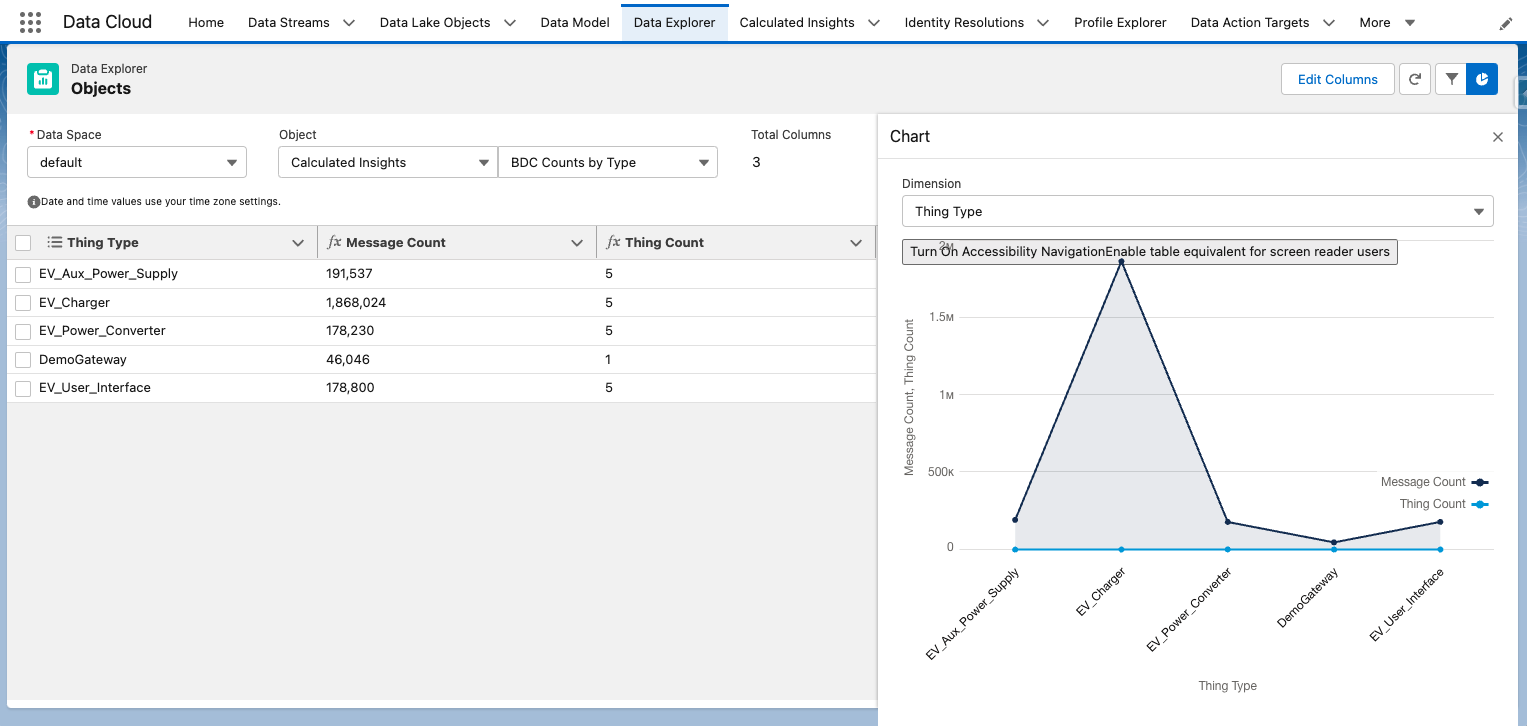
- Data Explorer: View / Report on the IoT data and insights
Log Search
Last modified November 8, 2023: Absolute Image paths for all-content (7aa8323)