Salesforce Mobile
Features on the Salesforce Mobile App
We’ve built full a parity of features into the Salesforce Mobile App components as with our Salesforce Desktop / Lightning experience. A few items will look slightly different due to form factor, but all the functionality is available in the mobile app.
IoT Console (Mobile)
The IoT Console search works identically, just scroll down after searching to see your results either in the map or data tabs.
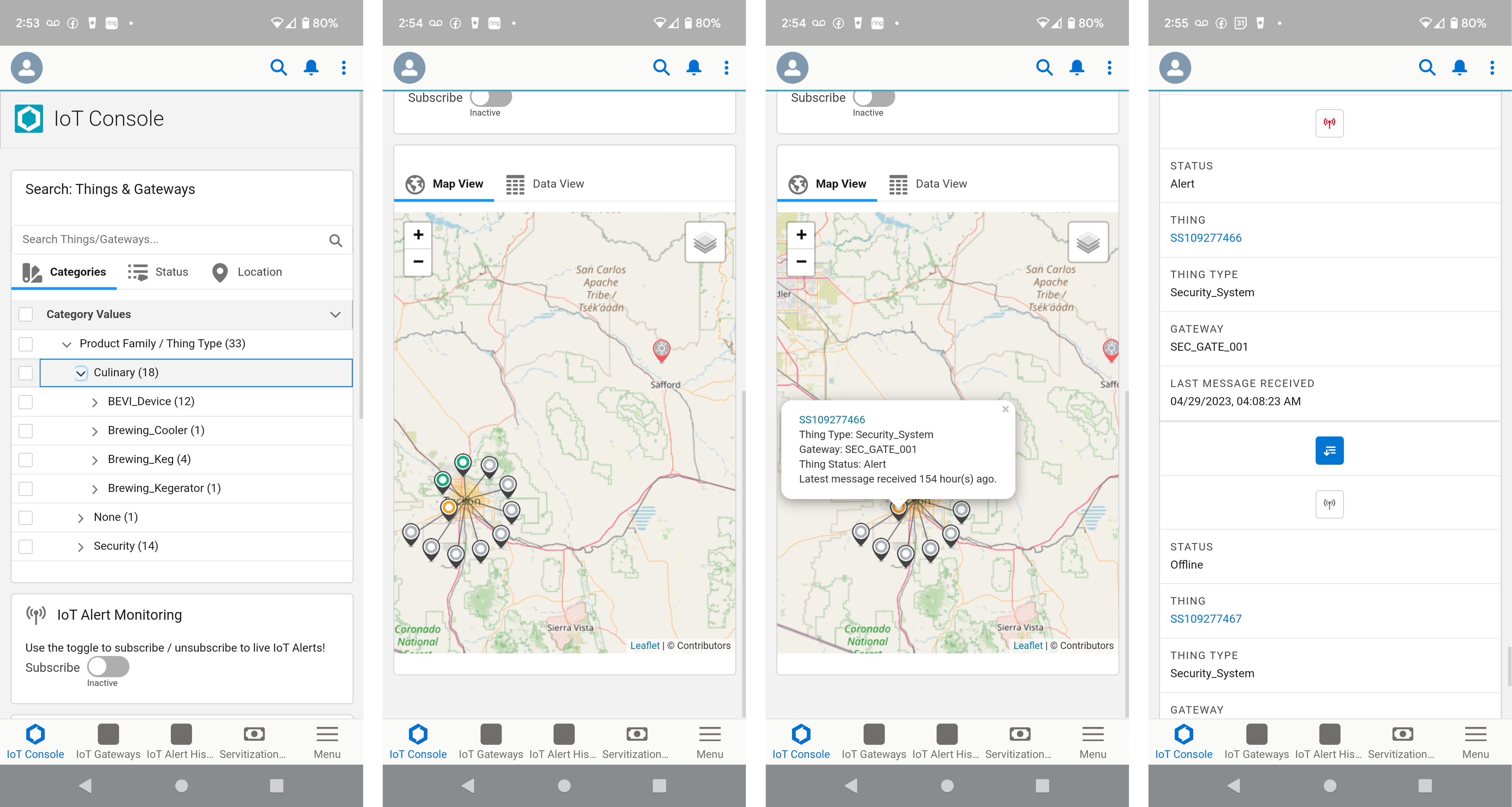
Salesforce Mobile - IoT Console
- The map is fully interactive, just look on the desktop.
- Click on a map pin to see the detail popup.
- When in the data view, you’ll notice the results are returned as “cards” instead of a table to render nicely in a small form factor. - All the same data and functionality is available.
Thing Components (Mobile)
When you click into a Thing (Asset), the same Lightning Components are available, including the IoT Thing Details and Thing Command…
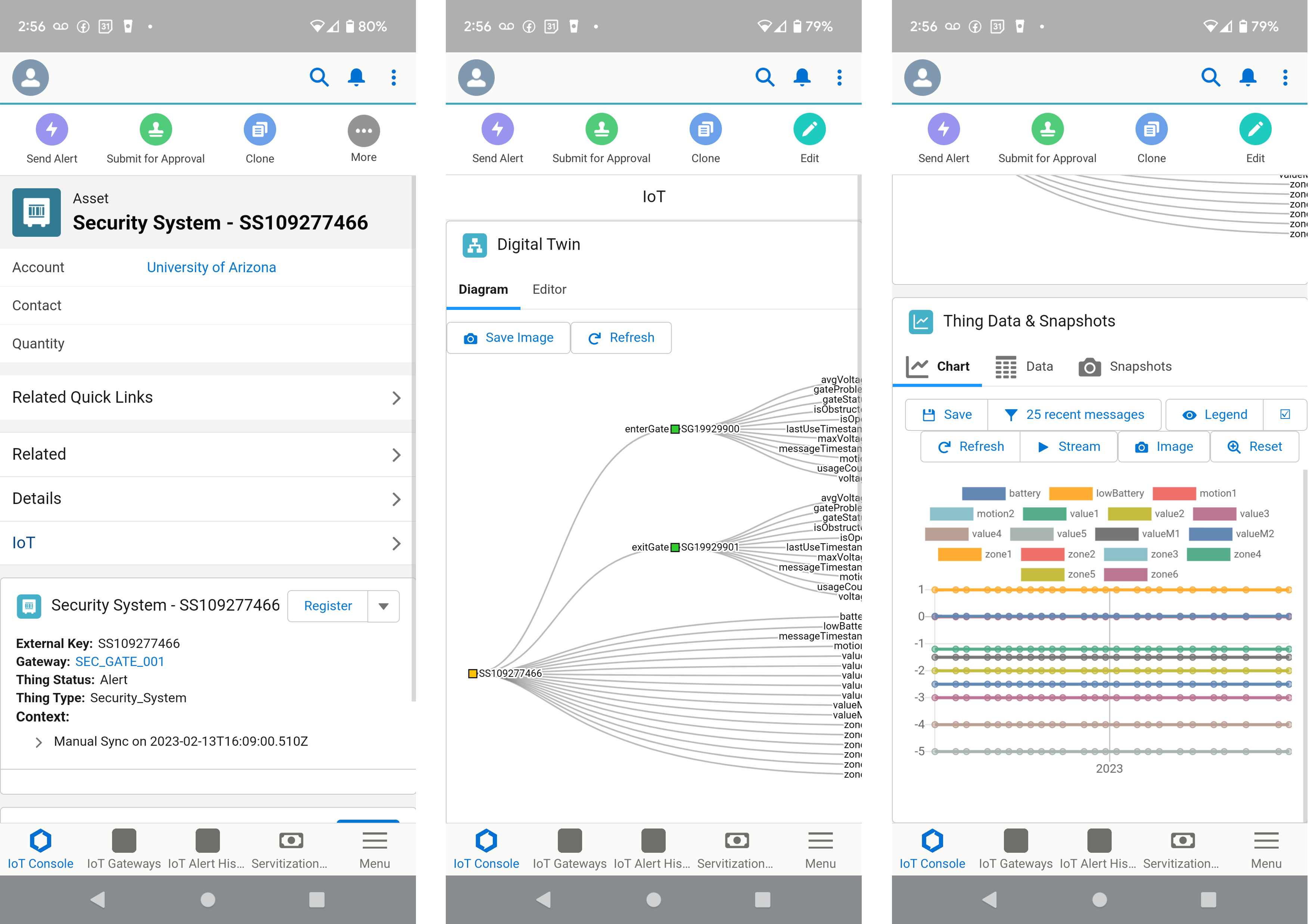
Salesforce Mobile - Thing Components
- All Thing Details functionality is available, including Register, Sync Context & Manual Sensor Entry
- The fully interactive IoT Thing Data and Snapshots component is also available.
- The Digital Twin diagram and editor is also available.
Last modified November 8, 2023: Absolute Image paths for all-content (7aa8323)