IoT Cloud Sync
Reconcile the Gateways and Things registered in the IoT Cloud with the records in your Salesforce org.
The IoT Cloud Sync console reconciles the Gateways and Things registered in your linked IoT Cloud with the records in your Salesforce org. This is useful when Things were registered outside of Salesforce, or when records have been deleted from the org.
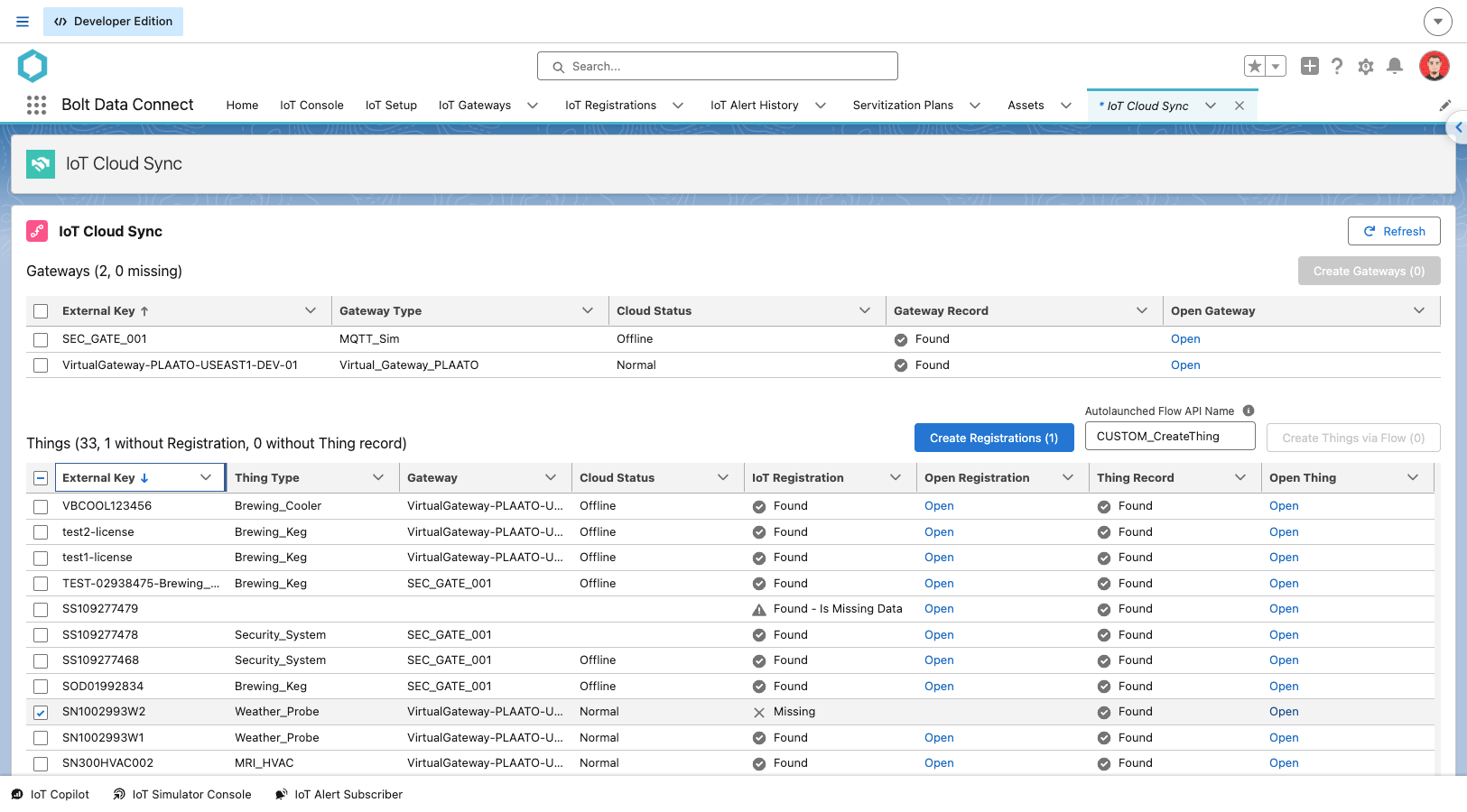
The console retrieves all registered Gateways and Things from the IoT Cloud and compares each one to the org. Results are grouped by Gateways vs. Things, and Found vs. Missing. For a missing Thing, the console also shows whether the Thing record itself was found, and whether an IoT Registration record exists.
IoT Cloud Sync
Select the rows you want to update, then use the Mass Update buttons:
- Create Gateways: Creates the selected missing Gateways.
- Create Registrations: Upserts an IoT Registration for each selected missing Thing, so the Auto-Registration automation can take over.
- Create Things via Flow: For each selected IoT Registration marked Is Missing Data (shown as “Found - Is Missing Data”), creates the
Thingrecord. Because every org populates Things differently (Account, Location, etc.), enter the name of an Autolaunched Flow in the Autolaunched Flow API Name field. The console invokes the Flow for each IoT Registration (Id), and the Flow is responsible for creating theThingrecord and updating the IoT Registration.
Use Refresh to reload the results from the IoT Cloud.
NOTE
The list of registered entities is provided by thegetRegisteredEntities Connector API, which can be customized. Available starting in Release 6.2 (Summer ‘26).
Last modified October 22, 2026: Summer 2026 Release Notes (e4e58a1)