Cloud Logs & Alarms
This section provides details on how to use the IoT Cloud Logs & Alarms, which provides Salesforce Users with visibility into the IoT Cloud Logs to help in troubleshooting calculations, alerts & connectivity issues.
Log Search
The “All Logs” search option allows you to search the IoT Cloud Logs for the APIs, Rules-Engine, and Connectors all from Salesforce. Enter a datetime range, (optional) keyword, select which Log Groups you are interested in searching.
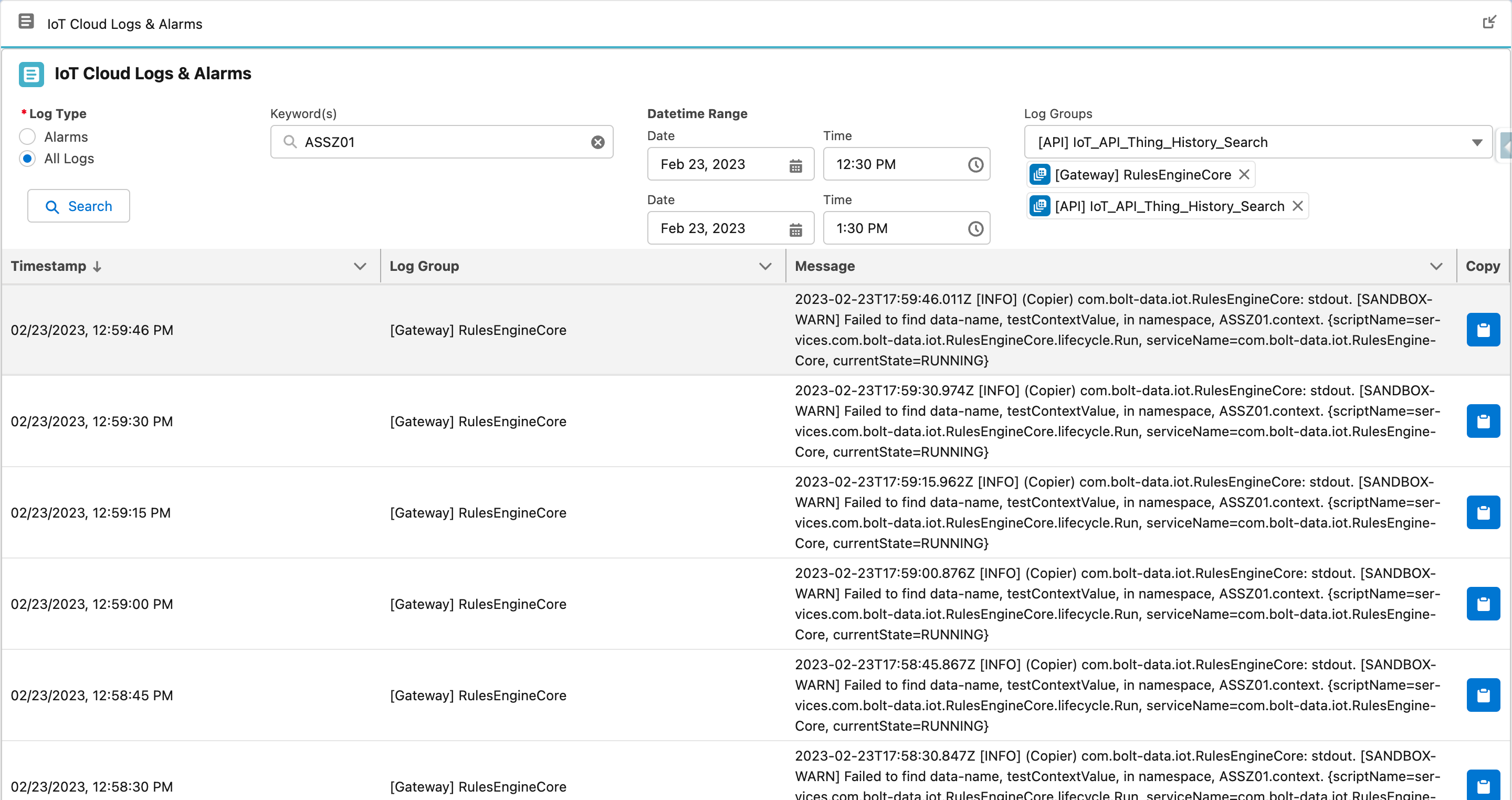
Log Search
SIZE LIMIT
The results are limited to 1000 messages. Simply refine or narrow down your search if necessary.TIP
You can also download the search results as a text file, simply scroll to the bottom and click Download.Alarm Search
The “Alarms” search option allows you to search the IoT Cloud Alarms, which are preconfigured alarms configured by our IoT Cloud Support Team. These Alarms indicate that a threshold has been exceeded or resolved for an error condition. Enter a datetime range, (optional) keyword, select which Log Groups (Alarms) you are interested in searching.
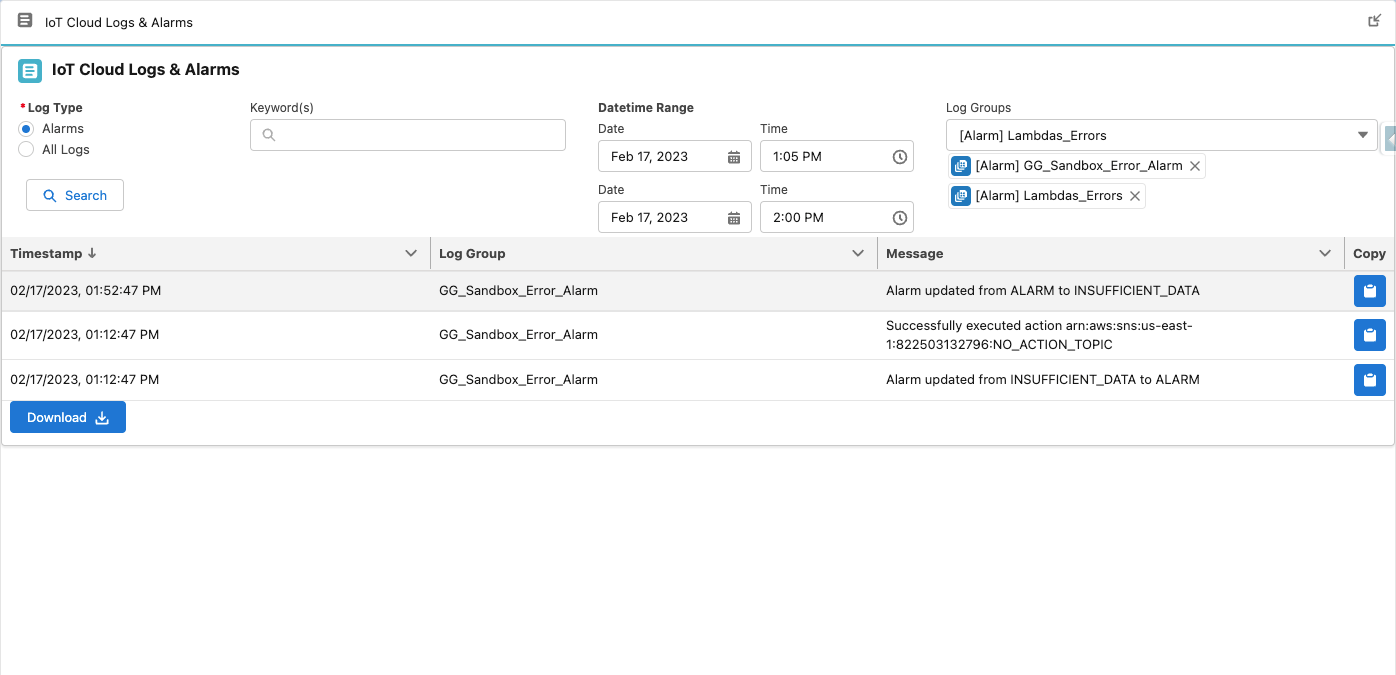
Alarm Search