Auto Registration
IoT Registration
IoT Registration records will be auto-created by the IoT Cloud as unrecognized Connected Assets are detected, or they can also be created in ServiceNow by an integration or any other automation. As the Auto-Registration Business Rule runs it will try to assign any missing data and then call the IoT Cloud API to Register the Connected Asset. By default, IoT Registration records contain text fields containing the IoT Thing ID and the Gateway ID. A flow must be created to fill in the fields for an Asset record, a Gateway Record, and a Thing Type record based on these two fields. This process will be different for every Client due to different naming conventions and preferences. Once these fields are updated on the record, the Auto-Registration Business Rule will check the record fr any missing data. If there is missing data, the Business Rule will set the Missing Data field to true and will provide details in the Results field. If the necessary fields are not missing, the Business Rule will create a Connected Asset record and register it with the IoT Cloud.
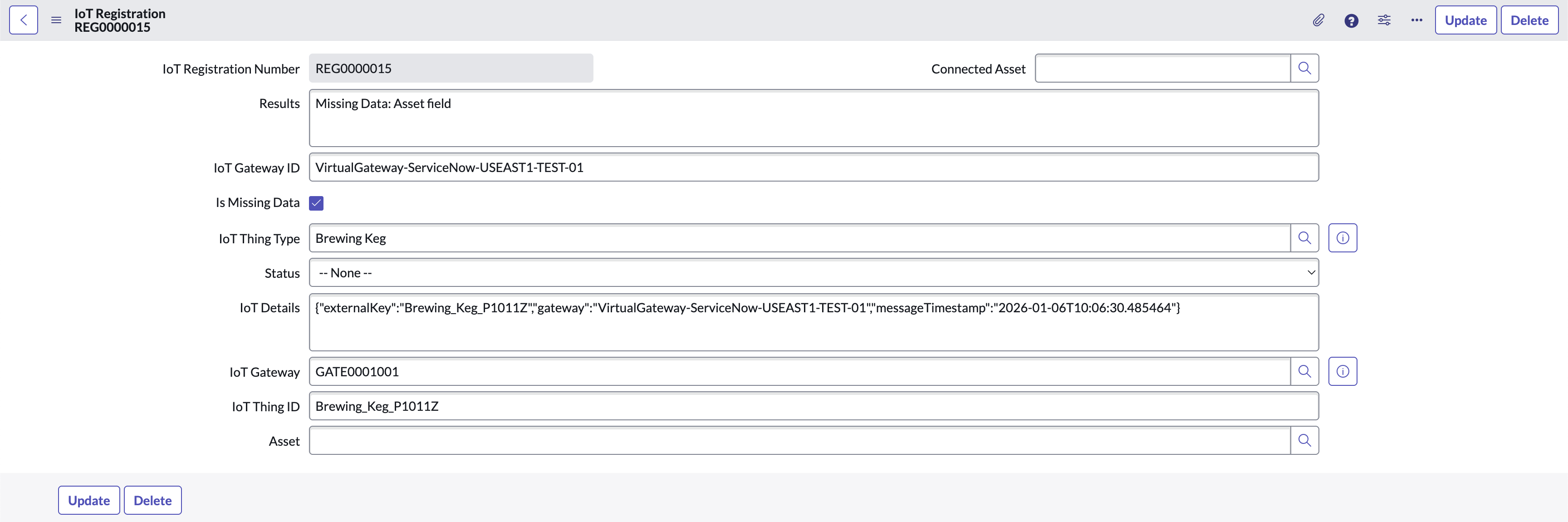
Registration Record with a Missing Asset Field
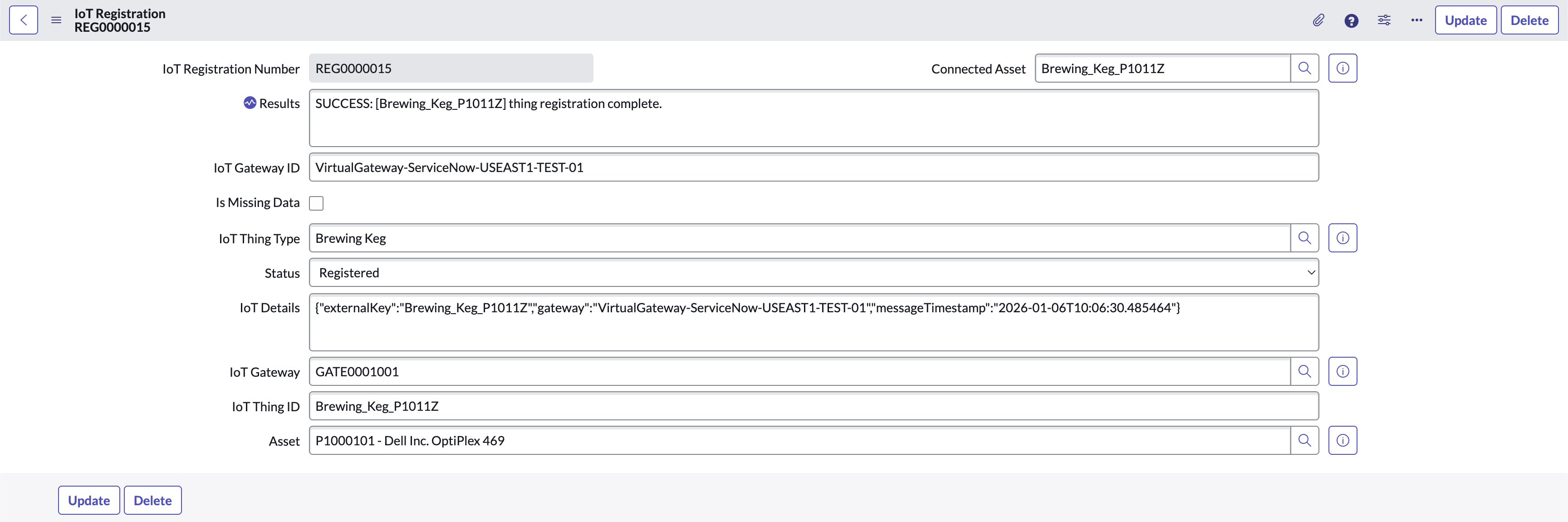
Successful Registration Record
NOTE
Any update to an IoT Registration record will cause the Auto-Registration Business Rule to check the updated record and attempt to create and register an Asset. For example, manually adding an Asset to an IoT Registration record that is only missing an Asset field will result in the Auto-Registration Business Rule to attempt to create and register a Connected Asset.Example Auto-Registration Flow
The provided example is not the only way to implement this. As long as the Asset, Gateway, and Thing Type fields are filled in and the IoT Registration record is updated, the Auto-Registration Business Rule will attempt to create and register a Connected Asset.
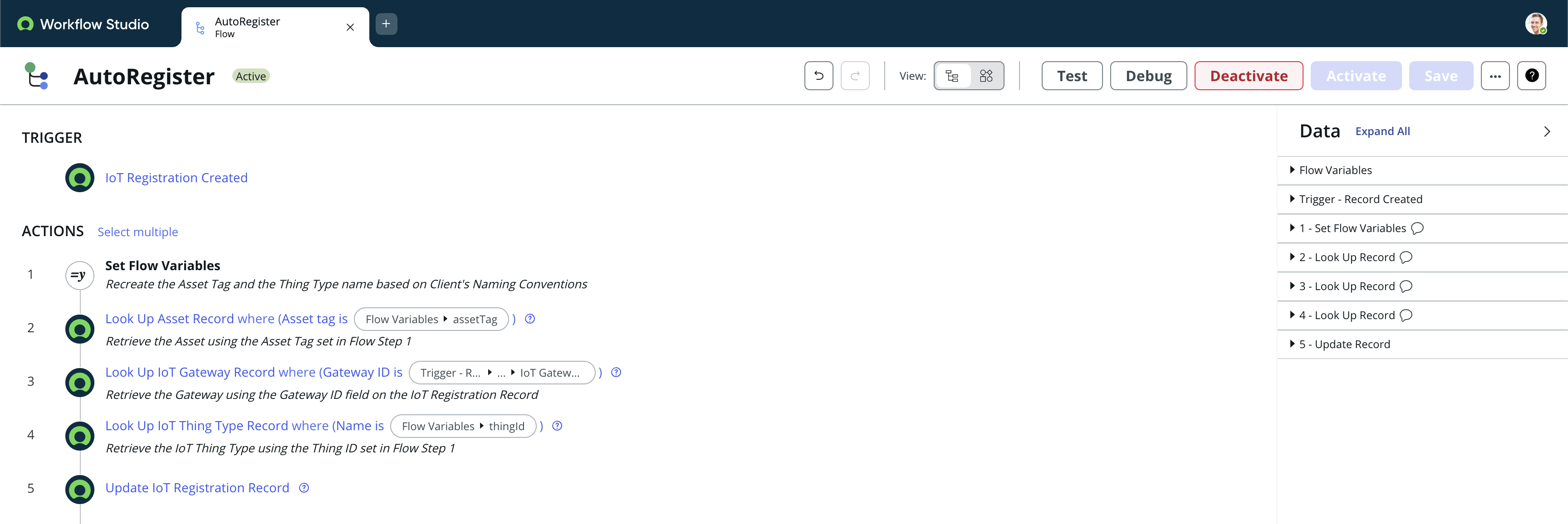
Example Auto Registration Flow
For the following example implementation for Flow Step 1 above, the Client has a unified naming rule set for all Assets, Connected Assets, and Thing Types as follows:
- Connected Asset’s IoT Thing ID’s always begin with the Thing Type name
- Asset Tags always start with “P1” (ex: P10001, P10002, P19993, etc)
- Connected Asset’s IoT Thing ID’s always have “_P1” followed by the Asset Tag they relate to after the Thing Type name (ex: Brewing_Keg_P10001, Brewing_Keg_P10002, Brewing_Keg_P19993, etc)
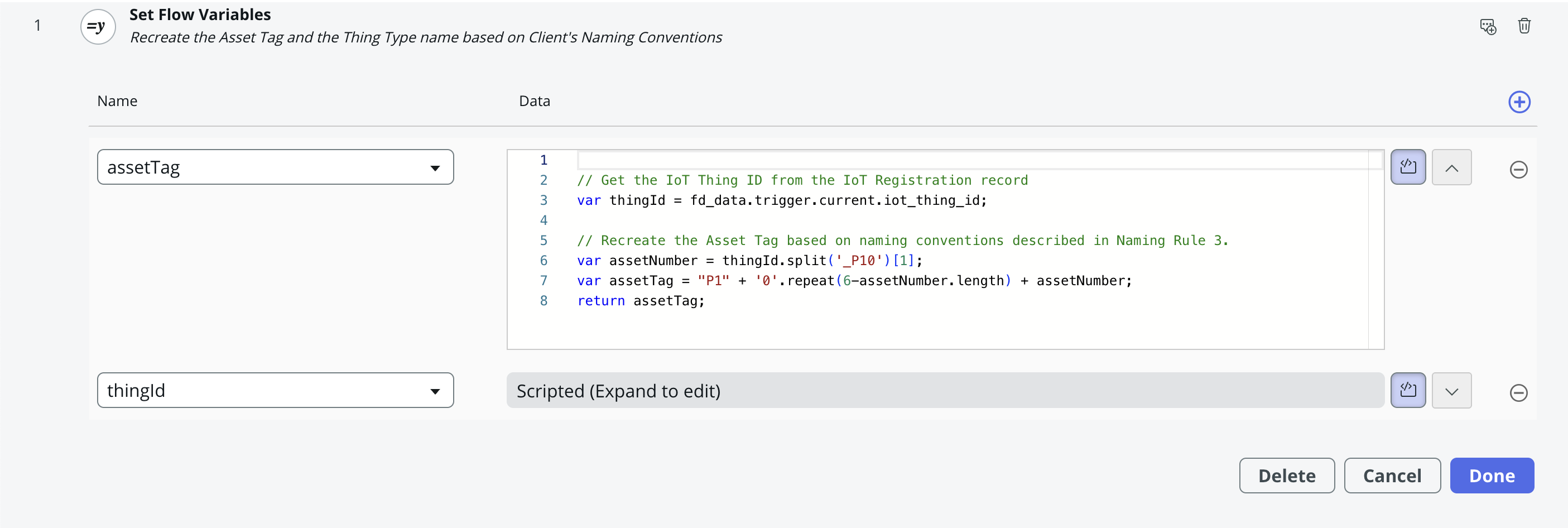
Example Auto Registration Flow
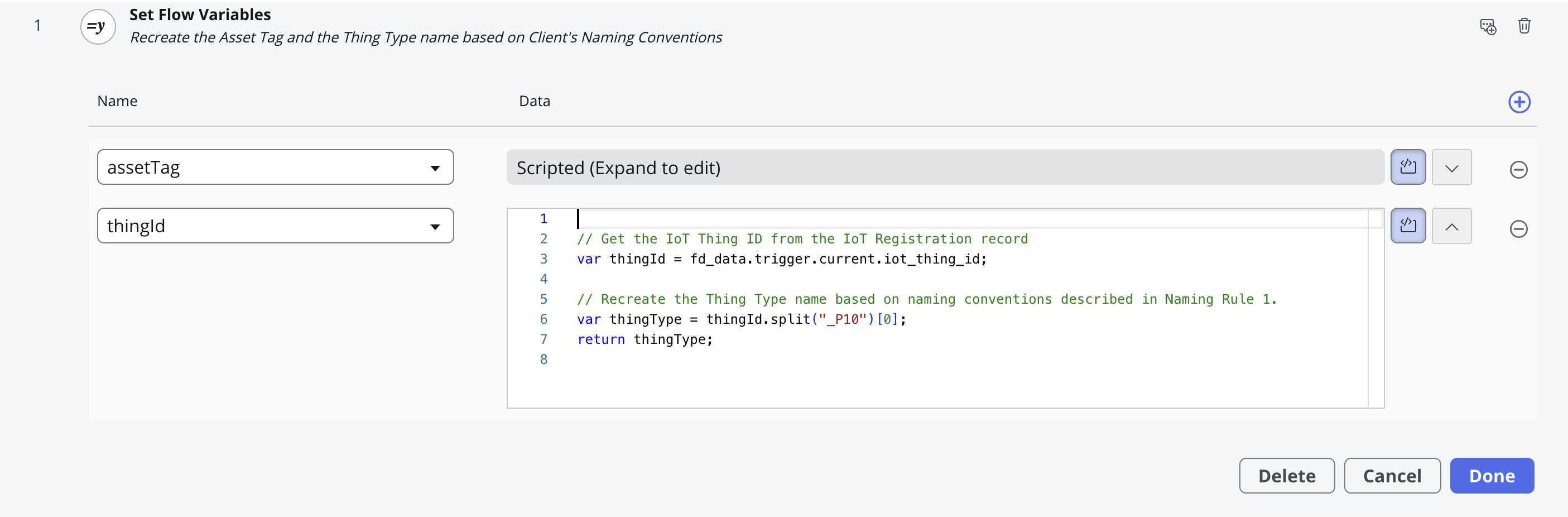
Example Auto Registration Flow