Release 6.2 (Summer '26)
New Features:
- Thing Gauges Display live sensor values as Gauges directly on the
Thingrecord page, with no Screen Flow required.- Gauges Editor: Define the Gauges for each Thing Type in a new editor, which saves the layout (as JSON) on the Thing Type.
- Gauges Viewer: Add the new Gauges Viewer component to any Lightning Record Page (such as Asset) to render the Gauges, based on the Thing’s latest IoT values and the Gauges defined on its Thing Type.
- Label Field: Each Gauge can optionally specify a Label Field. The value of that field in the Thing’s IoT details is appended to the Gauge’s title (for example, to distinguish multiple phases or zones).
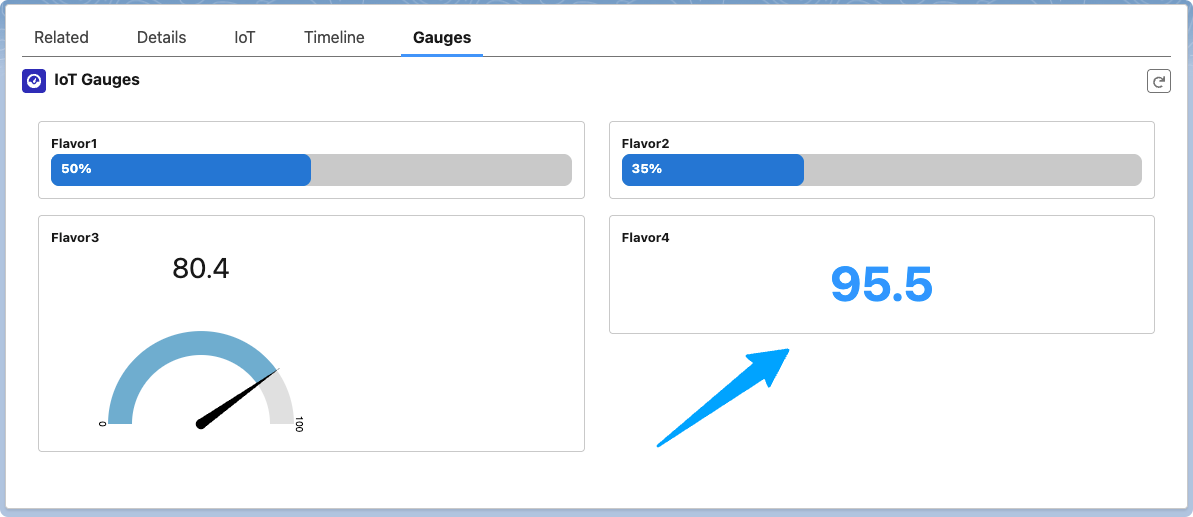
Thing Gauges Viewer
- IoT Cloud Sync Reconcile the Gateways and Things registered in your linked IoT Cloud with the records in your Salesforce org.
- The new IoT Cloud Sync console retrieves everything registered in the IoT Cloud and compares each row to the org, grouping the results by Gateways vs. Things and Found vs. Missing. For missing Things, it also shows whether the
Thingrecord and/or anIoT Registrationrecord was found. - Mass Update actions: Create Missing Gateways, create Missing Things (as
IoT Registrations), and create theThingrecord for anyIoT Registrationmarked as “Is Missing Data”. - Custom logic: For the last action, you can specify the name of an Autolaunched Flow. The console invokes it for each
IoT Registration, and the Flow is responsible for creating theThingrecord and updating theIoT Registration. - Connector API: A new
getRegisteredEntitiesConnector API (with a default implementation) provides the list of registered entities, so it can also be customized.
- The new IoT Cloud Sync console retrieves everything registered in the IoT Cloud and compares each row to the org, grouping the results by Gateways vs. Things and Found vs. Missing. For missing Things, it also shows whether the
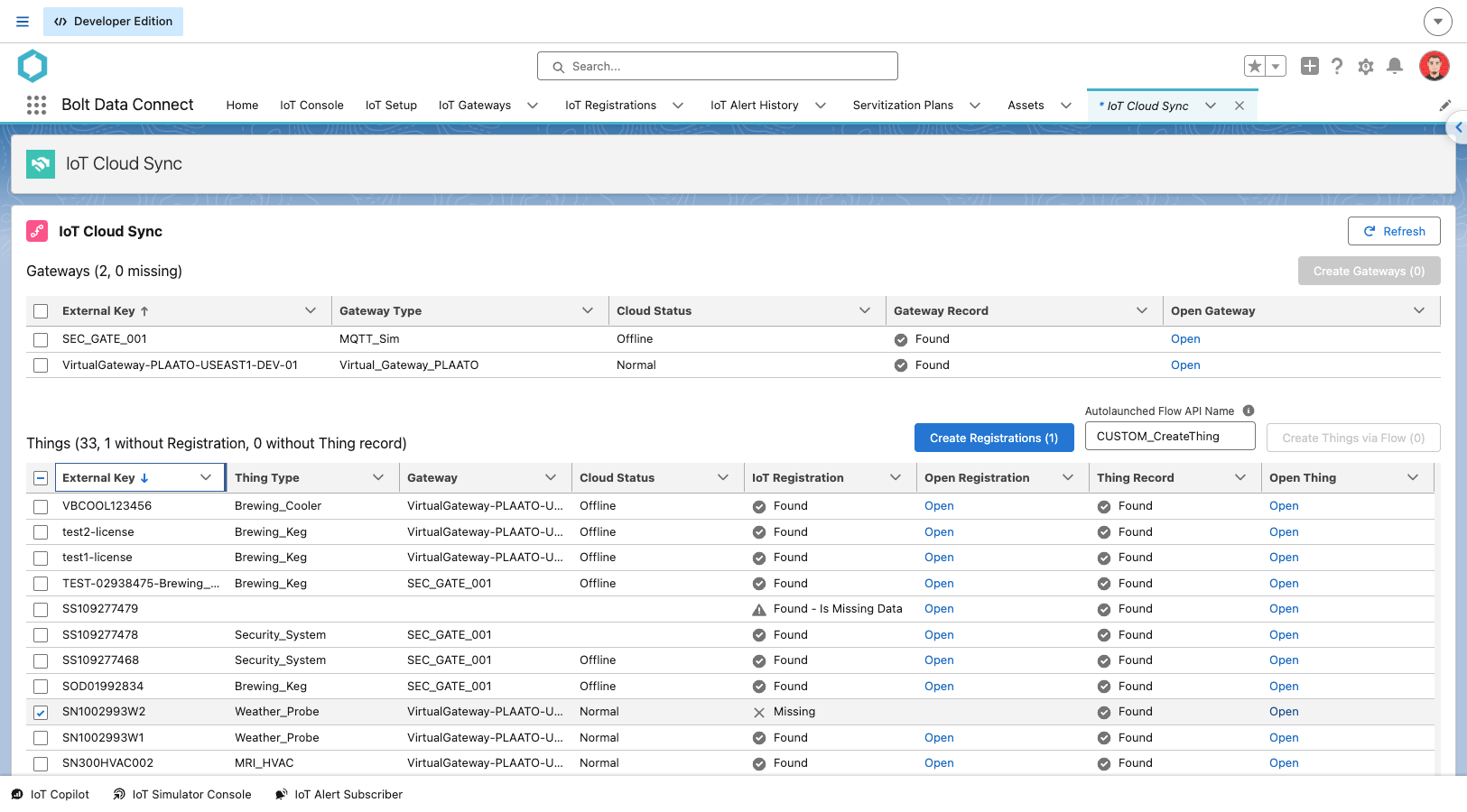
IoT Cloud Sync
- Gateway Start/Stop Controls Simulator Gateways can now be started and stopped on demand, so you can shut one down when it is not in use to reduce costs.
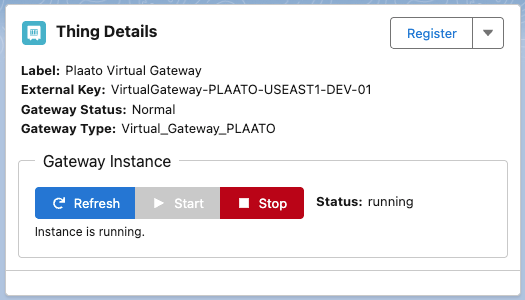
Gateway Start/Stop Controls
Improvements:
- Simplified Integration Editor The Gateway Integration Editor no longer shows Transforms and Streams, and the Integration Groups section has been removed.
Bug Fixes:
- Unlimited Licenses: Devices can now be configured with an “Unlimited” license (no message rate limit) using the default connector.
- Server-Based Simulators: The server-based Simulator now only processes Things whose Simulator Type is “Server”. Previously, Things set to “Browser” that were running were also processed, causing dips in the simulated values.
- Permission Sets: All required Apex classes are now included in the Bolt Data Connect Permission Sets.
- Simulator Config: Saving a Simulator Config no longer overwrites the Thing Type’s Label with its Name.
- Simulator Mode: Changing the Mode of a Simulated Asset (for example, from Normal to P1) now reliably saves.
Last modified October 22, 2026: Summer 2026 Release Notes (e4e58a1)